
BetterLinks helps you create short links automatically, so you can save time and keep your post URLs clean and consistent. This guide shows you how the auto post link generator works, which streamlines your link management workflow.
With Auto Post Link Generator, you no longer need to manually shorten URLs, auto‑generated short links keep your workflow fast and organized.
Note: Before you start, make sure to install & activate BetterLinks and BetterLinks PRO on your WordPress website. Remember that, You’ll need BetterLinks PRO v2.5.0 or newer to use this feature.
Guide to Generate Auto Post Link with BetterLinks #
This guide provides step-by-step instructions for generating short links automatically for custom posts using BetterLinks. It helps you automate short link creation in BetterLinks, saving time and keeping your URLs consistent.
Step 1: Generate Short Post Link Automatically #
To get started, log in to your ‘WordPress dashboard’ and navigate to BetterLinks → Settings from the left-hand menu. Within the ‘Settings’ option, locate and click on the ‘Auto Post Link Generator’ option.
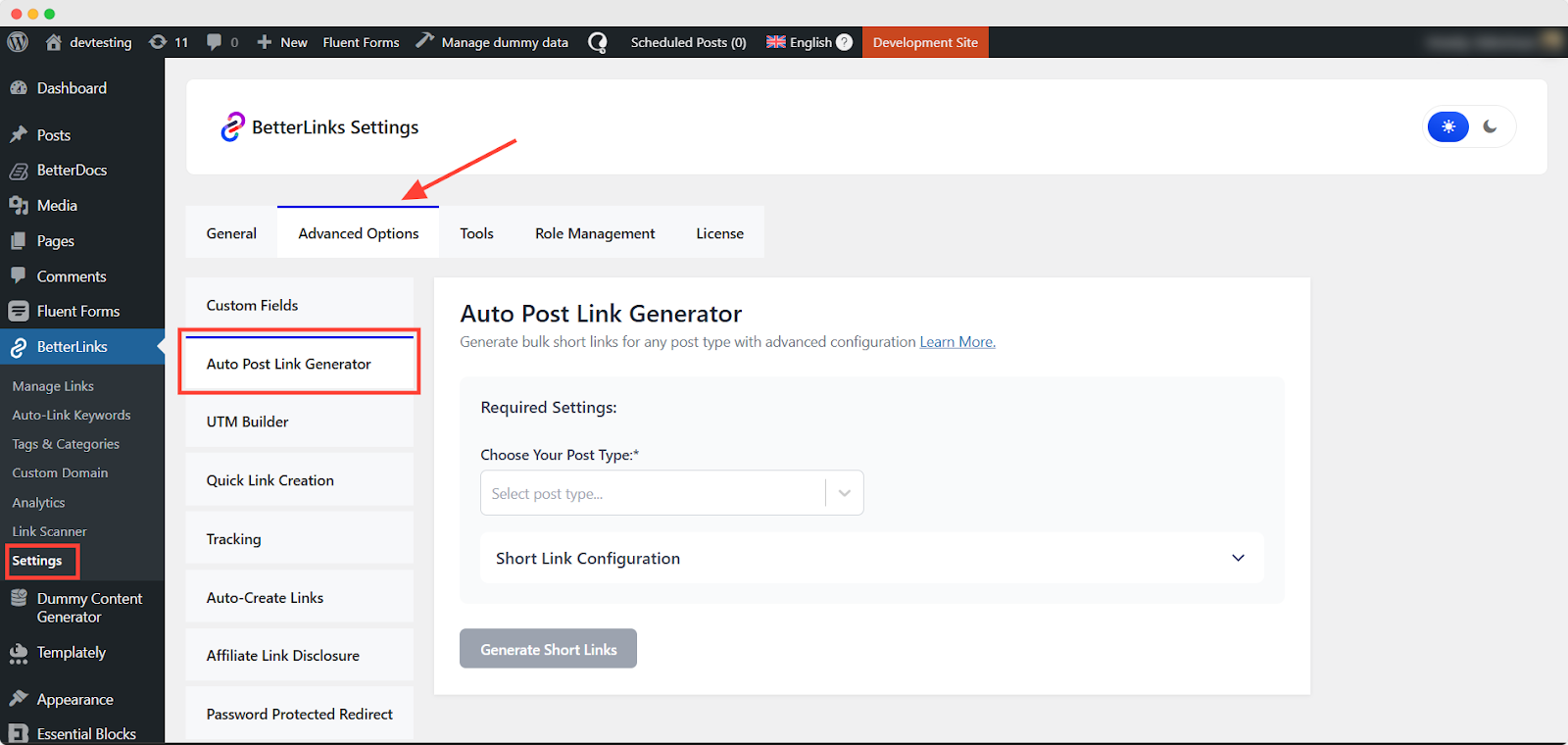
Then select the post type from ‘Choose Your Post Type’, you want to generate short links automatically from the dropdown.
For post types other than pages, you can also select associated categories. If categories exist, choose the appropriate one from the ‘Category’ dropdown. You’ll see the total number of posts ‘Post Found’ displayed below, highlighted in green.
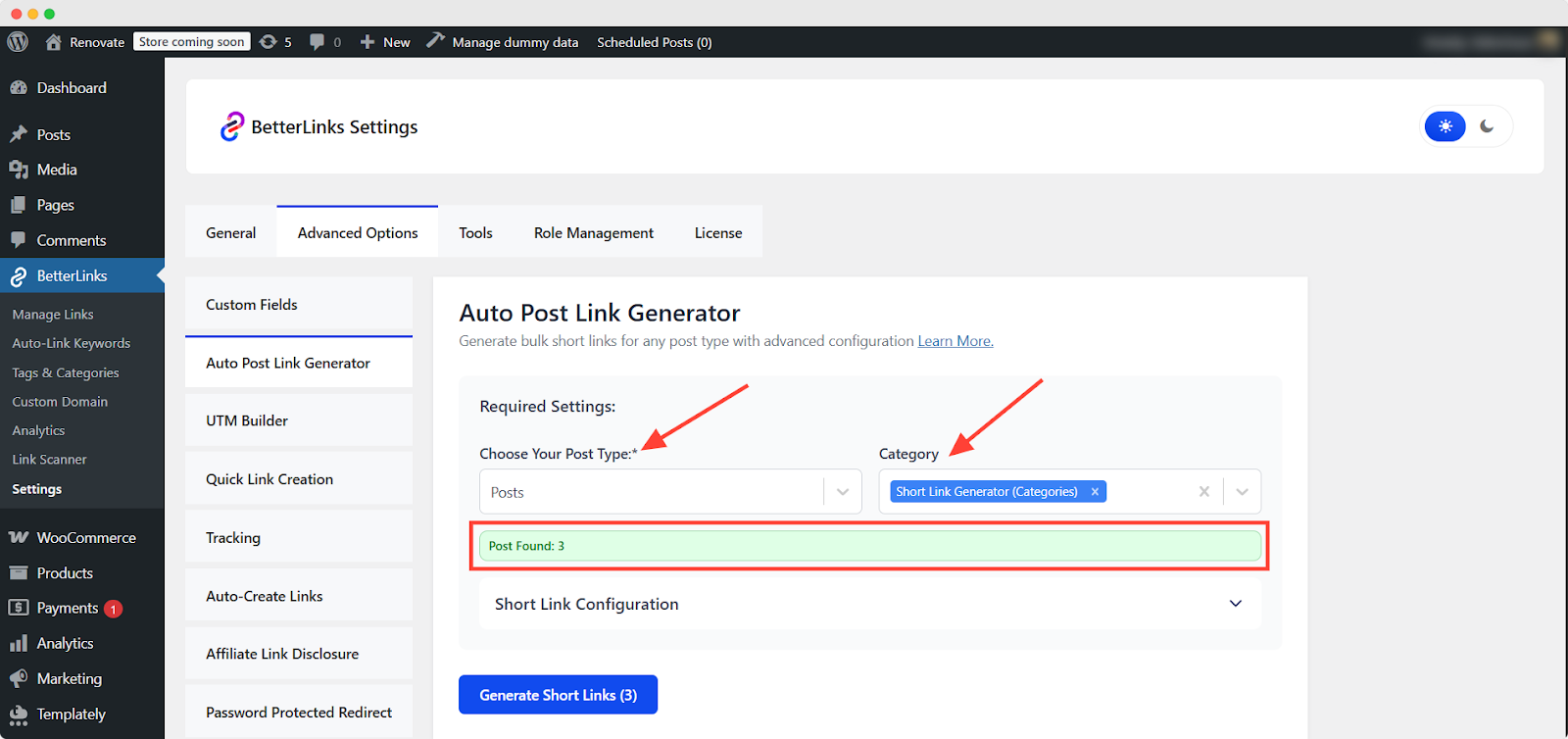
You can customize your short links to your preferences through the ‘Short Link Configuration’. Just expand the dropdown to access the options.
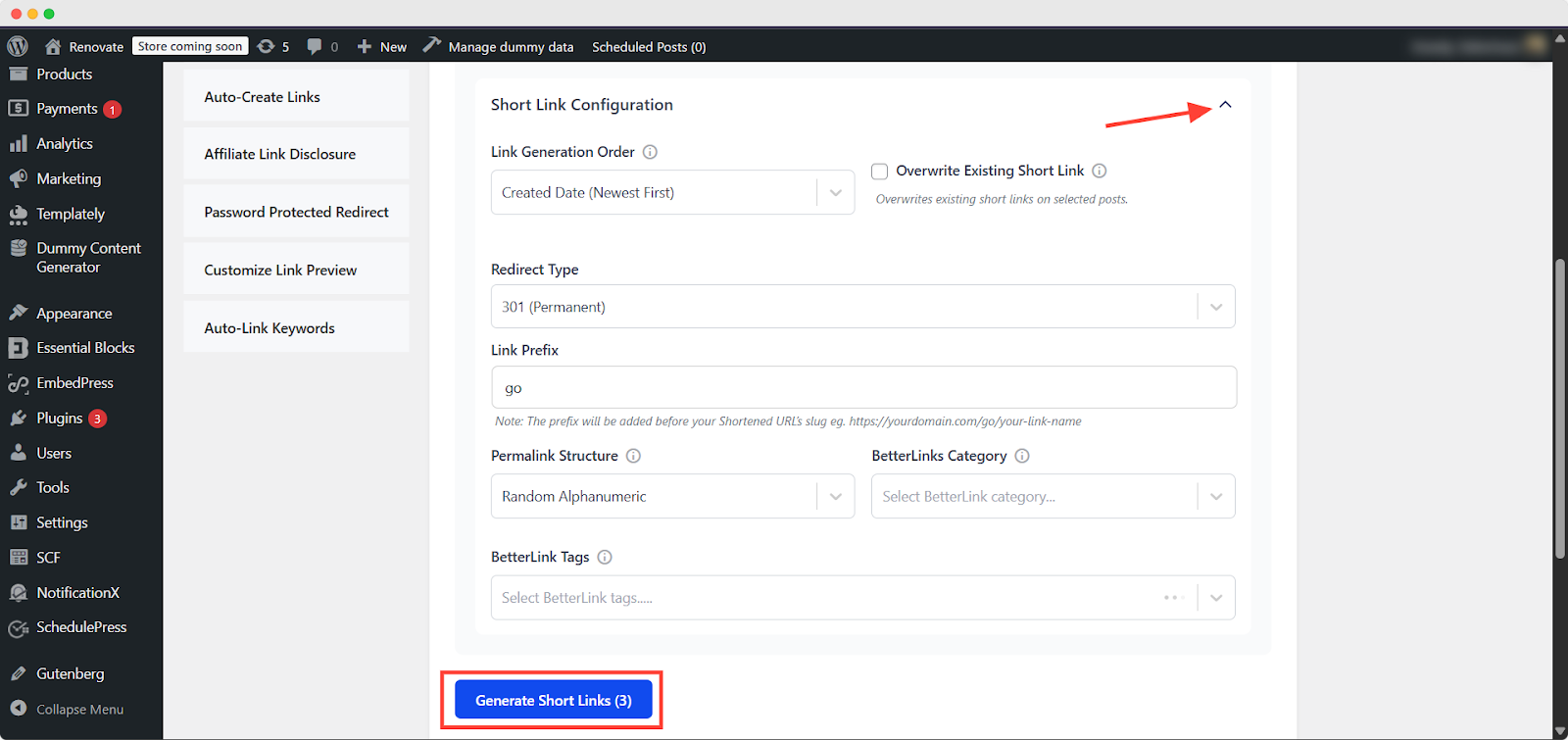
Step 2: Configure Short Links #
Set up how your short links will look and behave by adjusting the configuration options here. Let’s understand what each field or configuration is used for in the above image:
- Link Generation Order: Select the order in which short links should be generated based on your post order.
- Overwrite Existing Short Link: If a post already has a short link created by BetterLinks, enabling this option will replace it with a new one using your current configuration.
- Redirect Type: Choose the redirect type — 301, 302 or 307.
- Link Prefix: This prefix is added before the shortened URL slug. Example: https://yourdomain.com/go/your-link-name
- Permalink Structure: Choose how the short link’s permalink should be structured based on the link type.
- BetterLinks Category: Assign a category to organize your generated links more effectively.
- BetterLinks Tags: Add tags to label your links for easier reporting and filtering.
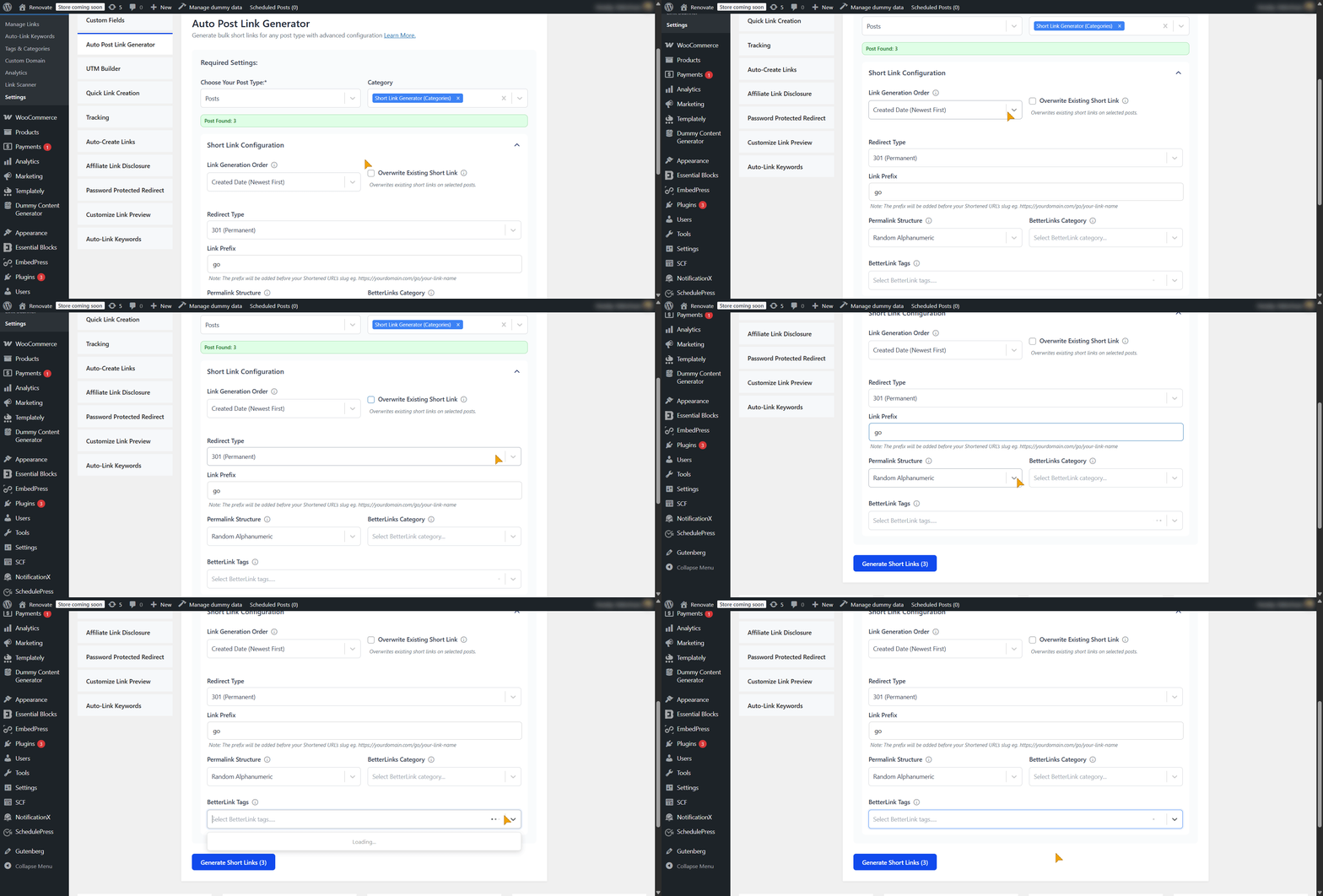
Step 3: Confirm Auto Link Generation #
Review your settings before generating to ensure everything is configured correctly. Then tap ‘Start Generation’ to generate the link automatically.
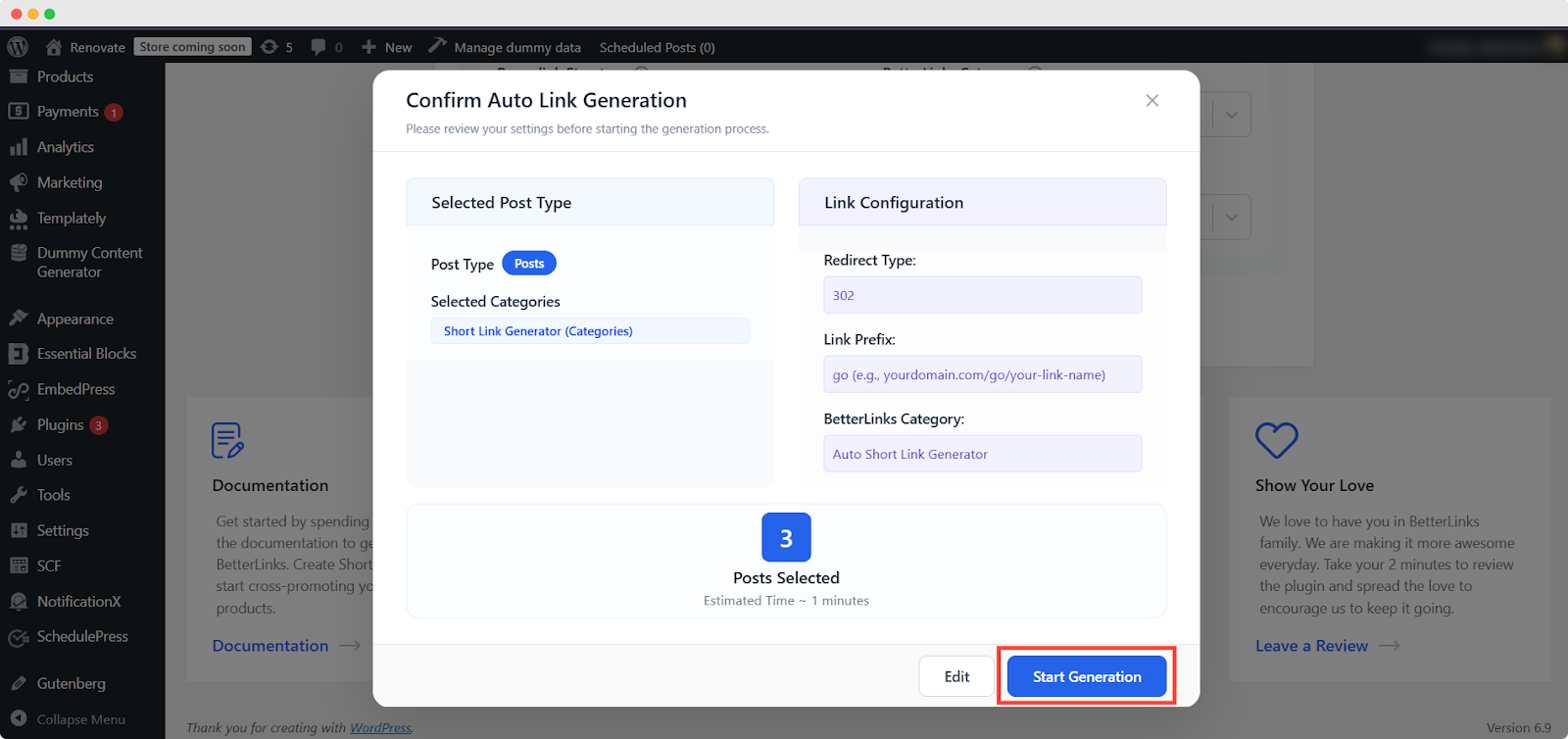
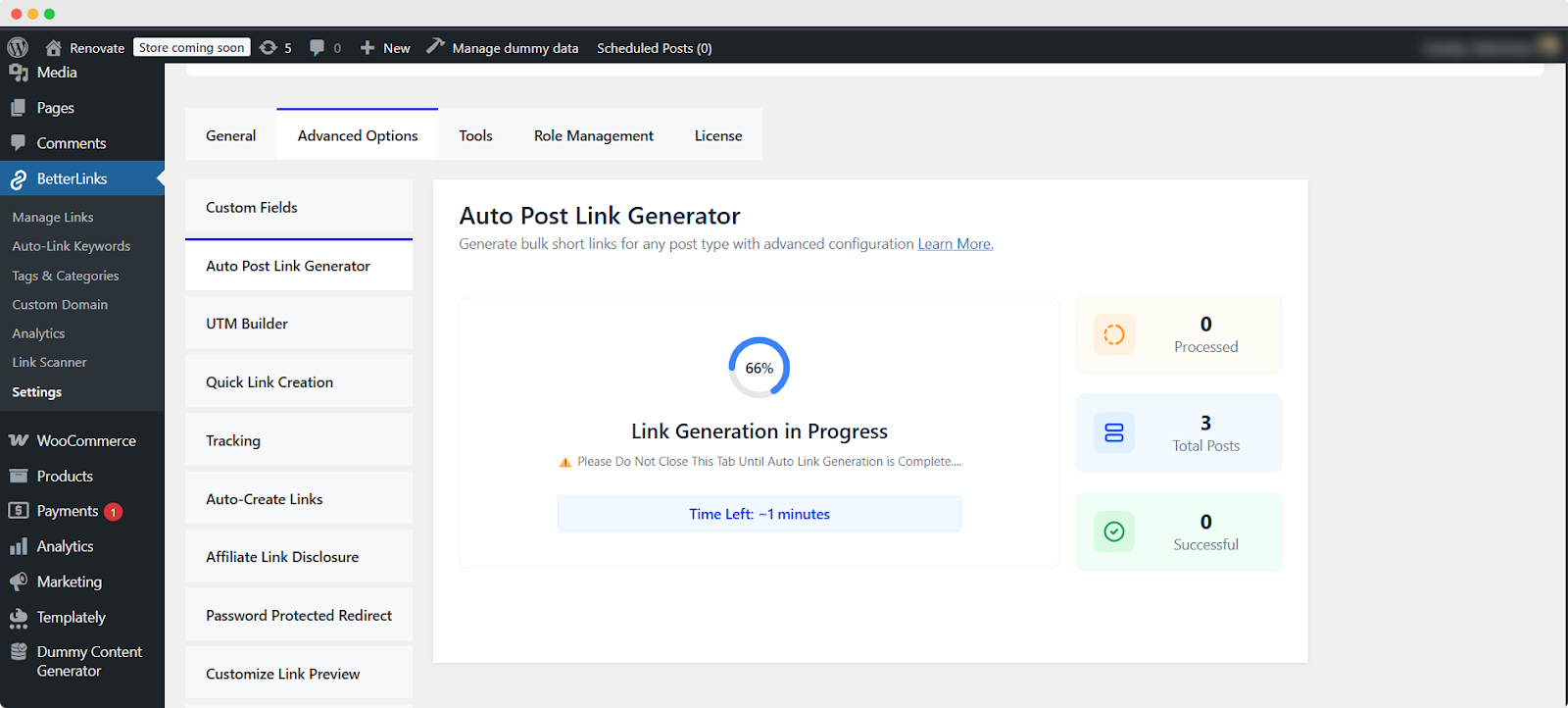
You will see an on-screen update showing that link generation is in progress. You will see an estimated time for the link generation process while it is in progress.
Note: Please remember, do not close this tab until the auto post link generation is complete.
Step 4: Auto Post Link Generation Completed #
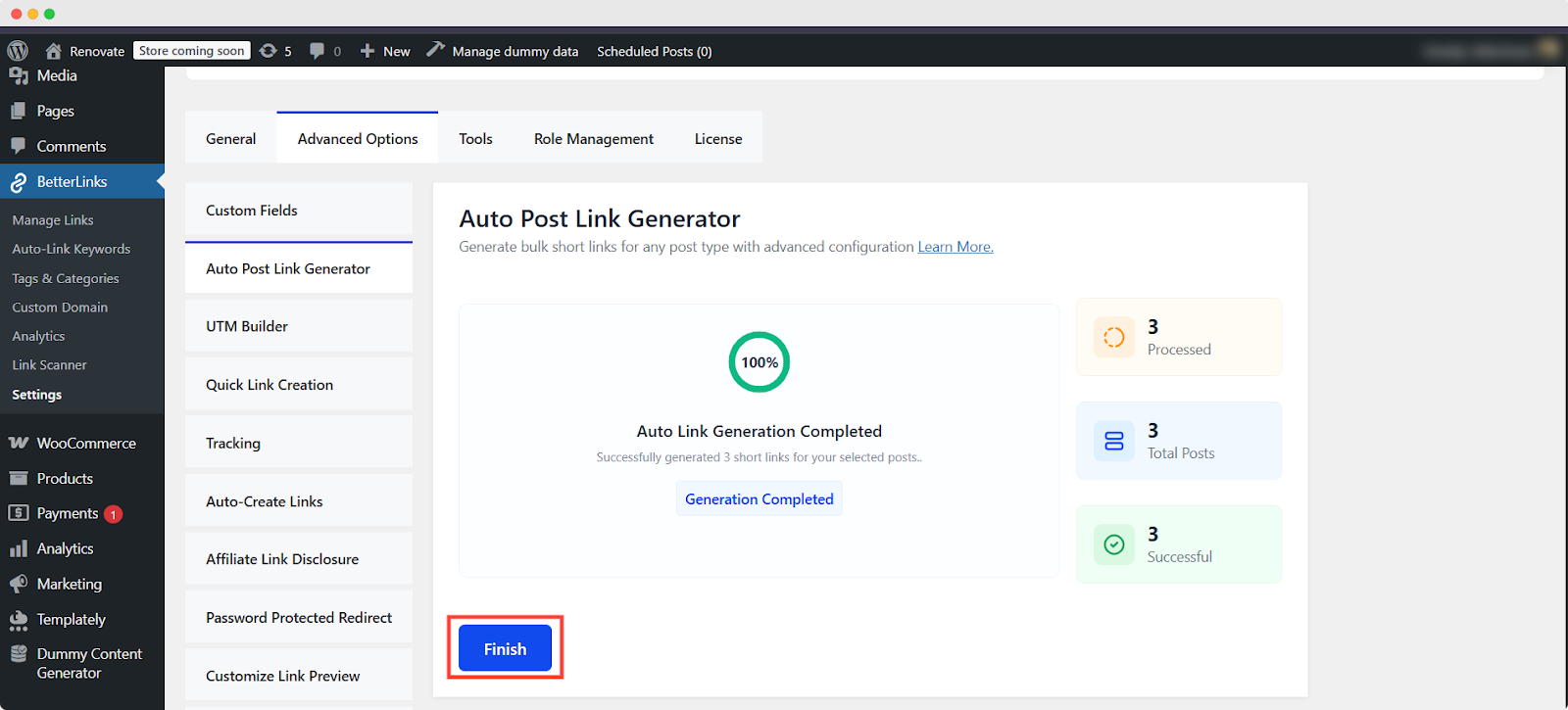
Now, you will see an on‑screen message confirming that the auto post link generation is complete. It will display the number of short links successfully generated for your selected posts.
Additionally, you will see the number of:
🟠 Processed links
🔵 Total number of post links
🟢 The number of successfully generated links
Click ‘Finish’ to return to the main screen.
Final Outcome #
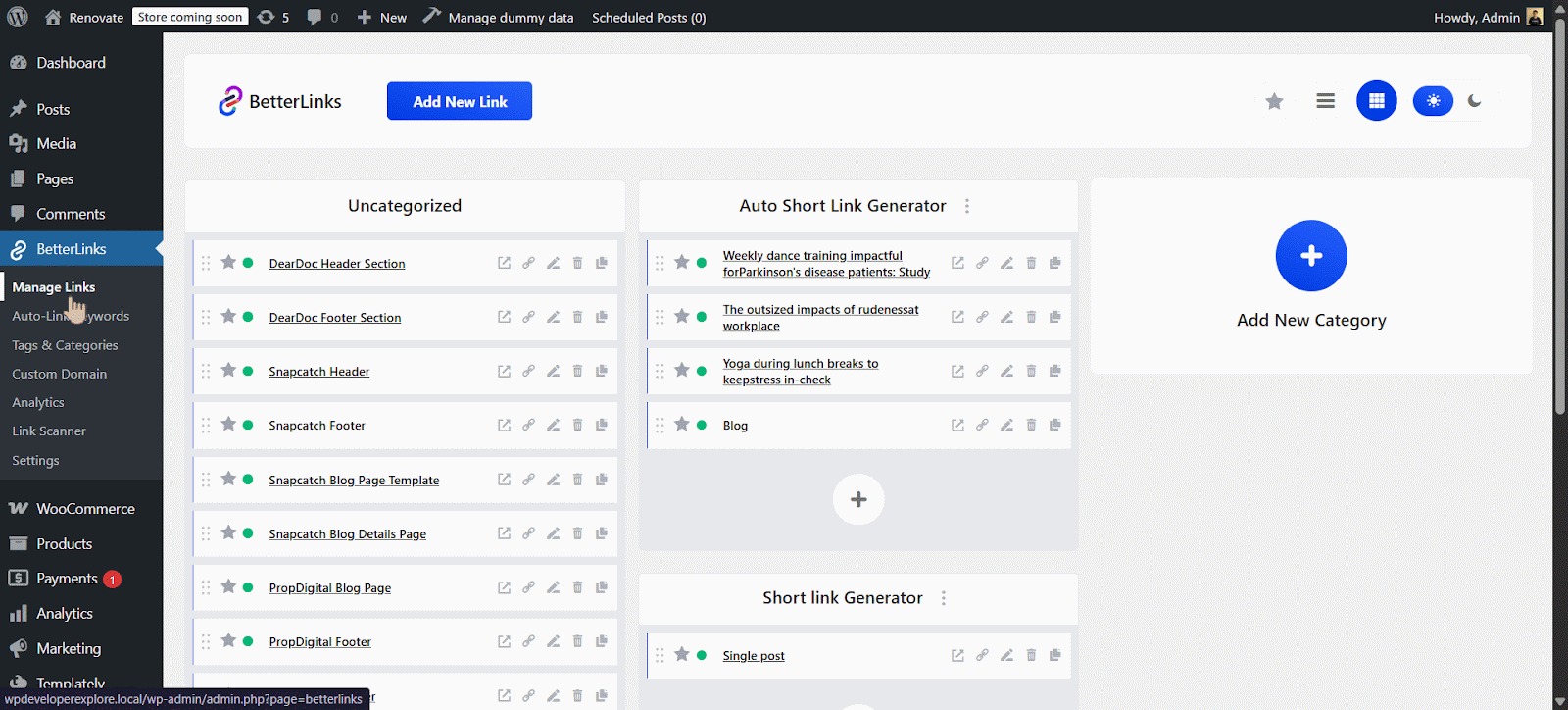
You can check the completed auto‑generated post links from the Manage Links section.
That’s how you can automatically generate post links with BetterLinks in minutes.
Need help with something? You are welcome to contact our support team at any time. And don’t forget to join our Facebook community group for regular updates.


