broken links checker BetterLinks

Introducing BetterLinks Broken Links Checker: Guide For WordPress
The last thing you want your website visitors to see is a 404 error page. But unfortunately, as your WordPress website grows bigger, you will inevitably have many broken links that you need to locate and fix quickly. That’s why we are here to help. Introducing the new BetterLinks Broken Link Checker, with which you can now effortlessly scan for broken URLs and make your WordPress link management process easier than ever. 🥳 

broken links checker

The Impact And Problems Of Broken Links On WordPress

Let’s start from the basics. As you write blog posts or create new web pages, you may link to several content and URLs from your own site as well as those from others. Sometimes, when these contents are relocated or an external site you have linked to changes their domain, you may experience 404 errors when you click on the URL. These links are called broken URLs or broken links

Some Common Reasons Why Links May Get Broken 

There are many reasons why a URL can turn into a broken URL. Here are some of the most common causes: 

➡️ If you have used a temporary URL & that has expired. Then the URL will be considered a broken link and result in 404 errors.

➡️ If the content you are linking to has moved to a different domain, and you have not updated the new URL. 

➡️ If the external web page you have linked to is down for some reason, or changes its domain, then your link will be broken. 

➡️ Any misspelling in the URL you have added will also show a 404 error to your website visitors when they click on those links. 

These things could happen any time, which is why experts often say that link rotting (or link breaking) is inevitable. But, with advanced WordPress link management solutions like BetterLinks, you can take the necessary steps to resolve broken links as soon as they occur.  

What Happens When You Have Broken URLs On Your Site? 🤔

On the surface, broken links may seem like a very simple issue. You may also feel that fixing these broken links is too much of a hassle for your WordPress website, especially if it is bound to happen one way or another. 

However, broken URLs can cause significant damage to your website SEO and traffic, so it is very important you scan and fix broken URLs on WordPress on a regular basis. Let’s look at the costs of having broken URLs on your website in more detail.

👉 404 Errors Can Lead To High Bounce Rates

When site visitors get a 404 error, they will immediately exit the page which will lead to high “bounce rates”. High bounce rates are bad for your website, as they will lower your engagement rates and conversion rates. Moreover, these visitors may not want to return to your website again, so you will lose traffic. 

👉 Broken Links Can Lower Search Engine Rankings

Broken links negatively impact your ranking in Google’s search results. As broken URLs increase your bounce rate, which is one of the metrics Google tracks for your search ranking, your website SEO will suffer. Broken links will also make your page more difficult to index. So your website will not be able to get enough traffic. 

👉 High Bounce Rates Can Lead To Loss Of Money

Customers will not buy from you if they can’t find what they need on your site. In addition, if Google doesn’t find your website useful, it won’t rank it highly for prospective customers. Potential customers may also tell others about their bad experiences on your website, so you will lose money if you do not regularly fix broken links on your website.

broken links checker

Top, Easy Solutions To Fix Broken Links On WordPress

If you have a small WordPress website with only a few pages and not many external links, you can manually check them if you want. This will involve clicking on all of your links to make sure they work. 

Nevertheless, manually checking things takes a lot of time, especially since you should ideally monitor your broken links every time your site is updated. There are several options you can try if you are unable to spend hours checking all your broken links. Popular ways to scan for broken URLs are: 

  • SaaS web app tools
  • Desktop software
  • Google search console
  • Broken links checker plugin

Now, you can choose to use any of these above solutions, but what if you could get your hands on an advanced WordPress link management plugin that lets you scan for broken links, track your website URLs and shorten them too, all in one place? That’s where BetterLinks comes in.

🎉 Introducing New Broken Links Checker From BetterLinks

Backed by WPDeveloper, the same team that is trusted by more than 3 million WordPress users, BetterLinks comes with several features that were most requested by the community, such as link shortening, tracking, UTM builder, and more.

We are now delighted to announce that we have added yet another highly requested feature to BetterLinks. With the new Broken Links Checker tool with BetterLinks, you can easily scan your WordPress website and fix broken URLs straight from your dashboard.

Things Can You Do With BetterLinks Broken Links Checker

BetterLinks offers a variety of unique features that make it different from similar plugins. From shortening links with a single click to checking for broken links, BetterLinks has everything you might need to manage links in no time at all. Here’s what you can do with BetterLinks Broken Links Checker:

⚡ Instantly Scan Your Website For Broken Links

You can always scan your website for broken URLs with one click using BetterLinks Broken Links Checker. Within minutes, you will get a full list of all the URLs on your website with a quick overview of how many total URLs you have, how many have been scanned and how many need to be fixed.

Just go to BetterLinks → Settings → Broken Links Checker, and click on the ‘Start New Scan’ button.  Betterlinks will display immediately if there are any broken URLs or not with all the details. 

Broken links checker

⚡ Manage Broken URLs Interactively

After finding the broken links, you can also fix them with BetterLinks Broken Links checker. If you have misspelled the URLs then Edit them to update the URL immediately. You can also choose to remove these broken URLs if you cannot update them, for example, if a link redirects a user to an external site that has completely shut down.

Broken links checker

⚡ Set A Schedule To Scan Broken Links Regularly

Taking care of broken links is not an instant random chore to do. To improve your site performance and SEO ranking you have to scan broken links on a regular basis. BetterLinks broken links checker brings this facility to their users as well. You can easily schedule broken links checking by selecting time and date. You can also set whether to check weekly, monthly, or yearly. 

Broken links checker

⚡ Get Automated Email Reports For Broken Links

Whether you do instant scanning or scheduled scanning for broken links, BetterLinks broken links checker brings a unique feature; send broken URLs report to your email address. This reporting through email is a great help for marketers as well as site administrators.

broken links checker

How To Optimize Your WordPress Website With BetterLinks Broken Links Checker?

Here’s the question we all want to be answered – how do you fix broken links in WordPress? In sections, we’ll cover essential steps on how to fix broken links in WordPress with BetterLinks broken links checker. Here is the step-by-step guideline. 

Step 1: Get BetterLinks Pro In Your Website

The first step of fixing broken URLs with BetterLinks is to get BetterLinks installed and activated on your WordPress website. To get the broken links checker of BetterLinks, you have to get the premium subscription of BetterLinks. Moreover, if you already have any other broken link checker plugin, then you can simply migrate to BetterLinks.


Step 2: Find Out The Broken URLs

Now to go settings of BetterLinks. You can run scheduled scanning or instant scanning to find out the broken URLs available on your site. To schedule scanning, give the date and time in the required field. And for instant scanning, just click on the ‘Instant Scan’ button. 

broken links checker

Step 3: Fix Broken Links Of Your Site

The list of the broken links will be generated immediately. From there you can update the broken URLs or delete them permanently. Besides every URL you will find the option to Update or Delete. You can also take bulk action from BetterLinks broken links checker to delete URLs as well.

broken links checker

This is how easily you can find & fix broken links with the ultimate link management plugin, BetterLinks. Also, if you get stuck, you can communicate with the BetterLinks dedicated team anytime.

Here Is The Video Tutorial For Fixing Broken URLs With BetterLinks

✨ Bonus: Get Rid Of Link Rots With BetterLinks Broken Link Checker

The decay of hyperlinks on the internet over time is known as link rot. Basically, it refers to the linking to content that has been deleted or is missing. There are probably links on your blog content that lead to pages on your own website and other websites. Almost every website has links to other websites. Around 30% of shared social media links expire within two years.

Link rots are also harmful to your website ranking. But, the good news is, with BetterLinks broken link checker, you can find out the link rot and take care of them. In the same process as broken links, you can scan to find out the link rot and 404 error pages, and fix those links by redirecting visitors to another link. 

broken links checker

Improve Your Site Performance With BetterLinks Broken Links Checker

It’s bad for user experience and SEO to have broken links on your WordPress site, so you should periodically check for them and fix as many as possible. With BetterLinks’ broken link checker, your website management will be easier than ever. In the long run, BetterLinks will help you to improve your site performance and ranking higher in the search engines.  

Have you found all the resources you were looking for here? Whether your answer is Yes or No, do share that with us via comments or by joining our Facebook community. And to keep updated about the latest trends and tutorials, subscribe to our blog

BetterLinks With Google Analytics

Complete Guide to Integrate BetterLinks With Google Analytics
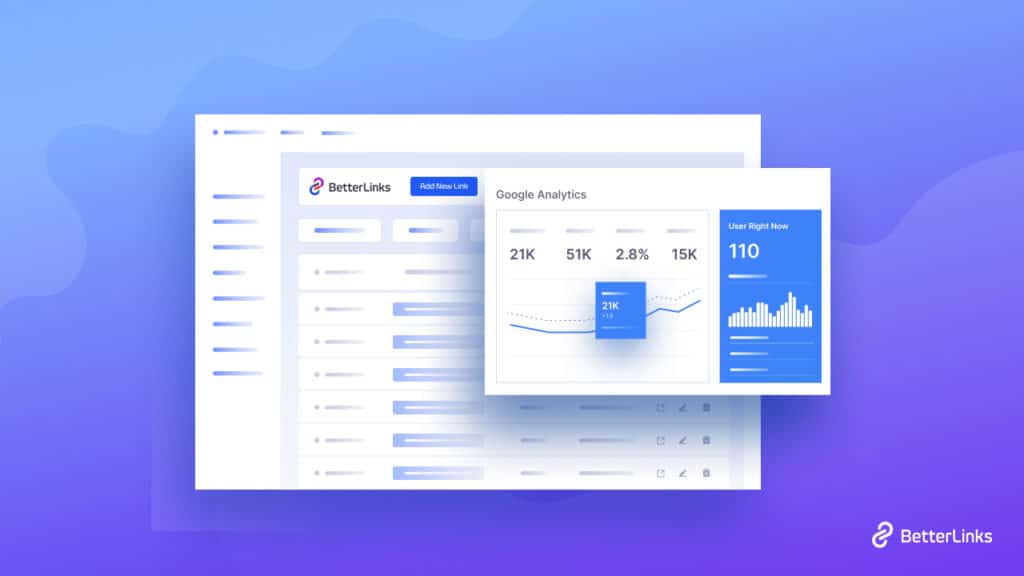
For digital marketers, Google Analytics is a must-have tool to plan and create successful marketing campaigns. And one of the most effective ways to do that is by leveraging the power of Google Analytics with advanced WordPress link management solutions. Today, we are going to show you how to do just that by integrating BetterLinks with Google Analytics in three easy steps. 

Continue reading “Complete Guide to Integrate BetterLinks With Google Analytics”
Affiliate Link Cloaking

Affiliate Link Cloaking: What It Is & How To Do It In WordPress

For any affiliate marketer, cloaking your links is absolutely essential. Not only can it help you boost affiliate sales, but you can also promote your brand and even keep your links secured from malicious attacks. Let’s find out more about affiliate link cloaking, and how it works. 

Continue reading “Affiliate Link Cloaking: What It Is & How To Do It In WordPress”
Vanity URL BetterLinks

Vanity URL: What It Is & Why It’s Important?
Vanity URL can make your different product or service branding business unique among your customers. You just have to know how to use and make the best outcome to run a successful online business. This blog is concentrated on giving you a clear idea about vanity links, get actual definitions, & the importance of using them. And guess what? At the end of this blog, you are going to get an advanced solution by which you can make a huge difference on your custom branding, shortening URL & more. Enjoy reading till the end!   

Vanity URL BetterLinks

Vanity URL stands for customizing your brand URL with a domain name and redirecting your users from one URL to another. It contains information with proper keywords or meaningful words that directly lead customers to what Vanity links consist of.  It’s informative, descriptive, relevant, and memorable. Vanity links are also known as branded links or custom short URLs. That helps you feature your brand or can make your business be represented with specific keywords for running successful promotional activities online   

Differences Between A Generic Link & Vanity URL

Generic URL can be your real domain link, homepage, or other important page links in your website. That will represent your brand with a direct website link and form direct promotion. Suppose wpdeveloper.net is a generic link that represents WPDeveloper the company itself as a brand. 

Vanity URLs is the customized link that redirects your user to the real domain of your product site. You have to use a keyword that represents your business or any particular promotional activity to make your custom URL meaningful.

For instance, ‘https://wpdeveloper.net/blogs’ is the original link of your blog site link that can be converted with a vanity URL to track its performance in advance. And this link is not easily memorized. 

So instead if you create a vanity URL for this link, your customers can easily do their searches and find the link. The vanity link could be ‘wpd.blogs’. Which can easily be remembered or can easily redirect your customers to your product page. Or you can entirely change the URL and make it more customized for your audience.  

Studies have shown that 39% of Click Through Links Can Be Increased With Branded Links or Vanity URLs.

Why Should You Use Vanity URLs?

Vanity URL BetterLinks

Vanity URL should be used for serving your marketing purposes effectively and raise your brand authenticity by creating a memorable link for your consumers. There are a lot more other things you should know. Let’s have a look:  

1. Easier To Remember & Use

When you are creating a vanity or custom URL it will help you redirect customers directly into your website or campaign and make it memorable for your business. This URL can carry information about your brand or campaign with related keywords. So that customers can easily remember, search and go through your marketing campaign or other purposes effectively. 

2. For Better SEO Results

Vanity URL consists of keywords that whenever your customers search through this link they can easily get converted to your real website page and perform better for your SEO results.  

3. Build More Trust Among Audiences 

It helps to build trust among your customers for being clear, concise, and real. So focusing on creating a variety of URLs for any of your long or website URLs can make your campaign or website long URL more sensible for your customers to build credibility.  

4. Accelerate Online Sharing

You can easily share your brand-specific promotion, campaign, or advertisement through vanity URLs on social media. Because it’s always being encouraged to shorten links on social platforms for better search, boosting, and can easily track the performance of it. And this is true for Facebook, Twitter, Instagram, LinkedIn, or other social networking sites which are hugely used for online promotional activities.

Besides, anyone can easily remember and share your Vanity link on their social profiles, or as a business owner, you can promote it easily by yourself too. It helps you make your paid campaign, social sharing, or dragging customers with a related keyword that can help you on SEO optimization is encouraged. 

Vanity URL BetterLinks

Best Practices For Using A Vanity URL 

There are some best practices before creating a Vanity URL for your business website, page, or posts. You can anytime shorten and customize your brand URL to redirect to your real website addresses and more. So for this, you have to make sure when you can create and use your Vanity Links and more. 

1. Keep You Vanity URL Simple

The more simple, concise, and meaningful keywords you use to make your long website URL be shortened and memorable, the more your customers will drag into this. It will help you get more leads and track them efficiently. 

2.Use Where Necessary

This is not necessary to create a vanity URL for each of your website links, you can make it happen for the relevant campaign, posts, or paid advertisement, email redirection, and more. Because the purpose of your Vanity URL is to make it shorten and be more relatable for your business. And if it’s served, you can avoid creating a vanity URL for your brand. 

3.Make It Compatible With SEO Strategy

When you are making any Vanity URL if you use relevant keywords that fit your business purpose or product name can be more effective for your website SEO. Then your Vanity Links will be more compatible with SEO to provide your online business a benefit.  

Get BetterLinks The Powerful Link Shortening Solution For WordPress 

Vanity URL BetterLinks

As you have already known about Vanity URL/Custom URL/Branded links. And each name is carrying the same value of shortening with a custom domain. Now to help you create your vanity Links and more, we are here to provide you the perfect solution for WordPress users. You can now shorten, track and redirect your website link, manage your affiliates, and more with this latest all-in-one advanced link-shortening solution BetterLinks

Vanity URL BetterLinks

With BetterLinks you can easily shorten, redirect links, use custom slugs, add categories, tags to your links, and make them meaningful for your online visitors. You can run any paid campaign, encourage social sharing and track the performance of your shortened link with an in-built advanced analytics dashboard. 

Vanity URL BetterLinks

Even if you want you can A/B test your customized links, create a custom domain or branded links, and analyze the performance with BetterLinks built-in analytics tool of your shortened links to get success. It also has powerful integration with the Google Analytics tool in any case you want to measure both built-in analytics and Google Analytics data. 

Vanity URL BetterLinks

Moreover, BetterLinks comes with WildCards facility, can disable any bot links, advanced user role management system is also included. Anytime if you face any issue you can refresh your database by clearing cache and make your link management process faster than before. 

Vanity URL BetterLinks

Besides, you can export or import data to redirect those links directly, make it sorted, or further analyze it. There are many more you will get with this complete link shortening and management solution for WordPress. And if you are worried about migrating your database, you can also easily do that by following its easy migration process. So you will get an all-in-one solution to manage your entire website links with ease. 

Vanity URL BetterLinks

Now It’s Your Turn To Explore 

As we have discussed in detail, all basics that you will need to know before you start creating a Vanity URL or curious about to know what it is. Hope you find this helpful and feel free to share your thoughts with us by commenting below. If you want to read more exciting blogs, visit our blog page, and join our Facebook community to get along with all WordPress experts.   

link management links -blog

BetterLinks – Ultimate Link Management Plugin for WordPress
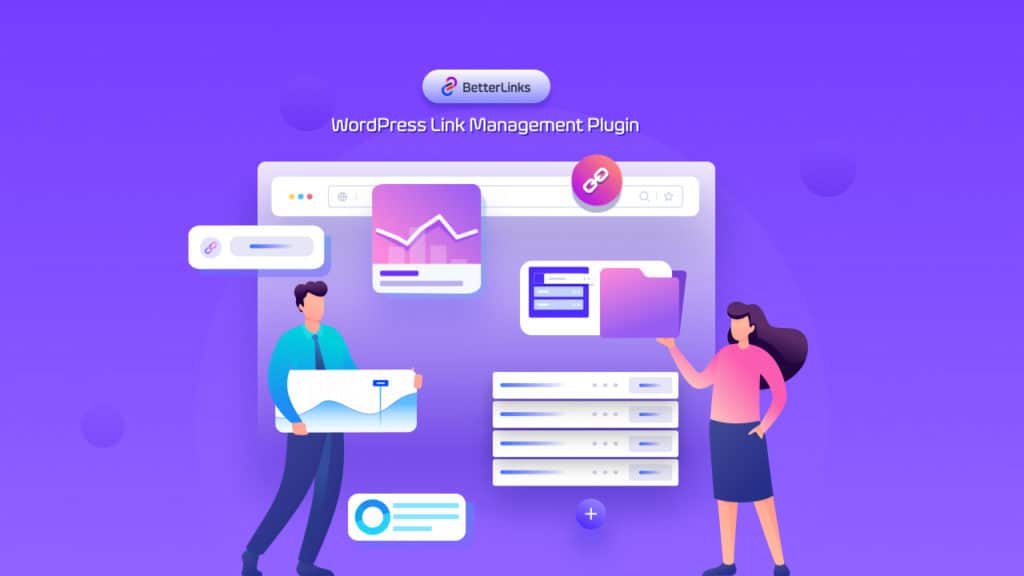
Wouldn’t it be great if you could manage shortened links directly from your WordPress dashboard using a link management plugin? From creating branded short links, tracking and monitoring their click rate or performance, and organizing them by categorizing and tags, an advanced link management plugin should bring all of these features to your fingertips. And that’s where BetterLinks comes in–a new, all-in-one link shortening and URL tracking solution for WordPress.

link management plugin

🤔 Who Can Benefit From Using A Link Management Plugin? 

Firstly, let’s focus on who can actually be benefited the most by using a WordPress URL shortener or link management plugin. If you are an affiliate marketer, a link management solution is a must-have for you; after all, affiliate marketers often need to cloak their links, track how many clicks the link has received, and much more.

Moreover, anyone who is involved in marketing-related activities such as content marketing, SEO marketing, or social media marketing can benefit from using a WordPress link management plugin like BetterLinks. Below are some of the benefits that you get with such solutions.    

⭐ Get Analytical Data On Links Performances

Manually it’s quite impossible to keep track of your website URL performance, click rate, bounce rate, etc. Even if you try to keep track of these kinds of data, that will kill your valuable time. On the contrary, if you get an advanced link management plugin, then you can preview your every shortened link’s performance easily. 

link management plugin

⭐ Gain Trust From Users Easily

Short-character URLs are usually considered to be more trustworthy than long URLs. There is a huge chance that long URLs can be spam links. To overcome this, you can go for link management plugins, with which you can create custom shortened links. It will improve your URLs’ readability and credibility at the same time. 

⭐ Promote Your Brand Or Product

Shortened links represent a great opportunity for promoting your brand, product or content. You can mask or cloak your links and add specific keywords related to your brand or business. Moreover, short links are easy to share on social media so promoting your campaigns or offers can be done without breaking a sweat. 

Introducing  BetterLinks: Advanced WordPress Link Management Solution

Now you might be wondering which plugin has all of these features. While there are plenty of great options out there, BetterLinks, brought to you by the trusted team WPDeveloper, comes packed with advanced features to help you manage your links and create successful marketing campaigns effortlessly. 

link management plugin

A renowned name in the WordPress community, WPDeveloper, the team behind popular products as Essential Addons For Elementor, BetterDocs, and Templately, introduced BetterLinks after seeing that there was a clear need for a solution that let you shorten, track and organize website URLs in one place. 

This link shortening tool will help you turn your long, boring website URLs into pretty, shortened links complete with attributes like ‘Sponsored’ or ‘Tracking’, and support for multiple redirect types. And that’s just the beginning of what you can do with BetterLinks. 

Features That Makes BetterLinks Stand Out From The Crowd

Even though it is a new link management plugin, it is becoming increasingly popular. Wondering how? We’ll take you on a journey now to explore amazing BetterLinks features, so you will be able to find out the answer for yourself! 

➡️ Create Customized Shortened Links Instantly

When it comes to creating custom shortened links, BetterLinks is the best option. In this link management plugin, you can enter the desired short link you want, add your target URL, and even add custom link categories, tags, titles, and descriptions to keep them neatly organized. 

link management plugin

➡️ Built-In Analytics To Measure Link Performances

With BetterLinks, you can also analyze the performance of each and every shortened link as well. BetterLinks comes with a built-in analytics tool for your shortened links. From here you can check the click counts, IP address, browser name, etc. 

link management plugin

➡️ Set Custom Link Attributes For Shortened URLs

When creating new shortened links with BetterLinks, you can choose what type of link attributes should be used for your URLs. Each of these attributes has different purposes. For instance, the ‘Sponsored’ attribute is useful for affiliate marketers who are promoting someone else’s product or offering. These attributes can also help search engines to identify your link types. 

link management plugin

➡️ Create Multiple Link Redirections Easily

BetterLinks link management plugins let you create multiple types of link redirects, which can help indicate why the website visitor is being sent to a different page or site. These include 301, 302, and 307 redirects. You can find out how these multiple redirect types work and learn more about the best use cases for these redirects in this detailed guide here

link management plugin

➡️ Enable Link Expiration By Date Or Click Rate

Improve your URL management with BetterLinks by setting link expiration for your URLs. Now you can allow links to expire after a certain time period, or after a certain number of clicks. This feature is very useful if you run any limited promotional offers. 

link management plugin

➡️ Powerful Integration With Google Analytics

Google Analytics is the most powerful tool for tracking website performances, individual URL performances, etc. apart from BetterLinks generated analytical data, you can check out URLs performance from Google Analytics as well. 

link management plugin

➡️ Advanced UTM Builder With Templates & Social share 

You can use BetterLinks to set up a UTM builder to manage and monitor your marketing campaigns. It is not necessary to manually add your UTM code to your URL; just input the parameters and it will be automatically inserted. UTM codes can be used with Google Analytics to track your campaigns. 

link management plugin

There’s more! You can create customized templates from BetterLinks UTM Builder. That you can use later for other shortened links. UTM builders make it easy to run online campaigns for multiple platforms at the same time. You can also track down your social shares easily. 

➡️ Export Or Import Short Links Easily

In order to backup and analyze your website data further, you can export the data from your site and store them elsewhere. Exporting BetterLinks data will take a few seconds. In the same process, you can import links, as well as analytical data to BetterLinks link shortening tool. 

link management plugin

➡️ Find & Fix Broken URLs With BetterLinks Broken Links Checker

Having broken links on your website is the most common issue nowadays. Broken links negatively affect your site. It lowers your SEO score, increases bounce rate, and all. To get rid of this problem, BetterLinks has broken links checker. With this feature, you can easily scan for broken links and fix them instantly. In addition, you can generate a report for broken links and send it directly to your email address, so you can keep a record of everything. 

link management plugin

Manage Redirect Links Directly From Gutenberg Editor

Gutenberg is the default editor of WordPress from the 5.0 version. So the user base of Gutenberg is getting bigger day by day. To provide utmost usability to this huge user base, BetterLinks provides the facility to instantly create redirect links straight from the Gutenberg editor using the ‘Instant Gutenberg’ feature.

link management plugin

Smoothly Manage Dynamic Redirect Links 

In addition to managing visitors from multiple locations and running online campaigns, dynamic redirect links can also be used for many other purposes. It is an essential feature for running online marketing campaigns. BetterLinks also offers a dynamic redirect links management tool that gives you complete control over all the parameters of the dynamic redirect links. 

Create Link Rotation Redirects

With BetterLinks link management plugin you can easily create rotational dynamic redirects. It is possible to redirect a single URL to several different target destinations. The rotational links will take you to one of the selected target sites at random or by a predetermined percentage.

link management plugin

Redirect Dynamically Based On Geolocation

Imagine you need to display different landing pages to visitors based on their geographic location. Wondering how to do that? Just simply get BetterLinks and from its Dynamic Redirects section set redirect type as ‘Geography.

link management plugin

Create Time-Based Dynamic Redirects

Time-based redirects mean that your site visitors can access a certain URL for a definite time limit and after that time period, they will redirect to another URL. and this amazing functionality can be easily implemented with BetterLinks link management plugin.

BetterLinks – Ultimate Link Management Plugin for WordPress

Run Your A/B Testing With Dynamic Redirects

A/B testing is available on most platforms nowadays for running online promotional campaigns, no matter what platform you use. Streamlining conversion rate and improving upcoming online campaigns is the purpose of this. Now you can practice this great digital marketing tactic with the BetterLinks link management plugin. Moreover, you can also set the percentages for link previews. 

link management plugin

A Glance At BetterLinks User-friendly & Advanced Dashboard

Apart from stunning features, BetterLinks link management plugin offers a user-friendly front-end interface. So if you are not tech-savvy still can create and manage customized shortened links with ease. Let’s check out those features here. 

Create Custom Tags & Category For Smoother Management

You can organize links with categories and tags to manage them smoothly. There are various types of categories that you can set up based on the type of product, the promotion campaign, or a redirection. A shortened link can be kept in multiple categories at the same time. Furthermore, each shortened link can be tagged with multiple tags for better management. Even if your links number in the thousands, you can still find them easily in this way. 

link management plugin

Stunning Drag & Drop Interface For Managing Links

A drag & drop builder is included with the BetterLinks URL shortener plugin, allowing you to organize & manage shortened links instantly. Also, you can move links from one category to another or arrange them according to your preferences. The best part is that you can add a new link, edit existing ones, or even delete existing ones all in one place.

link management plugin

You can also switch to list view whenever you want to view shortened links resources in more detail. From the list view, you can check out the link click numbers, redirect types, and many more. To switch to list view from drag and drop builder, click the icon at the top. 

link management plugin

Availability Of Dark Mode Interface

BetterLinks URL shortener plugin has two color modes available; dark mode and light mode. You can enhance your reading ability by switching to dark mode. With the dark mode setting for this link shortening tool, you can enjoy a more enjoyable view of your eyesight. Also by toggling, you can get back to the light mode anytime you want. 

link management plugin

Manage User Roles Accessibility From Dashboard

It is possible to collaborate on shortened links with different access levels by using this stunning link management plugin. You can manage user roles in BetterLinks to the fullest extent. Your user can view, edit, create, check, and edit settings based on their permissions.  

link management plugin

Considering Migrating to BetterLinks? Do It One Click

Link shortening tools are most popular among marketers. So that, others think that there is no need for a URL shortener for their website. But it’s not true. When you own a WordPress website or are in charge of managing the website smoothly, it’s part of your duty to take care of Website URLs. 

If you have found all the essential features that you were looking for in this single WordPress plugin, then you are most welcome to get started with BetterLinks free version. You can migrate to BetterLinks instantly with one click if you already use another link shortening tool, like Simple 301 Redirects, and others. Within minutes of installing BetterLinks’ WordPress plugin, you will have the option to migrate all shortened links along with their analytics data into BetterLinks. 

link management plugin

Furthermore, if you run into problems while migrating to BetterLinks, you will always get help from the experts.

Hope you have enjoyed this in-depth post on BetterLinks URL shortener plugin. We would love to hear your performance thoughts and experiences regarding BetterLinks. Don’t hesitate to comment below and join our Facebook community. If you want to be the first to get the latest update about this WordPress plugin, then do subscribe to us

www

WWW, HTTP, and HTTPS: Everything You Need to Know
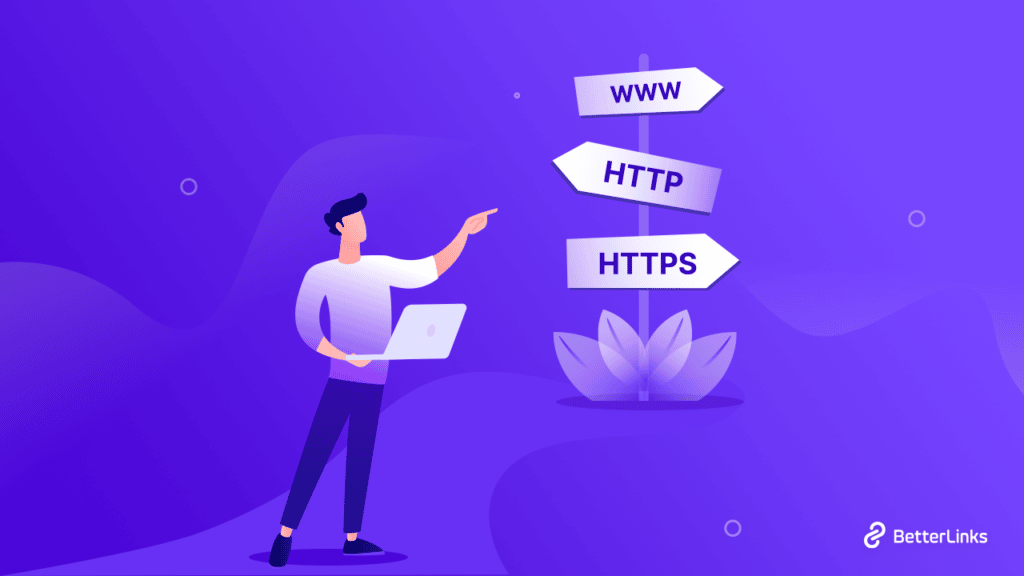
When you are in charge of your website maintenance and security, you must have a clear idea of what WWW, HTTP, and HTTPS are. These are the essential part of your website security. Today we are going to cover everything you need to know about WWW, HTTP, and HTTPS. 

www

Before starting, let’s find out the origin story of WWW, HTTP, and HTTPS acronyms. The WWW and HTTP were created by Sir Tim Berners-Lee in the late 1980s. As part of his project, he utilized HTTP and WWW together, supporting the incredible system we now take for granted. In 1994, Netscape Communications introduced HTTPS for its Netscape Navigator web browser. In recent times, you will find WWW, HTTP, and HTTPS are commonly used in every type of website. 

Whenever you visit any website from browsers, if you click on the website URL you will find there WWW, HTTP, or HTTPS is mentioned. This is what it looks like when you browse any secured website with a browser like Google Chrome.

www

What Is Web Protocol For Your Website? 

WWW, HTTP, and HTTPS are part of web protocols. So, it’s important to get a better understanding of web protocol and it’s important first. In simple words, It is the communication protocol among any connected devices through the internet. For instance, if two people understand English and communicate through this language, then it is a protocol itself. 

Websites, devices connected to the internet using multiple web protocols to communicate. The HTTP and HTTPS protocols cater to the majority of users, although there are plenty of other protocols as well. These aren’t just for network specialists and IT professionals. Every day, billions of people use web protocols, whether they realize it or not. Whenever you use the web, you are relying on them. No matter how rarely you encounter them or how little you know about how they work, they are essential to the internet or digital communications usage.

The Way Web Protocols Work

Web protocols take large-scale processes and break them down into small, specific tasks or functions. This occurs at every level of the network, and each function must cooperate at each level to complete the larger task at hand. The term protocol suite refers to a set of smaller network protocols working in conjunction with each other. HTTP and HTTPS are popular forms of a web protocol that protect your data.

www

Various networking or information technology organizations develop internet protocols according to industry standards. It is the responsibility of a few well-known organizations to define and publish different web protocols. Despite the similarities between internet protocol models, each is unique and operates according to the organization’s guidelines. The list of organizations that maintains web protocols are: 

  • The Internet Engineering Task Force (IETF)
  • The International Organization for Standardization (ISO)
  • The World Wide Web Consortium (W3C)
  • The Institute of Electrical and Electronics Engineers (IEEE)
  • The International Telecommunications Union (ITU)

How Do TLS Certificates Work?

HTTPS protocol is TLS certified. Let’s find out what a TLS certificate is and how it works. Whenever you send or receive information on the Internet, it passes through a network of multiple computers to reach the destination. Historically, any of these computers could read your data, because it was not encrypted. To protect sensitive data, security experts developed a new standard protocol to send and receive Internet traffic: Transport Layer Security (TLS)

Two computers on the Internet establish an encrypted session using the TLS protocol. In addition to verifying the identity of the server, it prevents hackers from intercepting any data. Banking, information authentication, electronic mail exchange, and any other procedure that requires an increased degree of privacy and security can benefit from this technology. A key benefit of TLS is that it encrypts otherwise readable data, making it difficult for hackers to obtain private data.

www
Source: Protonmail

TLS certificates are sent by the server to a user when the server wants to establish a connection. To establish a secure connection with a server, the user verifies its certificate using CA certificates on his or her device. To prove the CA signed the certificate, public-key cryptography, such as RSA or ECC, is used. Providing your trust lies in the CA, this demonstrates you are communicating with the server certificate’s subject, wpdeveloper.com, for instance.

Types Of Internet Protocol You Can Go For 

As mentioned earlier, there are multiple types of web protocols, but HTTP and HTTPS are the most popular ones. Let’s take a look at the differences between WWW, HTTP, and HTTPS. Also, we will talk about the importance of using these in website domain names, and how they are used in URLs.

What Does HTTP Stand For?

HIn most cases, it is used to transfer data from a web server to a client Hypertext Transfer Protocol is what HTTP stands for. This technology lets different systems communicate with one another at its most basic level.t systems. It’s most commonly used to transfer data from a web server to a browser in order to allow users to view web pages. In the early days of the Internet, this protocol was generally used.

What Does HTTPS Means

HTTPS stands for Hypertext Transfer Protocol Secure. With the regular HTTP protocol, the information flowing from server to browser is not encrypted, so it is easy to steal. By using SSL certificates (Secure Socket Layer) with HTTPS protocols, sensitive information can be protected while it is being transferred between the server and the browser, protecting resources from being accessed by unauthorized parties.

Main Difference Between HTTP And HTTPS?

It is the SSL certificate that distinguishes the two web protocols. Actually, HTTPS is an HTTP protocol that has been made more secure. Nonetheless, this extra level of security is extremely important, especially when websites collect sensitive information, including credit card details and passwords.

5

www
Source: SEOPressor

However, HTTPS is also secured by TLS (Transport Layer Security), which is a layer of security added to the internet protocols. With TLS, data integrity is ensured, preventing data from being modified or corrupted, and authentication is ensured, proving to your users that they are communicating with the intended website.

You can identify whether a website uses HTTPS protocol or not based on its web address. An HTTP or HTTPS address is indicated by the very first part of the web address (before the “www”). Thus, to summarize, HTTP and HTTPS are only different because an SSL certificate is present. With HTTP, your information is not encrypted but with HTTPS, it is, so your connections are secure. Additionally, HTTPS provides the Transport Layer Security (TLS) protocol that HTTP lacks. Compared to HTTP, HTTPS provides greater security.

WWW Meaning In Brief

WWW is a prefix indicating a website communicates via HTTP. Generally, you can use a combination of prefixes, for example, http://example.com or www.example.com. Both of the above URLs provide sufficient information for the browser and server to communicate, so they will both work without any interruption.

Let’s say you decide to use http://example.com as your URL. However, users type in WWW in places that aren’t necessary? The user is typically taken to your non-WWW domain if the user clicks your URL. Therefore, you can set up a non-WWW site without any problems.

Do You Need WWW In URLs?

The WWW doesn’t have to be part of the URL every time. The domain name is used only to identify the website address. The same is not true for other important URL signifiers, including FTP (File Transfer Protocol) servers (FTP) and news servers (news). This means WWW is a subdomain of a larger website.

WWW does not serve any technical purpose in the majority of cases. It is still possible to create a domain without its presence, and the website will still work the way it is supposed to. Why do so many people use the WWW frequently? In terms of popularity, WWW usage has been around since the creation of the internet, and its use primarily as a subdomain emerged by accident.

Nxoc01.cern.ch was the first web server ever to be built. When the website’s creators published the site, they had no intention of including the WWW, since their home page was info.cern.ch. Domain Name System (DNS) records for the server were never switched, and it became a standard practice to use WWW. 

www

What Are The Impacts Of WWW, HTTP, And HTTPS On Your Website

WWW, HTTP and HTTPS are related to your website domain and URL. SO they have stunning impacts on search engine optimization and in other factors. Let’s take a glance at the impacts of WWW, HTTP, and HTTPS: 

HTTPS Used As Lightweight Ranking Signal

HTTPS has been a lightweight ranking factor since 2014 when Google announced it. The ranking factor is a tiebreaker, rather than something that would instantly boost your rankings if other factors remained the same. As a result, worldwide HTTPS adoption is being accelerated by Google.

Provide Better Security And Privacy

HTTP and HTTPS, both are created to provide security for your website. By migrating to HTTPS, dwell time can be improved as well as pogo-sticking prevented. The above factors are theoretical ranking factors, however, making visitors stay on your site is a goal that you can achieve irrespective of SEO.

Preserves Your Website Referral Data

Well, if you are using HTTP, then no site traffic data will pass or reserve. As most of the web runs over HTTPS nowadays, most analytics software will attribute direct traffic or clicks from other websites to the source of the referral. As a consequence, your data is messy and skewed. In addition, you aren’t able to see your best referral sources, so you are missing out on a great opportunity to build links. The good news is that HTTPS takes care of your referral data and preserves them as well. 

Enhance Your Website Speed

Due to the added security features, HTTPS is slower than HTTP. In order to use the latest security and web performance technologies, a website must have HTTPS. Using protocols such as TLS 1.3 and HTTP/2 enables your website to improve its page speed and also improve its security. Google compares page speed to HTTPS as a lightweight ranking factor in addition to improving user experience.

www

Impact Of WWW & Non-WWW For SEO

Your SEO will not be affected by whether you use a WWW or non-WWW domain name. If you want to optimize your website for search engine optimization, you should choose one URL (WWW or non-WWW) throughout the site. It means that all URLs linked to your domain should have the same designation. By doing so, you will ensure your website ranking is not applied to two separate domains (e.g. www.example.com and example.com), but rather applies only to your canonical domain.

How To Set Up WWW, HTTP, And HTTPS For Your Website?

Time to focus on setting up WWW, HTTP, and HTTPS for your website. By following this easy guideline you can easily include WWW, HTTP, And HTTPS on your website. 

Guideline To Set Up WWW

When the internet protocols and websites were invented, website browsers weren’t capable of navigating to your given website URL unless you add WWW. So that time it was mandatory to mention WWW before your website domain URL every time. But in the advanced time, browsers are so capable to take you to the required destination without WWW mentioning. So, for recent websites, we don’t have to set up WWW with your website domain name. 

Set Up HTTP And HTTPS

As HTTPS is the secure version of HTTP, in this easy-to-implement guideline we will focus on how to set up HTTPS on your website. Depending on your website status, setting HTTPS procedure may differ. We have listed 2 major scenarios of your website and provided the solution for setting HTTPS at that conditions. 

👉 While You Are Launching Your New Website

Step1: Getting HTTPS on your website meaning enabling SSL and TLS certificates to your website. For that first get a dedicated IP address for your website. A dedicated IP address ensures the traffic coming to your website comes from that IP address and no one else’s. 

Step 2: As the next step, you will need a way of proving that your website is yours – like an ID card for your website. By creating an SSL certificate, this can be done. An SSL certificate is an encryption key that is only known by your site, like a really long password. HTTPS verifies that your site is who you claim it is and encrypts all data flowing to and from it, and this password is checked when people visit your site via HTTPS. You can go for Namecheap, the most affordable place to buy SSL certificates

Step 3: The next step is to generate a CSR if you’ll be activating the certificate yourself. Most hosting control panels, including WHM and cPanel, allow you to do this. You can generate an SSL certificate and signing request by selecting “Generate an SSL certificate and signing request”. 

Step 4: Installing the certificate on your own is one of the simplest steps you’ll ever have to take. Taking the certificate you have in your hands and pasting it in your web host control panel is all you have to do. Use WHM.CPanel to install an SSL certificate. Click the “Install an SSL Certificate” button. You will need to paste the text into the first box and hit submit. There you have it! If you now access your site via https://www.domain.com, you should be safe!

www

👉 If Your Website Still Runs On HTTP

You will need to migrate from HTTP to HTTPS if you are already running your website on HTTP. The process of preparing and finishing everything will take time. Your website size, complexity, the type of CMS you use, your hosting and CDN provider, and the level of your technical expertise will determine the complexity of the migration.

It may be possible for small website owners who run on popular CMS and have solid hosting to do the transition on their own, but there are many variables to consider. It is important to read the documentation for your CMS/server/hosting/CDN and proceed accordingly. Since there are quite a few steps you should follow and perform, make an up-to-date migration checklist before you begin. Consider hiring a professional if all of this sounds too technical for you. Your time and nerves will be saved, plus you can implement future-proof solutions.

Common Mistakes About WWW, HTTP, And HTTPS

There are many silly mistakes made while integrating WWW, HTTP and HTTPS on your website. Here are the most common mistakes, so you can easily take care of them and save your valuable time. 

Mistake 1️⃣: Not All Pages Have HTTPS

While you are migrating from HTTP to HTTPS, one of the common mistakes is not all web pages get HTTPS protocol. During a thorough crawl of a website, you will be able to identify leftover HTTP pages. If you followed old HTTPS migration checklists, it shouldn’t be anything new. Ensure the crawler has all the necessary URL sources so it won’t leave pages behind. After finding the leftover pages, including HTTPS protocol on them also. 

Mistake 2️⃣: HTTP Contents remains On HTTP Pages

It occurs when a request is sent over HTTPS and the underlying resources (images, JavaScript, CSS) have not been updated to HTTPS. Both the crawl overview and Internal page report will indicate if this is an issue on your website. Your site audit will describe errors, warnings, and notices, and suggestions for how to resolve them.

Mistake 3️⃣: Browser Failed To Redirects Your Website URL

Redirecting URLs can be tricky. Numerous things can go wrong, including broken redirects, redirect chains, loops, and many more. Site Audit makes it simple to identify these errors. You should check the Report on Redirects and look at all the issues. When you have the list of links that have failed to redirect, you can use simple 301 redirects tools if you are a WordPress user. 

www

WWW, HTTP, Or HTTPS: Which One To Go For 🤔

First, you have to realize that, to make your website secure and protected, getting HTTP or HTTPS is a must, and WWW is optional for websites. To make your website domain URL catchy, you can use the WWW prefix for beautification. And comparing better security and protection, HTTPS is always better over HTTP. 

Hopefully, you got all the answers you had about WWW, HTTP, and HTTPS. If you still have more things to learn don’t hesitate to communicate with us via comments or joining our Facebook community. Moreover, to stay up-to-date about more of these kinds of insights, tutorials, and how-to’s, subscribe to our blog Now. 

  • 00Days
  • 00Hours
  • 00Mins
  • 00Secs

Wait!

Optimize every link with

AI-powered automation features