You share a link in your Instagram bio, a follower taps it, and instead of the Amazon or YouTube app they already use every day, a cramped browser opens inside Instagram. They aren’t signed in there. To buy, subscribe or follow, they have to log in again, and plenty of them simply close the page and keep scrolling.
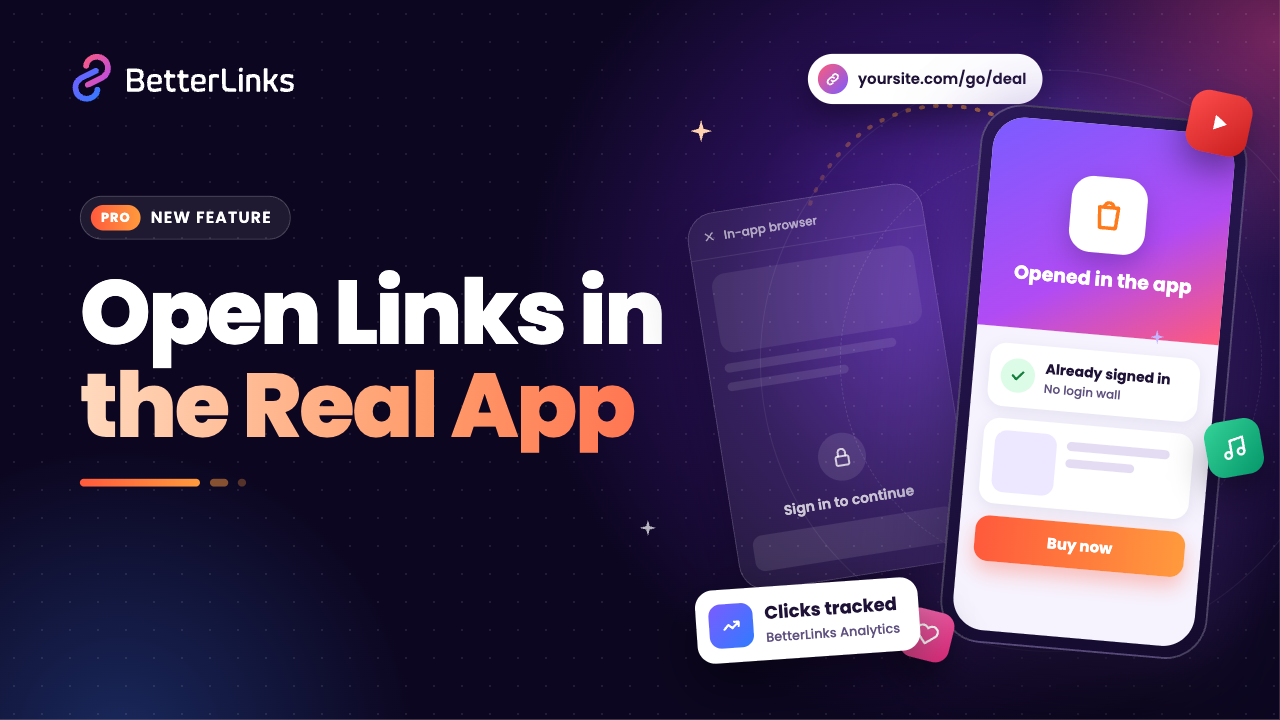
Open in App fixes that leak. With one setting on your short link, visitors who tap it inside Instagram, Facebook, TikTok and other social apps are sent toward the real app on their phone, where they’re usually already signed in. In this guide, you will learn what Open in App is, why in-app browsers cost you clicks and how to set it up step by step with BetterLinks.
What Is Open in App?
Open in App is a new redirect type inside BetterLinks PRO’s Dynamic Redirects. When someone taps your short link inside a social app on their phone, BetterLinks recognises the in-app browser and sends them toward the real app instead, like Amazon, YouTube or Spotify. Visitors on a computer, or anywhere outside a social app, get your normal redirect as usual.
What makes it different from a regular redirect is that it works per link and needs no code. You don’t set up Android App Links or Apple Universal Links yourself. BetterLinks works out the right app from your Target URL, keeps your affiliate tag on the link and still counts the click in BetterLinks Analytics.
Why In-App Browsers Cost You Clicks
Instagram, Facebook, TikTok and most other social apps open links inside their own built-in browser. It keeps people inside the social app, but it is a poor place to finish anything. The visitor is not signed in to Amazon, YouTube or Spotify there, so buying, subscribing or following means typing a password on a small screen. Many people won’t bother.
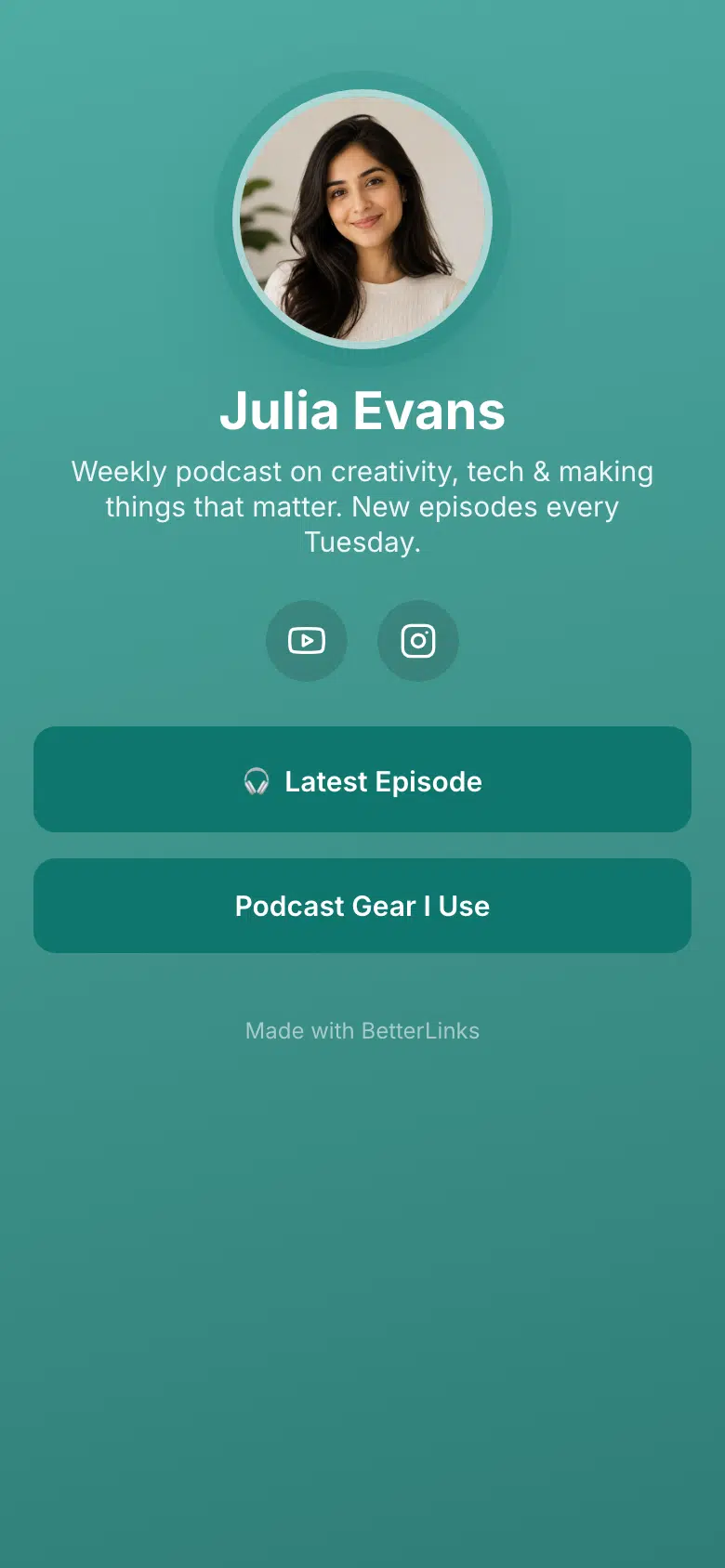
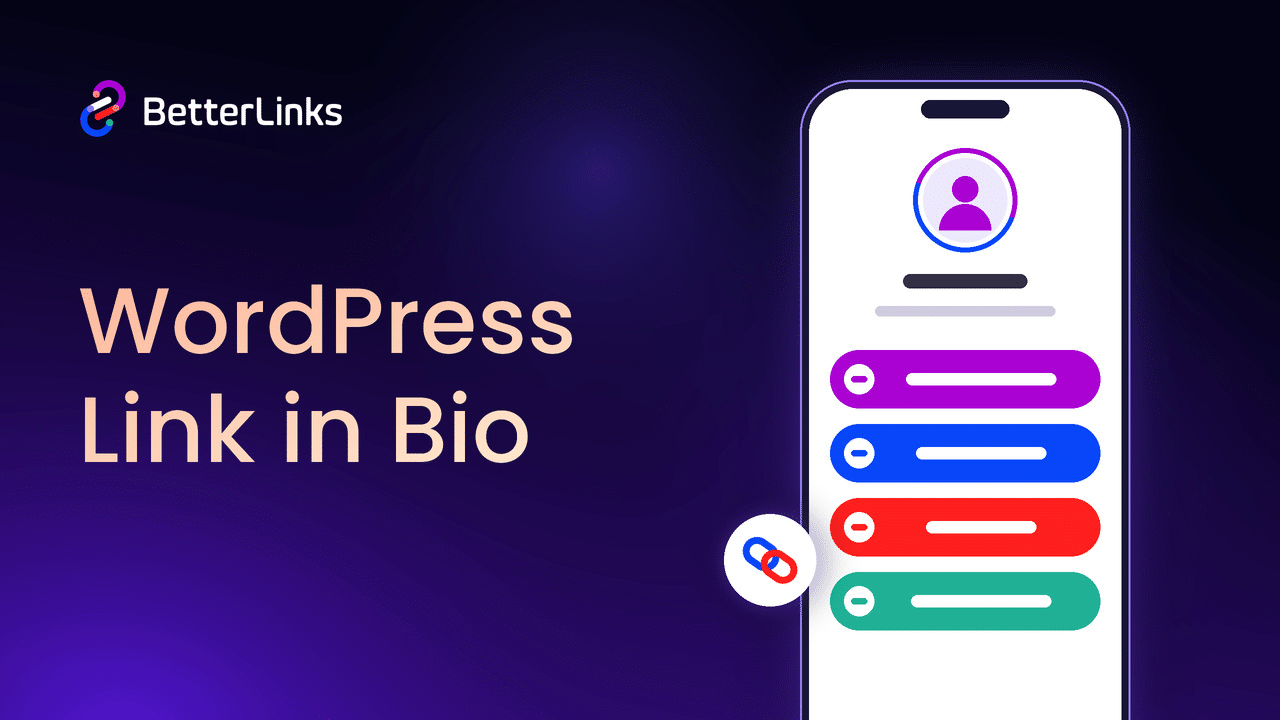
A normal short link can’t fix this. It only sends the visitor to another web address, and that address still loads inside the same in-app browser. Phones generally won’t jump from there to an app on their own. That is the gap Open in App closes. If you already send followers to a Bio Links page, turning on Open in App for the links on it gets those taps one step closer to the app your visitors actually use.
How Open in App Works
When a visitor taps your link, BetterLinks first checks where the tap came from, then picks the right route:
- Inside a social app, on a phone: BetterLinks uses the special kind of address that asks the phone to open the app directly. Android usually opens the app straight away. On iPhone, the visitor may tap one button on a small page.
- Anywhere else, such as a computer: nothing changes. The visitor gets your normal redirect.
- The app isn’t installed: the visitor lands on the normal web page, so the link never breaks.
Take a simple example. You post an Amazon product link in your Instagram bio. A follower on Android taps it and lands in the Amazon app, already signed in, with your affiliate tag still on the link. The link is the same one you shared, and the click shows up in your BetterLinks dashboard like any other.
Key Features of Open in App
Open in App sits right inside the Dynamic Redirects you already know, so there is no new dashboard to learn. A closer look at what the feature gives you:
- Per-link control: Turn it on only for the links that need it, from the same link editor you use every day.
- Automatic app detection: BetterLinks reads your Target URL and shows a line such as “Opens in Amazon” so you know it worked.
- 10 supported apps: Amazon, YouTube, TikTok, Spotify, Instagram, Apple Music, Etsy, eBay, X and Pinterest.
- 12 in-app browsers detected: Instagram, Threads, Messenger, Facebook, TikTok, Snapchat, X, LinkedIn, Pinterest, Telegram, Line and WeChat.
- Safe fallback: Desktop visitors and anyone without the app still reach the normal web page.
- Any website, out of the in-app browser: For sites that aren’t a supported app, visitors are sent to their phone’s own browser, Safari or Chrome.
- Affiliate tags and tracking kept: Your tag stays on the link and every click is still counted.
- A clean handoff page: Your site’s name and icon, where the link goes and its address with tracking parameters hidden, in light and dark versions.
Supported Apps and Sources
| Type | Supported |
| Opens in (10 apps) | Amazon, YouTube, TikTok, Spotify, Instagram, Apple Music, Etsy, eBay, X, Pinterest |
| Detects links tapped inside (12 apps) | Instagram, Threads, Messenger, Facebook, TikTok, Snapchat, X, LinkedIn, Pinterest, Telegram, Line, WeChat |
| Any other website | Sent out of the in-app browser to the phone’s own browser (Safari or Chrome) |
How to Set Up Open in App with BetterLinks
With the features in mind, let us walk through the setup. It takes a minute per link.
Note: Open in App is a PRO feature. Make sure you have both the free and PRO versions of BetterLinks installed and activated.
Step 1: Add or Edit a Link
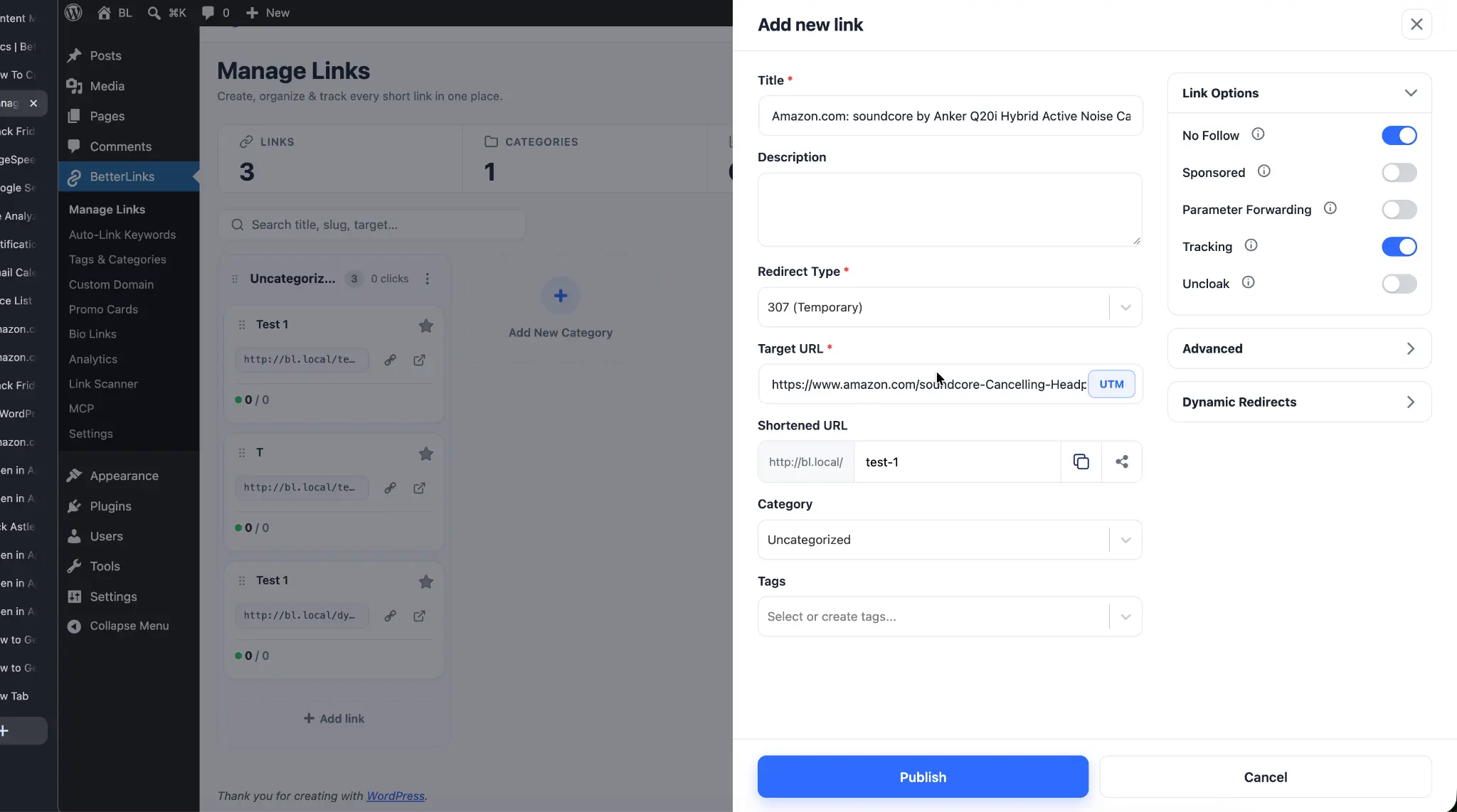
From your WordPress dashboard, navigate to BetterLinks → Manage Links. Click ‘New Link’, or open an existing link, and paste your destination into the ‘Target URL’ field, for example, an Amazon product link with your affiliate tag. New to this? Here is how to create new links with BetterLinks.
Step 2: Enable Dynamic Redirect
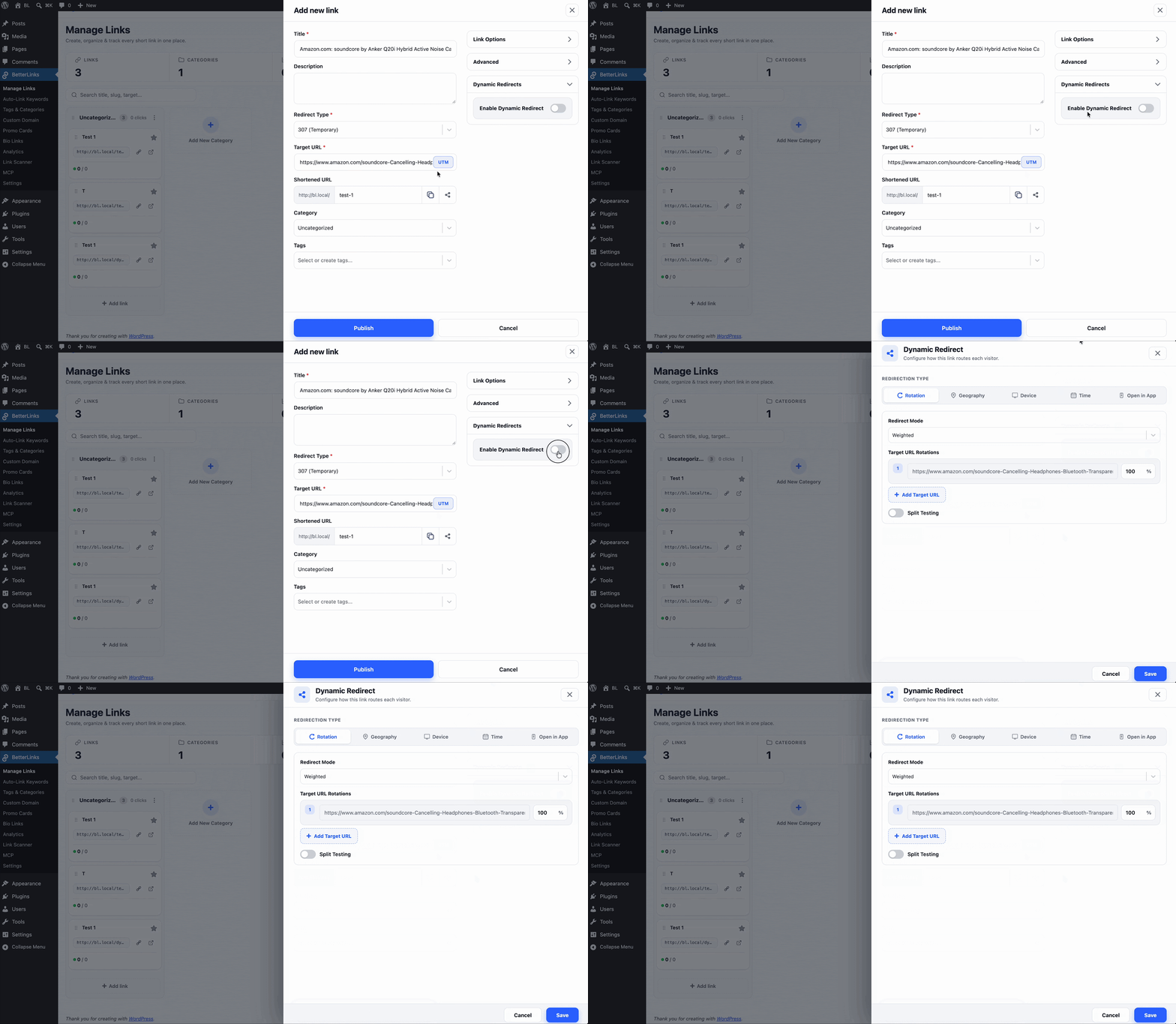
Open the ‘Dynamic Redirects’ section of the link and turn on ‘Enable Dynamic Redirect’. This opens the Dynamic Redirect window, the same place you set up device based redirects and split tests.
Step 3: Choose Open in App and Configure It
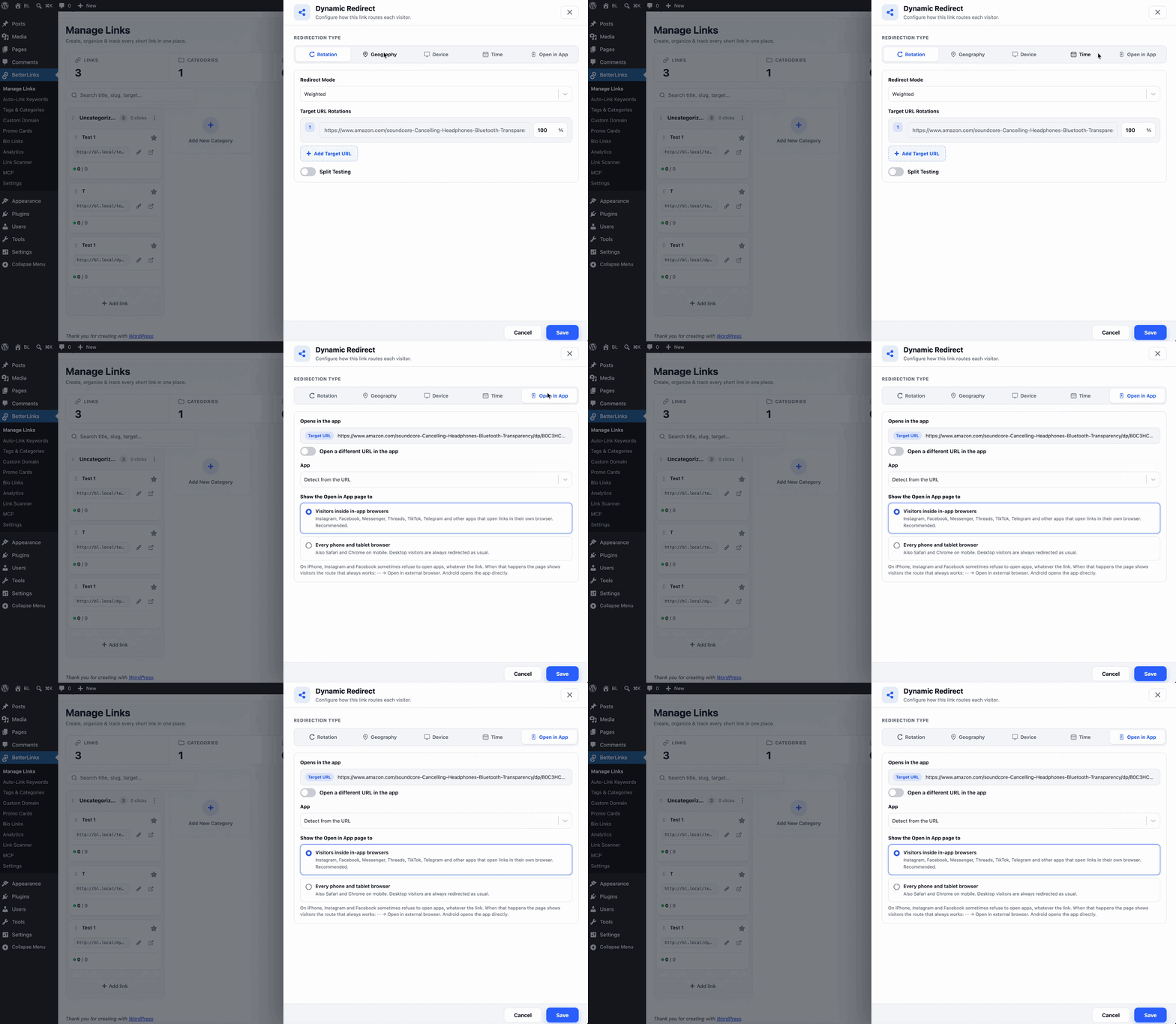
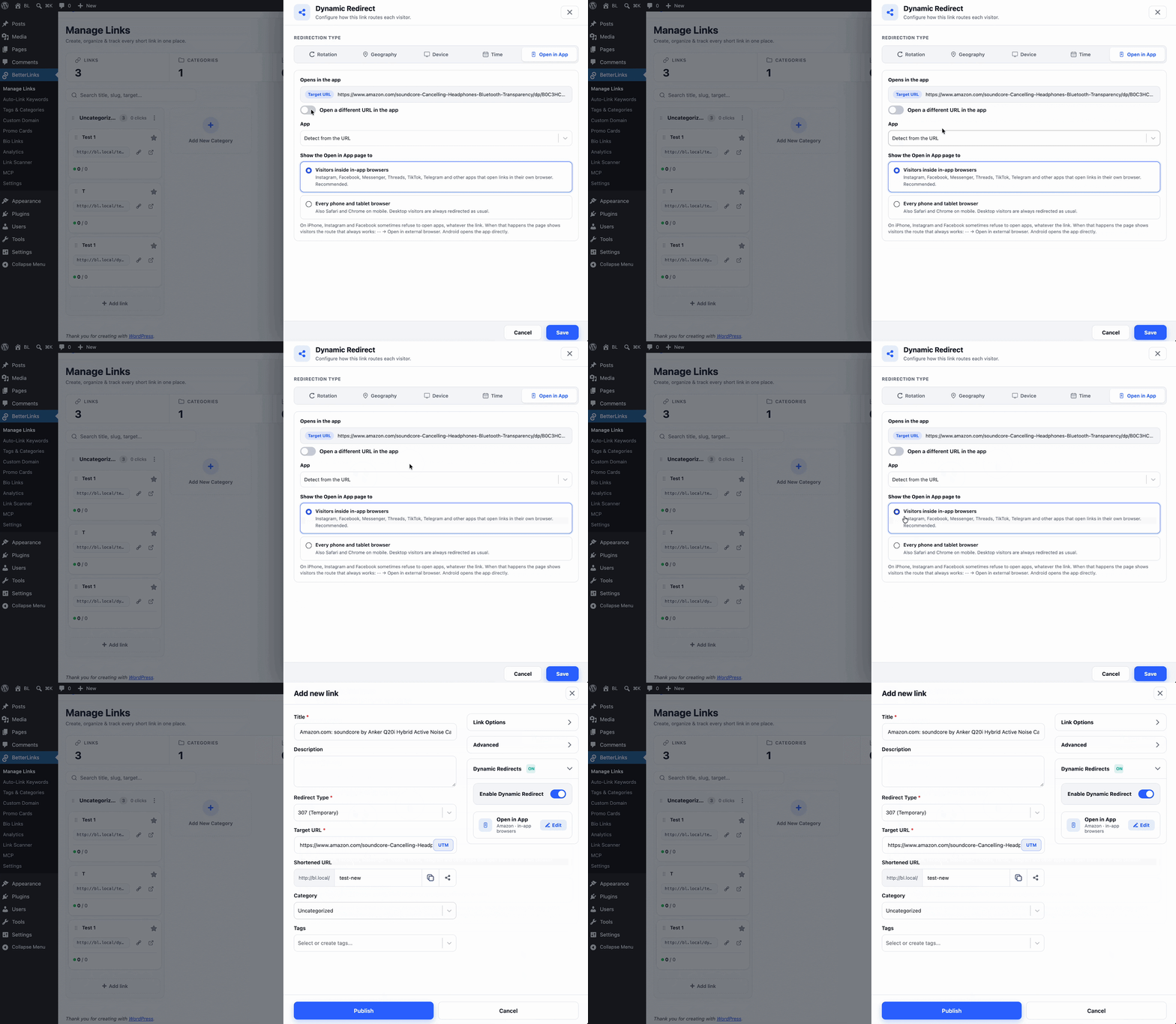
Set the ‘Redirection Type’ to ‘Open in App’. Then check the settings below:
- Opens in the app: shows your Target URL as read-only. This is the page the app opens, and it follows any later edits to the Target URL.
- App: leave it on ‘Detect from the URL’ and look for the confirmation line, such as “Opens in Amazon”. Pick an app manually only when your Target URL is a short link that leads to that app, such as your own branded domain.
- Open a different URL in the app: off by default. Turn it on only when the app should open a different page from the one browsers get.
- Show the Open in App page to: keep the recommended ‘Visitors inside in-app browsers’, or choose ‘Every phone and tablet browser’ to include mobile Safari and Chrome too.
Step 4: Save and Publish
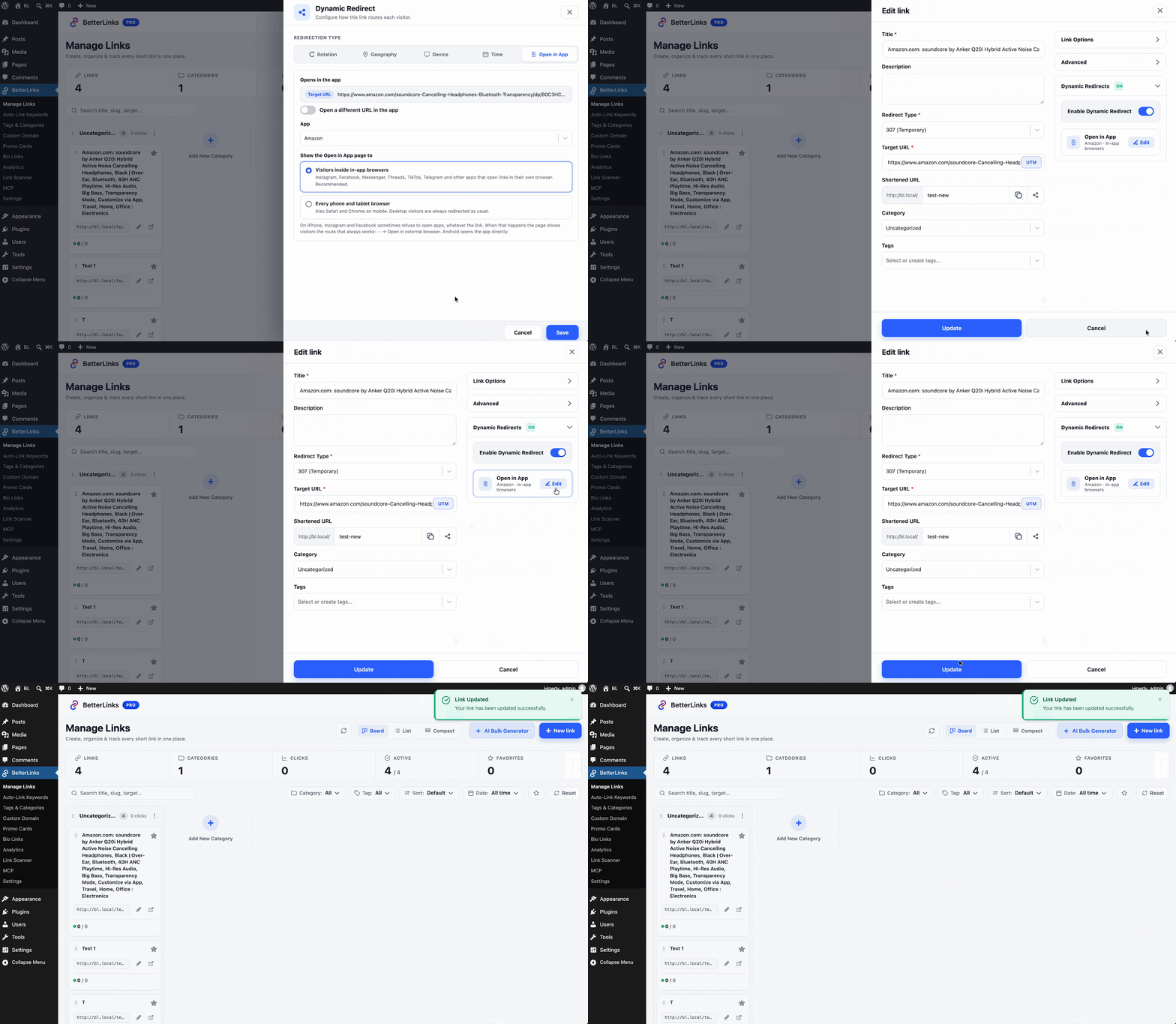
Click ‘Save’, then ‘Publish’ the link. The Dynamic Redirects section now shows a short summary of the rule, such as “Amazon · in-app browsers”. Share the link in your bio, posts or messages as usual.
Need every setting explained? Check out this documentation for the full step-by-step guide.
What Your Visitors See on Android and iPhone
Open in App adapts to the phone in your visitor’s hand, so the experience is as short as each platform allows.
- Android: the app opens directly, usually with no tap at all. Inside TikTok’s browser, a button stays on the page as a backup.
- iPhone: the page tries to open the app once. If that’s blocked, a small bottom sheet shows an ‘Open in [App] app’ button and a ‘Continue in Instagram’ option.
- iPhone, if the tap is blocked too: the button changes to ‘Try again’, and an arrow points to the ··· → ‘Open in external browser’ menu.
- App not installed: after about 2.5 seconds, the visitor moves on to the normal web page.
A quick word of honesty. On iPhone, Meta’s apps (Instagram, Facebook, Messenger and Threads) can block app launches, and this changes between app versions. No plugin can promise the app opens every time there. Open in App’s job is to give visitors the shortest possible path out of the in-app browser, and on iPhone that sometimes means one tap.
Who Gets the Most Out of Open in App
Open in App is built for anyone who shares links where people scroll. Here is a quick look at how different users put it to work.
| User | How Open in App Helps |
| Affiliate marketers | Send followers from Instagram or TikTok into the Amazon, Etsy or eBay app, signed in, with the affiliate tag kept. |
| Creators and YouTubers | Turn bio and story taps into views and subscribes inside the YouTube app instead of a logged-out web page. |
| Musicians and podcasters | Send fans to Spotify or Apple Music, where they can follow or save in one tap. |
| Small businesses | Point social posts at your shop, and move visitors out of the in-app browser into Safari or Chrome. |
| Agencies | Turn it on for client campaign links and keep every click in one BetterLinks dashboard. |
Why Use BetterLinks Open in App
The strongest reason comes down to fewer steps between a tap and an action. A visitor who lands in an app where they’re already signed in has one less reason to give up.
- No code, no app setup. Pick Open in App on any link and BetterLinks handles the detection and the handoff.
- Nothing breaks. Desktop visitors and anyone without the app still get your normal page.
- Your data stays yours. Clicks keep flowing into the same BetterLinks Analytics dashboard, next to your UTM tracked campaigns. BetterLinks records the click, not whether the app opened.
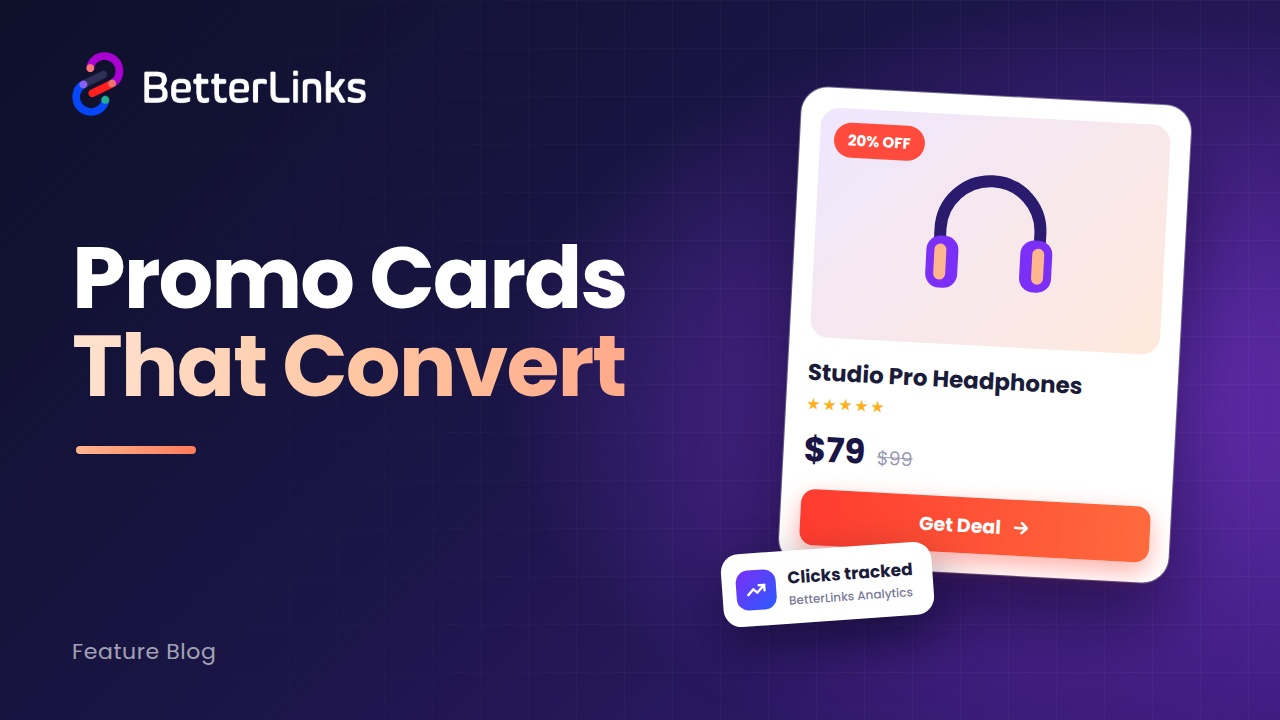
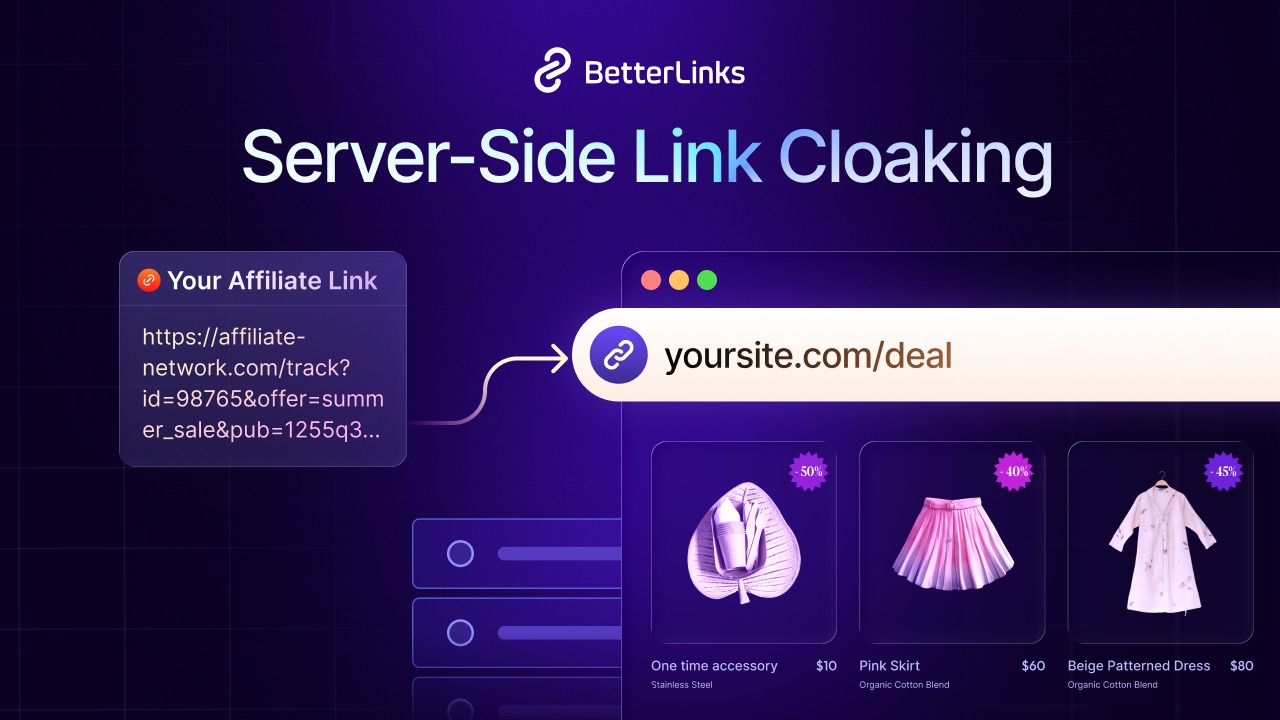
- Works with what you already use. Combine it with link cloaking, Bio Links and Promo Cards to cover the whole path from post to purchase.
How Open in App Shifts Link Management to the Next Level
Link management used to stop at the redirect: shorten the URL, send the visitor, count the click. Open in App looks one step further, at where the visitor actually lands and whether they can act there. Your short link now decides not just the page, but the place that page opens in.=
Start Sending Visitors to the Real App Today
Every tap that dies in an in-app browser is a sale, a subscriber or a follower you worked for and didn’t get. Open in App gives your links a shorter path into the apps your visitors already use, with your tracking and affiliate tags intact.
If you are ready to make your social links work harder, get started with BetterLinks and turn on Open in App for your next post. Want more WordPress tips and product updates? Subscribe to the BetterLinks blog and join our Facebook community for the latest tutorials and demos.