Every affiliate marketer eventually pastes a link that looks like a keyboard accident. A raw affiliate URL can run past a hundred characters once it carries a partner ID, a sub ID, a campaign tag and a click token. It looks untrustworthy in an email. It looks worse in a video description. It also puts your partner ID in plain sight for anyone to copy or edit.
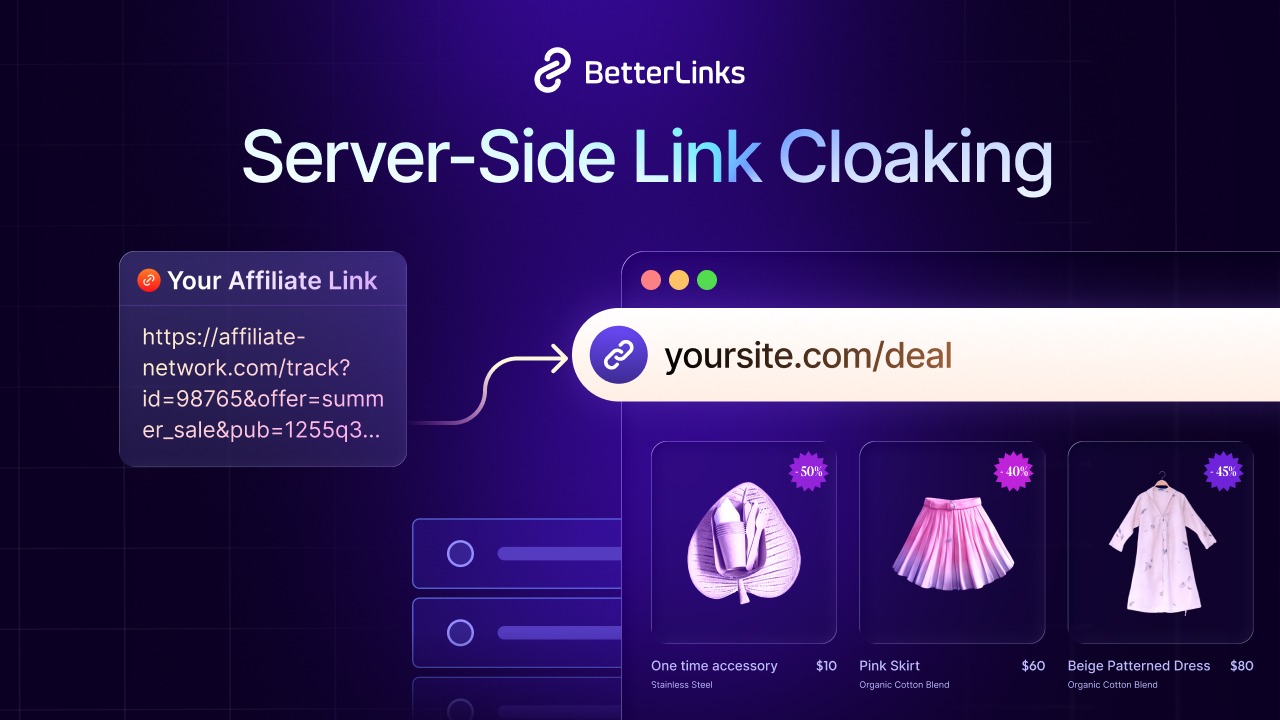
Link cloaking exists to solve exactly that problem. Server-side link cloaking replaces a long affiliate URL with a short branded link on your own domain, then uses a server redirect such as a 307 or 302 to send each visitor to the real merchant URL before any page loads. It is the version that actually holds up under scrutiny.
This guide explains what server-side link cloaking is, how it differs from the JavaScript and iframe methods that cause most of the trouble, why it matters for commissions and compliance and how to set up a system that keeps working while your affiliate programs change underneath you.
TL;DR
| Question | Short answer |
|---|---|
| What is server-side link cloaking? | A redirect handled entirely by your server before the browser ever sees the real affiliate URL, using an HTTP status code rather than client-side script or a frame. |
| How is it different from a shortener? | A generic shortener just shortens. A server-side cloaking system also tracks clicks, applies the correct redirect type and lets you swap the destination centrally without touching published content. |
| Which redirect type should I use? | A 307 or 302 temporary redirect for affiliate links. A 301 permanent redirect tells browsers the move is permanent, so they may cache the old target even after you change it. |
| Does cloaking replace affiliate disclosure? | No. Cloaking hides the URL, not the relationship. Disclosure rules depend on your location and platform, so check the requirements that apply to you. |
| Does cloaking hurt SEO? | Not when built correctly. Route cloaked links through a dedicated folder like /go/ or /recommends/ and block that folder in robots.txt so crawlers do not spend time on redirect paths. |
| Can cloaking stop commission theft? | It can reduce exposure but it cannot guarantee protection. Hiding tracking parameters behind a redirect makes simple copy-and-edit tampering harder, but it does not stop extensions that replace affiliate cookies at checkout. |
| What about JavaScript or iframe cloaking? | Both work but carry real downsides. JavaScript redirects can be slower, are processed later and less reliably by search crawlers and may be affected by some ad blockers. Iframe or frame-based cloaking is restricted by some merchants and can complicate analytics. Server-side is the standard for most affiliate use. |
| What tools handle this well? | WordPress plugins built for redirect management and click tracking (BetterLinks is one example), a lightweight self-hosted script using a framework like Express or PHP or a dedicated SaaS cloaking and tracking platform for higher volume. |
What Is Server-Side Link Cloaking?
Server-side link cloaking replaces a long affiliate tracking URL with a short, branded link that lives on your own domain, then uses your web server to redirect any visitor who clicks it to the real destination. The keyword is server-side. The redirect happens before a single line of the page ever renders in the visitor’s browser, driven entirely by an HTTP response header rather than a script that runs after the page loads.
In practice, this turns into something like affiliatenetwork.com/click?pid=48213&sid=q3promo&token=x82hd to yoursite.com/go/course-name. The visitor sees a clean, readable link that matches your brand. Behind that link, your server looks up the destination, logs the click and returns a redirect response that sends the browser straight to the merchant.
Affiliate Link Cloaking vs. SEO Cloaking
The word “cloaking” means two very different things, and mixing them up causes a lot of confusion.
- Affiliate link cloaking is a link management technique. You hide a long affiliate URL behind a short branded link. Every visitor and every search crawler that follows the link ends up at the same destination.
- SEO cloaking is a spam tactic. It shows search engines one version of a page and shows human visitors something different. Google’s spam policies describe this as cloaking and treat it as a violation.
This guide is about the first meaning. A server-side affiliate redirect that sends everyone to the same place is not SEO cloaking.
One more point about terms. Different tools use the word “cloaking” for different methods. In this guide, it means a server-side redirect. Some tools use it for a method that keeps your branded short URL visible in the address bar for the whole visit. BetterLinks PRO, for example, offers a Link Cloaking feature that works this way. The comparison table later in this guide explains how each approach differs.
Example
A course creator promotes a video editing tool with an affiliate link that reads toolpartner.io/aff?ref=8842991&camp=blog_review&src=organic. Pasted into a YouTube description, it looks exactly like the kind of link a scam channel uses. Routed through a cloaked link at yoursite.com/go/edit-tool instead, the same viewer sees something they recognise and trust, clicks it without hesitation and lands on the exact same offer with the tracking fully intact.
How the Redirect Actually Works
Understanding the mechanics matters because it explains every decision later in this guide. When a browser requests yoursite.com/go/edit-tool, your server does not serve a page. It looks up that path in a database or a routing table, finds the stored destination URL and sends back an HTTP response with a 3xx status code and a Location header pointing at the real affiliate link. The browser reads that header and requests the new URL automatically, all before it renders anything for the visitor to see.
That single round trip is what separates server-side cloaking from every other method. There is no visible flash of an intermediate page, no reliance on the visitor’s browser executing JavaScript and no dependency on a frame that some ad networks and merchants restrict.
Server-Side vs. JavaScript vs. Iframe Cloaking
Most beginner guides mention all three cloaking methods in one breath, as if the choice were purely stylistic. It is not. Each method has a genuinely different failure mode and different consequences if something goes wrong. The table below lays out the practical differences so you can see exactly why server-side redirects are the standard method for legitimate affiliate work.
| Factor | Server-side redirect | JavaScript redirect | Iframe or frame-based cloaking |
|---|---|---|---|
| How it works | HTTP 3xx status with a Location header, resolved before the page renders | Page loads, then a script fires window.location to send the visitor onward | The destination loads inside a frame, or your branded URL stays in the address bar for the whole visit |
| Speed | Fast, single round trip | Slower, waits for the page and script to load | Slower, loads two documents at once |
| Search crawlers | Follow the redirect chain normally | Googlebot renders JavaScript and can follow these redirects, but processes them later and less reliably | Handled inconsistently, since the framed content belongs to the merchant |
| Ad blocker behavior | Redirects themselves are usually not blocked, although some filter lists match common affiliate path patterns | Some blockers can stop redirect scripts | Frames can be blocked by some browsers and extensions |
| Merchant policy risk | Generally accepted across networks | Accepted by most, flagged by a few strict programs | Varies by program. Some merchants restrict framing or masked URLs, so check the terms first |
| Best use case | Standard affiliate links across content and paid traffic | Rarely needed for affiliate links | When you want your branded URL to stay visible and the merchant allows it |
💡 For most affiliate work, a server-side redirect with a single intermediate hop is the right answer. Device, geo and time-based routing, such as sending mobile visitors to an app store link and desktop visitors to a web offer, can also be handled server-side. BetterLinks PRO does this with dynamic redirects, which fits the server-side approach better than a JavaScript workaround.
Why Affiliate Marketers Cloak Links in the First Place
Cloaking is not cosmetic. Each reason below solves a specific, recurring problem that shows up the moment an affiliate site grows past a handful of links.
Reducing Exposure of Your Affiliate ID
A raw affiliate URL exposes your partner ID in plain text, which makes it easy to copy, edit or swap by hand. A cloaked link keeps that parameter inside a server-side lookup, so the short link a visitor sees does not carry it. That removes the simplest kind of tampering.
It is worth being clear about the limits. Commission-hijacking browser extensions, such as those widely exposed in late 2024, typically do not strip the ID from your link. They replace the affiliate cookie at checkout, after your redirect has already fired, and cloaking cannot prevent that. Once the redirect completes, the merchant URL, often including your parameters, is also visible in the address bar. Treat cloaking as one small layer of protection, not a guarantee.
Building Trust and Improving Click-Through Rate
A branded link that matches your domain reads as an editorial recommendation. A link stuffed with tracking parameters reads as an ad, and on some platforms it reads as spam. Clean links can make people more comfortable clicking in email, video descriptions and social captions where the full URL is visible before anyone clicks.
A branded custom domain matters here too. Some platforms treat generic public link shorteners with more suspicion than a link on a domain you own. BetterLinks PRO supports a separate custom short domain, which is useful for email and social links.
Centralized Control When Offers Change
When every mention of a product routes through one managed short link, updating the destination once repairs every placement across your entire site simultaneously. With a tool like BetterLinks, you change the target URL on one link and every post, page and email that uses the short link follows the new destination. Without that layer, a single merchant change means opening every post that mentions the product and editing the URL by hand.
Cleaner Analytics
A cloaked link gives you a first-party click count independent of whatever the affiliate network reports on its own dashboard. That number lets you compare performance across merchants on equal footing and catch a dead or underperforming offer well before a commission report would reveal it.
Redirect Types: Choosing Between 301, 302 & 307
The HTTP status code your redirect returns is not a minor technical detail. It tells browsers and search engines whether the move is permanent or temporary, and that affects caching and how easily you can change the destination later.
| Status code | Meaning | Caching and flexibility | Right for affiliate links? |
|---|---|---|---|
| 301 | Moved permanently | Browsers and CDNs can cache it for a long time, so a changed destination may not reach returning visitors quickly. Low flexibility | No. Affiliate offers change often, and a permanent signal works against that |
| 302 | Found (temporary) | Not cached unless the server says so. High flexibility | Yes, the long-standing default for affiliate redirects |
| 307 | Temporary redirect, method preserved | Not cached unless the server says so. High flexibility | Yes, the technically precise choice since it explicitly signals a temporary, revisable destination |
Google has said for years that 30x redirects pass PageRank, including temporary ones, so the redirect type is mostly a question of caching and flexibility rather than ranking. Google’s redirects documentation explains how it treats permanent and temporary redirects.
The practical rule is simple: avoid a 301 for an outbound affiliate link. Merchants change their offer structures constantly, and a permanent redirect tells browsers they can remember the old destination for a long time. A 302 or 307 keeps every option open while still forwarding traffic instantly.
How to Build a Server-Side Cloaking System
There are three practical routes into server-side cloaking, depending on your platform and your traffic volume. All three share the same underlying logic: a lookup table mapping short paths to destinations, a redirect handler and a click log.
Option 1: A WordPress Redirect Plugin Such as BetterLinks
For most content sites, a dedicated WordPress plugin is the fastest path to a working system. These plugins store your links in the WordPress database, generate the short paths automatically, apply the redirect type you choose and log clicks without any custom code.
BetterLinks is one example. It lets you create short links on your own domain, choose the redirect type and nofollow or sponsored attributes for each link and track clicks. BetterLinks PRO adds dynamic redirects for device, geo, time-based and split-testing rules, a custom short domain and link scanners for broken links. Look for these capabilities in whichever plugin you choose: your preferred redirect type, per-link nofollow and sponsored defaults, bulk destination editing and a broken-link scan, since those features cover almost everything described in this guide.
Option 2: A Lightweight Self-Hosted Script
For a custom site or an app outside WordPress, a small self-hosted router does the same job. The core logic fits in a few dozen lines: match the incoming path against a lookup table, log the click details and return a redirect response.
app.get('/go/:slug', async (req, res) => { const link = await db.findBySlug(req.params.slug); if (!link) return res.status(404).send('Link not found'); logClick(req, link); res.redirect(307, link.destination);});
That handler is the entire mechanism. Everything else – click dashboards, bot filtering, geo-routing – is a layer built on top of this same lookup-then-redirect pattern.
Option 3: A Dedicated SaaS Cloaking Platform
At higher volume, especially for paid traffic, a dedicated tracking and cloaking platform adds features that are genuinely hard to build well, including bot and fraud filtering, device and geo-based routing and redirect analytics that compare cleanly against ad spend. This route trades a monthly fee for infrastructure you would otherwise spend weeks building.
Setup Checklist
Work through these in order the first time you set up a cloaking system, and revisit them whenever you add a new merchant program.
☐ Choose a dedicated folder for every cloaked link, such as /go/ or /recommends/, so they are easy to identify and manage as a group
☐ Set the redirect status code to 302 or 307, never 301, for every outbound affiliate link
☐ Block the cloaking folder in robots.txt so search engines do not waste crawl budget indexing redirect paths
☐ Apply rel=”sponsored” as the default attribute on every affiliate anchor tag, in addition to the server-side redirect
☐ Log click data including timestamp, referrer and device type for every redirect, even on a simple self-hosted setup
☐ Add a clear affiliate disclosure near your affiliate links, following the rules that apply to your audience and platform
☐ Test each new cloaked link on both desktop and mobile before publishing it
☐ Schedule a recurring scan for broken or redirect-chained cloaked links rather than checking them manually
Compliance: What Cloaking Does and Does Not Cover
This is the point where a lot of otherwise careful affiliate marketers go wrong, so it is worth stating plainly. Server-side cloaking hides the destination URL. It does nothing to satisfy your disclosure obligations, and it does not override any individual merchant’s own linking rules. This section is general information, not legal advice.
Affiliate Disclosure Still Applies
Disclosure rules vary by country and platform, and this guide is written for a general audience. If you reach readers in the United States, the Federal Trade Commission expects a clear and conspicuous disclosure whenever a material connection exists between you and a product you recommend. The FTC’s Disclosures 101 for Social Media Influencers and its Endorsement Guides explain what it expects. Other countries have their own advertising and consumer protection rules, and platforms such as YouTube and Instagram add their own requirements.
Whatever rules apply to you, they are independent of how the link is formatted. A cloaked link needs the same disclosure a raw tracking URL would need. In general, disclosures work best when they sit close to the link itself rather than being buried on a separate policy page, and when they are written in plain language. Because requirements can depend on your jurisdiction and the platform you publish on, check the rules that apply to you or speak to a qualified professional if you are unsure.
Merchant-Specific Rules Vary
Some affiliate programs explicitly restrict how their links can be formatted. Amazon Associates, for example, has Program Policies that say you must not use a link shortening service or similar method in a way that makes it unclear you are linking to Amazon. A branded redirect is not automatically a violation, but it can become one if it hides the Amazon destination. Amazon also offers its own link shortener. Always read an individual program’s current terms before applying the same cloaking rules across every merchant you work with.
💡 Cloaking is a formatting decision and disclosure is a compliance one. Treating the first as a substitute for the second is one of the most common mistakes in affiliate marketing, and it is entirely avoidable.
SEO Considerations
Google’s spam policies define cloaking as showing different content to search engines and to users. A server-side affiliate redirect that sends every visitor and every crawler to the same destination does not fit that definition. Google’s spam policies and its redirects documentation are the best places to check how it treats redirects. Google also asks site owners to mark paid or affiliate links with rel=”sponsored”.
Two practical habits keep a cloaking setup SEO-clean. First, block the redirect folder in robots.txt so crawlers do not spend time indexing hundreds of low-value redirect paths that offer nothing to a search result. Second, avoid 301 redirects for the reasons covered earlier, since a permanent redirect is cached aggressively and works against a destination you may need to change.
Common Mistakes to Avoid
Most cloaking problems trace back to one of the errors below. Each pairs a common shortcut with the fix that actually holds up.
| Mistake | Why it hurts | Do this instead |
|---|---|---|
| Relying on JavaScript-only redirects | Slower, processed later and less reliably by crawlers and affected by some ad blockers | Use a server-side redirect as the default method |
| Cloaking Amazon Associates links in a way that hides the destination | Can break Amazon’s program policy and risk your account | Check each program’s terms and keep the Amazon destination clear |
| Pasting raw destination URLs directly into content | Every merchant change becomes a manual editing project across every post | Route all commercial links through a managed, centralized redirect |
| Never testing links after publishing | A broken destination can sit unnoticed for weeks, silently losing commissions | Schedule automated scans for broken and redirect-chained links |
| Forgetting rel=”sponsored” on the anchor tag | The server-side redirect alone does not satisfy the on-page attribute signal search engines look for | Set sponsored as the default attribute for every affiliate link |
Worked Example: Scaling from 50 to 500 Links
Consider a review site that starts with fifty affiliate links across a dozen posts, all pasted directly into the content as raw tracking URLs. This works fine at first. The trouble starts at scale.
Before Cloaking
One merchant restructures its tracking URLs. Every link pointing at that merchant across every post breaks simultaneously. The site owner discovers this weeks later through a drop in commission reports, then manually searches the site for every mention of that merchant and edits each URL by hand. On a site with five hundred links across a hundred posts, that kind of manual repair can consume an entire day and cost several weeks of lost commissions in the meantime.
After Cloaking
Every affiliate mentioned instead routes through a managed short link such as yoursite.com/go/merchant-product, with the actual destination stored centrally and the 307 redirect and sponsored attribute applied automatically as defaults. When the same merchant restructures its URLs, the site owner opens the central link dashboard, updates one destination record and every placement across every post updates immediately. Total repair time drops from a full day to a few minutes, and a scheduled scan catches the broken destination before a human even needs to notice the commission drop.
The gain scales directly with the number of links. Fifty scattered raw URLs and fifty centrally managed short links behave identically the day you publish them and completely differently the day a merchant changes something, which every merchant eventually does.
Frequently Asked Questions
What is server-side link cloaking?
Is link cloaking the same as SEO cloaking?
Which redirect type should I use for cloaked affiliate links?
Does link cloaking affect SEO?
Do I still need an affiliate disclosure if I cloak my links?
Take Control of Your Affiliate Links
Server-side cloaking is not an aesthetic upgrade. It is infrastructure that helps reduce exposure of your affiliate IDs, keeps your links working when merchants restructure their offers and gives you one place to fix a problem instead of a hundred. Get the redirect type right, keep the disclosure separate from the formatting decision and check each merchant’s own rules before you apply a blanket policy across your whole site.
Start with whichever fifty links on your site would be the most painful to update by hand. Move those into a managed redirect first, confirm the disclosure sits above them and let a scheduled scan take over the checking work from here.
Is this blog helpful? Join our Facebook community to stay updated on advanced link management and technical SEO strategies or subscribe to our blog for deep-dive WordPress solutions.