Every WordPress site collects link problems the way a house collects dust. You publish, you cite sources, you add affiliate offers, you get mentioned on other websites and then time passes. Some of those links quietly break. Others start pointing at places you would never want your brand associated with.
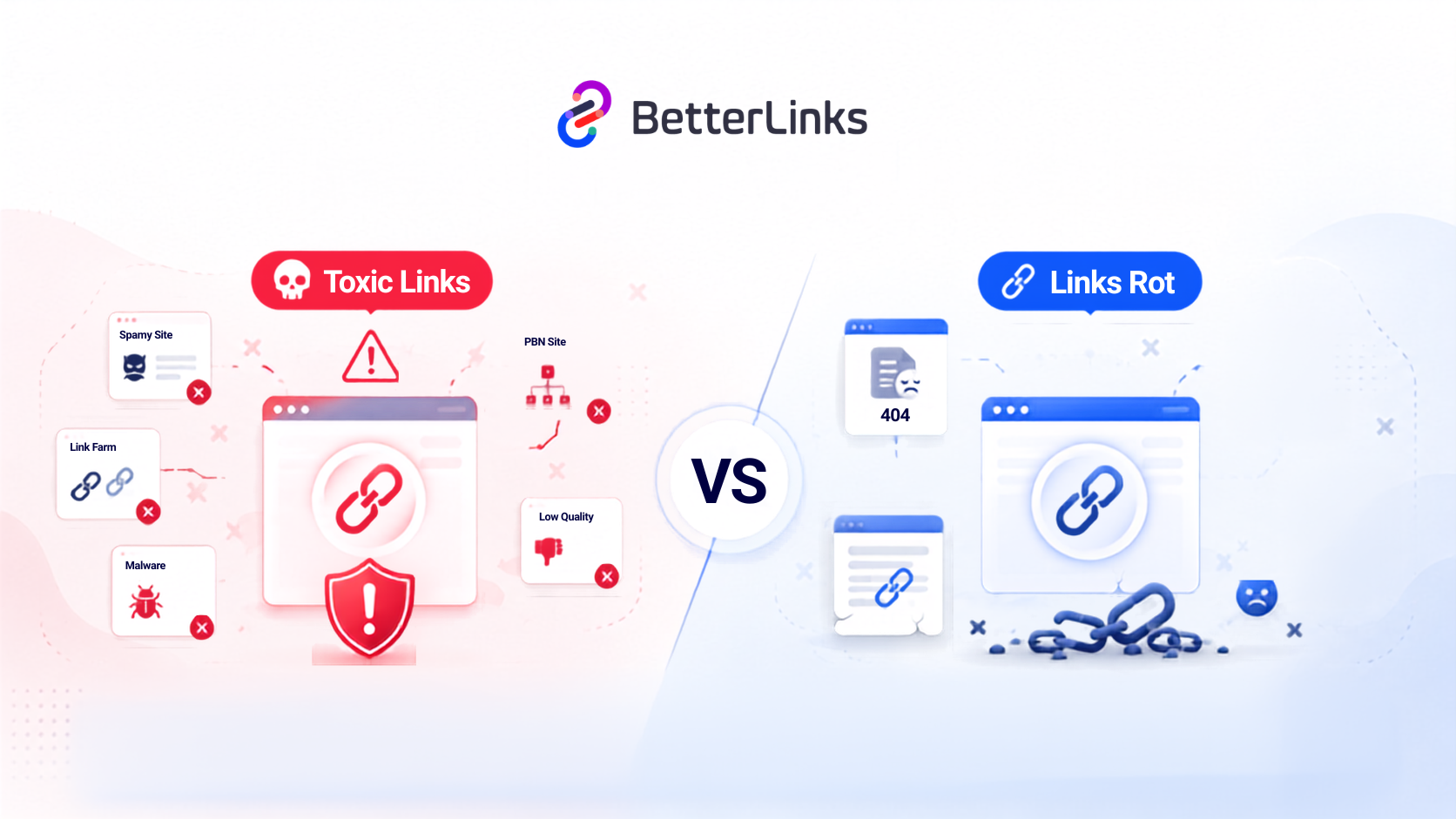
Two very different problems hide behind that single word ‘links’. Toxic links are the ones that carry risk, spam signals and reputation damage. Link rot is the slow decay of links that used to work perfectly and now lead nowhere. Both cost you rankings. Both annoy readers. Both get worse the longer you leave them alone.
The good news is that neither problem requires you to click through hundreds of posts by hand. This guide explains what toxic links actually are, how link rot creeps in, why the two need completely different fixes and how to automate the entire maintenance routine inside your WordPress dashboard so your link health takes care of itself.
TL;DR
| What are toxic links? | Links to or from spammy, hacked, irrelevant or manipulative sites that put your credibility and rankings at risk. |
| What is link rot? | Working links that decay over time into 404 errors, dead domains, parked pages or endless redirect chains. |
| Which one is more urgent? | Toxic links, because they carry penalty and malware risk. Link rot is more common and affects more pages. |
| Do toxic inbound links always hurt? | No. Google ignores most low-quality links automatically and only a small share of sites ever need the disavow tool. |
| How fast does link rot happen? | Pew Research found that 38% of webpages that existed in 2013 were gone a decade later, and 8% of pages from 2023 vanished within a year. |
| Can I find both problems manually? | Yes, on a small site. Manual checking stops working somewhere around a few hundred links. |
| What is the fastest fix? | Scheduled automated scans plus centrally managed redirects so one update repairs every placement at once. |
| Which BetterLinks features help? | Full Site Link Scanner, Broken Link Checker, Scheduled Scan & Reports, AI Link Assistant, Auto-Link Keywords, Individual Analytics and the Link Management Dashboard. |
What Are Toxic Links?
Toxic links are links that damage your site’s trust profile. They connect your website to sources search engines consider spammy, manipulative, unsafe or completely irrelevant to your topic. The damage shows up in two directions. Toxic inbound links point at your site from bad neighbourhoods. Toxic outbound links sit inside your own content and point at destinations you should not be vouching for.
Example
Imagine an unethical business hiring a cheap marketing company that places hundreds of fake comments and spammy directory links all over the web to trick search engines. Instead of helping, Google detects these untrustworthy ‘votes’ as search engine manipulation, penalizing the business and crashing its website rankings so potential customers can no longer find it.
Google describes the underlying behaviour in its spam policies, where link spam is defined as creating links to or from a site mainly to manipulate search rankings. Buying links, mass link exchanges, automated link generation and advertorials that pass ranking credit all fall inside that definition.
A useful way to think about it: a healthy link is an editorial decision made by a human who genuinely wanted to send a reader somewhere. A toxic link is a link that exists for a reason that has nothing to do with the reader.
The Most Common Types of Toxic Links
Before you start flagging links, it helps to know what genuinely counts as toxic. Plenty of backlinks look messy and carry no risk at all, so a long list of low-quality domains is rarely a reason to panic. The patterns below are the ones that reliably signal spam, manipulation or an unsafe destination. Work through them in order, because the first few show up far more often than the last.
Private blog network links. Groups of sites built purely to sell links to each other, usually with thin content and no real audience.
Comment and forum spam. Automated link drops in comment sections, often selling pharmaceuticals, gambling or adult content.
Hacked site links. Links injected into a compromised website without the owner knowing. You can check a suspicious domain using Google’s Safe Browsing site status tool.
Exact match anchor floods. Hundreds of backlinks all using the same commercial phrase are one of the clearest signals of an engineered campaign.
Irrelevant foreign language directories. Bulk listings in unrelated languages and niches with no business reason to link to you.
Unlabelled paid or affiliate links. Paid placements on your own site left as plain follow links, which Google can read as a link scheme.
Expired domains that changed hands. A link you added years ago to a legitimate resource that later got bought and turned into a spam page.
That last one is where toxic links and link rot overlap and it is the case most site owners never think to check.
Toxic Inbound Links vs. Toxic Outbound Links
The word ‘toxic’ covers two situations that have almost nothing in common in practice. Inbound links arrive from other people’s websites and sit largely outside your control.
Outbound links live inside your own posts and pages and are entirely your responsibility. Separating the two properly is the fastest way to stop pouring effort into the half of the problem you cannot influence.
| Aspect | Toxic inbound links | Toxic outbound links |
| Where they live | On other people’s websites, pointing at you | Inside your own posts and pages |
| How much control you have | Very little | Complete control |
| Typical cause | Negative SEO, spam networks, scraped content, old link buying | Old citations, unvetted guest posts, expired destinations, unlabelled affiliate links |
| Main risk | Manual action in rare cases, wasted crawl attention | Trust damage, association with unsafe sites, link scheme exposure |
| Correct fix | Removal request first, disavow only when a manual action is involved or likely | Remove, replace or apply the correct rel attribute |
| How often to check | Quarterly for most sites | Monthly, or automatically |
Google is clear that most websites never need the disavow file. Google can usually assess which links to trust without extra guidance, so the tool is reserved for sites carrying a considerable number of artificial links that have caused a manual action.
Example
A recipe blog published a kitchen equipment roundup in 2019 with links to twelve product reviews. By 2025, three of those review sites had expired and been re-registered by a link farm selling supplements.
The blog was still sending readers and ranking signals to supplement spam and the author had no idea, because the links still returned a 200 status code. Nothing looked broken. Everything looked fine in a standard broken link report.
This is exactly why link maintenance needs to check more than status codes.
What Is Link Rot?
Link rot is the slow decay of links that used to work. A page gets deleted, a domain expires, a site restructures its URLs, a business shuts down, or a blog migrates without redirects. The link on your page stays exactly where you put it and quietly stops leading anywhere useful.
Example
Imagine an educational blog post written in 2018 recommending ‘The 10 Best Color Palette Generators’ that links to a helpful tool hosted on uxpalettepicker.io. Fast forward to today: the creator stopped paying for hosting, causing the domain to shut down completely. Now, when a reader clicks that link, instead of finding the color tool, they get a ‘This site can’t be reached’ error, the link has officially ‘rotted.’ This frustrates users, harms the blog’s trustworthiness and causes search engines to slowly penalize the site for hosting dead ends.
The Mozilla Developer Network describes it plainly in its documentation on the 404 Not Found status code: links that lead to a 404 page are often called broken or dead links and are subject to link rot.
When a resource is removed permanently, the correct response is the 410 Gone status, though very few websites bother to configure it.
How Fast Link Rot Actually Happens
This is the part that surprises almost everyone. Most site owners assume the web is broadly permanent and that a link added in 2020 will still resolve happily in 2030. The measured reality is very different and the decay runs much faster than intuition suggests. Pew Research Center’s 2024 study on digital decay analysed a decade of web content and found that a quarter of all web pages that existed at some point between 2013 and 2023 were no longer accessible as of October 2023.
The Many Faces of Link Rot
Link rot is much broader than a plain 404 error. A destination can stay online, return a perfectly healthy status code and still fail your reader completely. This is why a checker that only hunts for 404s can hand you a clean report on a site full of dead ends. The table below covers the full range of decay your maintenance routine should be looking for.
| Type of rot | What the visitor sees | What your scanner sees |
| Hard 404 | Page not found | 404 status, easy to catch |
| Soft 404 | A “sorry, nothing here” page | 200 status, silently invisible |
| Dead domain | Browser error or parked page | Timeout, DNS failure, or 200 on an ad page |
| Redirect chain | The right page, eventually | Multiple hops, slow load, lost equity |
| Redirect to homepage | The homepage, not the article | 200 status, wrong content |
| Content drift | A page that no longer says what you cited | 200 status, completely invisible |
| Expired affiliate offer | A generic product page or storefront | 200 or 302, lost commission |
| Mixed content link | A blocked or insecure warning | HTTP link on an HTTPS page |
Toxic Links vs. Link Rot: The Complete Comparison
Most guides cover one of these problems and quietly ignore the other, which leaves readers applying the same fix to both. Putting them side by side makes the practical differences impossible to miss: different causes, different detection tools, different urgency and completely different repairs.
Use the table below as your diagnostic reference whenever you find a link you are unsure about. Each row tells you which of the two you are looking at and what it demands from you.
| Factor | Toxic links | Link rot |
| Definition | Links tied to spam, manipulation, or unsafe destinations | Links that decayed from working to broken over time |
| Root cause | Bad actors, poor link buying, unvetted placements | Time, deleted pages, expired domains, site migrations |
| Direction | Inbound and outbound | Mostly outbound, plus internal links after restructures |
| Speed of onset | Can appear overnight | Gradual, compounding month after month |
| Visibility | Hard to spot without backlink tools | Easy to spot with a scanner, once you run one |
| SEO risk level | High but rare, mostly trust and penalty risk | Moderate and constant, mostly equity and UX loss |
| Effect on readers | Sends them somewhere unsafe or irrelevant | Sends them to a dead end |
| Effect on revenue | Damages brand trust, loss of organic traffic and leads, wasted capital and high cleanup costs, etc. | Lost sales and abandoned carts, SEO penalty & decreased organic traffic, wasted advertising and marketing budget, directly kills affiliate commissions, etc. |
| Primary tool | Search Console, backlink audit tools | Site link scanner, 404 logs, redirect manager |
| Correct fix | Remove, replace, relabel or disavow | Update, redirect or remove the link |
| Realistic frequency | Quarterly review | Weekly or monthly automated scan |
| Can it be automated? | Detection partly, judgment stays human | Almost entirely |
💡 Toxic links are a risk management problem and link rot is a maintenance problem. Treating them the same way is the most common mistake site owners make and it usually results in far too much time spent on disavow files and far too little on the broken links actually bleeding traffic.
Why Both (Toxic links & Link rot) Problems Hurt WordPress Sites
Five separate areas take the hit and most site owners only ever notice one of them. Here is what actually happens when link problems pile up.
While toxic links damage your search authority from the outside and link rot degrades user experience from within both issues carry the same penalty: reduced search visibility and lost traffic. Here is how these two distinct link problems impact your WordPress site’s performance.
1. The SEO Cost
Search engines follow links to discover, understand and evaluate content. Every dead link is a crawl path that leads nowhere, which wastes attention that could have gone to your important pages. Every internal link pointing at a deleted URL breaks part of the structure you built to show search engines which pages matter most.
Toxic links work differently. Google’s spam updates documentation notes that when its systems neutralise the effect of spammy links, any ranking benefit those links previously generated is lost and cannot be regained. Sites that lean on manipulative links do not simply return to neutral; they return to where they would have been without those links in the first place.
2. The User Experience Cost
Readers do not think about status codes. They think “this site is out of date” and they leave. One broken link inside a tutorial can undo the credibility of an otherwise excellent article, because the reader now has to wonder what else was written years ago and never checked.
The pattern gets worse on long-form content, where a single guide can carry thirty or forty outbound references. On a page like that, a five percent rot rate means two dead ends per reading session.
3. The Revenue Cost
This one is measurable. An affiliate link that redirects to a dead offer earns nothing. A product page that moved without a redirect earns nothing. A merchant that switched networks and changed its URL structure earns nothing until you update every placement.
For anyone running affiliate link cloaking in WordPress, this is the single strongest argument for centralised link management. When every mention of a product routes through one managed short link, a dead offer is one edit away from being fixed everywhere.
4. The AI Search & Citation Cost
Generative engines have added a new dimension to link health. AI systems that summarise and cite sources evaluate whether a page is trustworthy and current. A page full of dead references and links to spam sites reads as abandoned, both to a crawler and to a language model deciding which source to cite.
Clean, accurate and current outbound links now support your visibility in AI answers the same way they support classic rankings. BetterLinks covers this shift in more depth in its generative engine optimization guide and link maintenance is one of the least glamorous parts of getting it right.
5. The Security Cost
If a malicious entity buys an expired domain you link to, your trusted link turns into a trap for malware or phishing. Your readers trust your links because they trust you. That trust transfers to whoever now owns the domain, which is precisely why periodic re-checking of old outbound links matters more than most site owners realise.
Common Causes of Toxic Links & Link Rot
Knowing where these problems come from tells you exactly where to look first, which saves hours of scanning in the wrong places. Toxic links and link rot share almost no causes, so the two lists below are kept deliberately separate. Some causes sit fully within your control and can be prevented outright with a settings change. Others are simply what happens when the rest of the web moves on without telling you.
What Creates Toxic Links
Toxic links usually arrive through one of two doors. Either you or a predecessor built them deliberately during an older SEO campaign, or an outside party created them without asking. Both leave similar fingerprints in a link report, which is why the source matters when you decide what to do. The causes below run roughly from most common to least, so start at the top of the list when you audit.
- Legacy SEO campaigns. Directory submissions, article spinning and paid guest posts from a previous agency or a previous owner of the domain.
- Negative SEO. Someone deliberately pointing spam links at your site. Rare, and usually harmless because Google ignores most of it.
- Scraped content. Sites that copy your articles wholesale and republish them along with your links.
- Comment sections without moderation. Open comment forms are still one of the biggest sources of both incoming and outgoing spam links.
- Unvetted guest contributions. Writers who insert client links into otherwise reasonable articles.
- Missing rel attributes. Paid and affiliate links left as ordinary follow links. Google’s guidance on qualifying outbound links covers exactly which attribute belongs on which link and BetterLinks breaks down the practical side in its guide on whether nofollow links hurt SEO.
- Domain repurposing. A perfectly good source you linked to five years ago that expired and became something else entirely.
What Creates Link Rot
Link rot has a far wider set of causes and most of them are ordinary site management decisions that felt harmless at the time. Deleting a post, tidying up a slug or reorganising your categories can each break dozens of links in a single click. External causes sit completely beyond your reach, which shifts the job from prevention to fast detection. Here are the triggers worth knowing about.
- Deleted or unpublished posts. Content pruning without redirects is the number one cause of internal link rot.
- Permalink or slug changes. Editing a URL after publication breaks every existing link to it.
- Site migrations and redesigns. New URL structures without a complete redirect map.
- Category and taxonomy restructures. Changing a category slug can break hundreds of archive links at once.
- Merchant and program changes. Affiliate networks update tracking URLs constantly.
- HTTPS migrations. Old HYPERlinks left in content on a site that now runs on HTTPS.
- External sites shutting down. Completely outside your control, which is why detection matters more than prevention.
- Typos. A single stray character in a manually pasted URL creates a 404 that can survive for years.
How to Detect Toxic Links
Detection for toxic links is part tooling and part judgment and the judgment half matters more than most guides admit. Software can flag a suspicious domain in seconds and only a person can decide whether that domain is genuinely harmful or simply small and unfamiliar. Working through the steps in the right order keeps you from over-reacting to an alarming-looking spam score. Here is the sequence that works.
Step 1: Start with Google Search Console
Open the Links report and export your top linking sites. This is the only backlink data that comes directly from Google and it is free. Look for sudden spikes in referring domains, clusters of links from unrelated niches and pages with anchor text you would never have chosen for yourself.
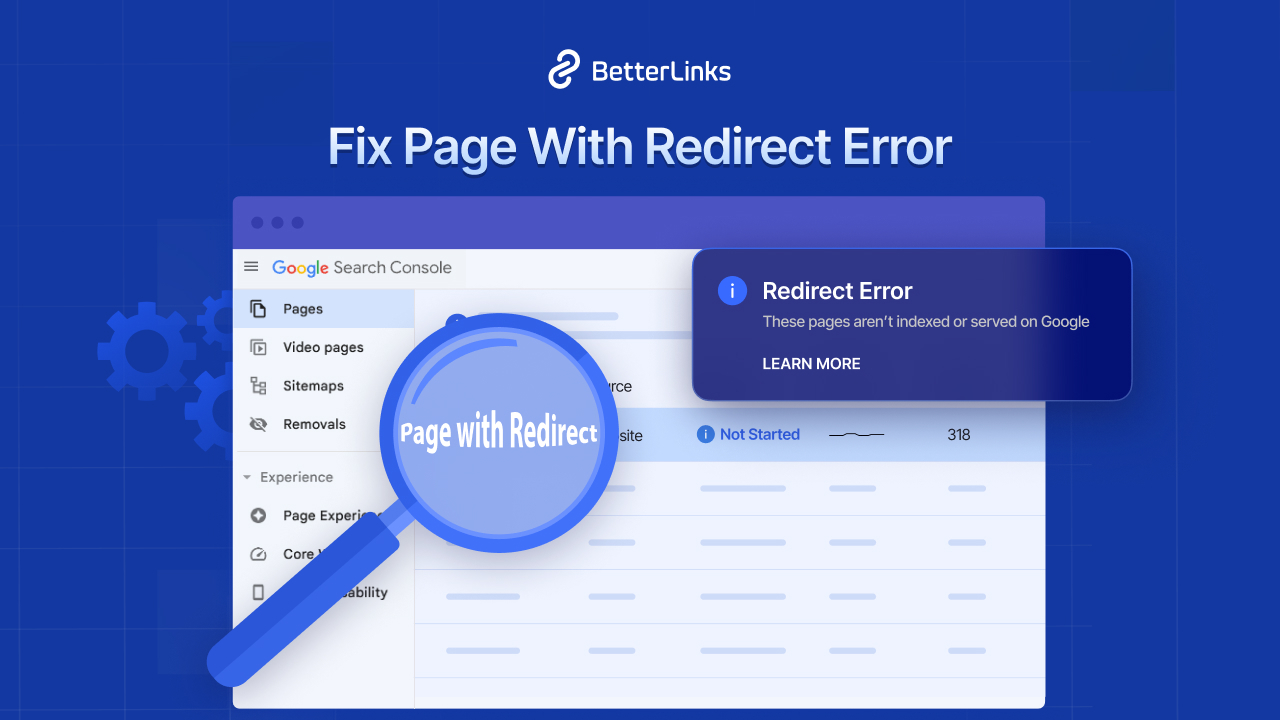
Also check the Manual Actions report. If there is nothing there, you almost certainly do not have a toxic backlink emergency, whatever a third-party spam score tells you.
Step 2: Add a Backlink Tool for Depth
While Search Console is a fundamental necessity, third-party SEO platforms expand its capabilities with scale and historical insights like lost and found link tracking and spam scoring. Treat their toxicity scores as a shortlist for human review. Low authority and low quality are two different things, so a small local blog with a domain rating of four can still be a completely natural link.
Step 3: Audit Your Own Outbound Links
This is the step almost everyone skips, and it happens to be the one you have complete control over. Every outbound link on your site was placed there by you or by a writer you approved, which means every problem you find here can be fixed today.
Run a full scan of your site’s outbound links and sort the results by destination domain so patterns stand out. Then look for the following:
- Domains you do not recognise
- Domains where the linked page no longer matches the anchor text
- Any commercial link without a sponsored attribute
- Links to sites in unrelated commercial niches such as gambling, pharmaceuticals or adult content
A full site link scan gives you the link, the source text and the post it lives in, which turns this from a guessing exercise into a checklist.
Toxic Link Scoring Checklist
A single warning sign is rarely enough to condemn a link, which is why a scoring approach beats a snap yes or no decision. Score each suspicious domain against the eight checks below and count how many it fails.
Four or more failures means the domain deserves a closer look and possibly action. Three or fewer usually means you have found a small, unremarkable website that is doing you no harm whatsoever.
[ ✅] The referring or destination domain has no organic traffic and no real content.
[ ✅] The linking page is not indexed in Google.
[ ✅] The page carries more than a hundred outbound links.
[ ✅] The content is auto-generated, scraped or spun.
[ ✅] The site language does not match your audience at all.
[ ✅] The anchor text is an exact-match commercial and clearly unnatural.
[ ✅ ] The site sits in a spammy vertical with no business reason to link to you.
[ ✅ ] The domain appears on a known network or shared hosting and ownership patterns with other flagged sites.
How to Detect Link Rot
Link rot detection is the opposite problem in almost every way. There is very little judgment involved and a great deal of repetitive checking, which is exactly the kind of work software handles better than people do.
The goal here is coverage, meaning every decayed link across every post type, including the ones that still return a healthy status code. These are the five checks that give you the complete picture.
Signals That Rot Is Building Up
Link rot seldom announces itself. It surfaces as a handful of small, easy-to-dismiss symptoms that only look serious once you line them up together. If two or more of the signals below apply to your site, you very likely have rot accumulating quietly in your older content. Treat them as your prompt to run a full scan this week.
- Your 404 log starts filling with URLs that look like real old posts
- Affiliate click volume stays steady while conversions fall
- Readers email you about a link that does not work
- Google Search Console reports a rise in “Not found (404)” pages
- Average time on page drops on older long-form guides
Run a Full Site Scan
A full scan is the foundation of the whole routine, because you cannot repair what you have never seen. A proper WordPress scan should cover posts, pages, custom post types and every link inside them and it should report the link, its status, the source text and the post it lives in.
That source text is what turns a raw list of URLs into something you can actually act on, since it shows what you originally promised the reader. Scanning by post type also keeps large sites manageable, because you can start with your money pages and work outward from there.
BetterLinks offers two scanning modes for this, described in its documentation on how the link scanner works: a Full Site Link Scanner that checks every link on the site regardless of how it was created, and a Broken Link Scanner that focuses on links created inside the plugin.
Watch Your 404 Log Continuously
A scan is a snapshot. A 404 log is a live feed. It catches the URLs real visitors and crawlers are requesting right now, which frequently includes inbound links from other websites pointing at pages you renamed years ago. Those are pure recoverable traffic, and all they need is a redirect.
Check Redirect Chains & Loops
A link that works is still a problem when it takes four hops to get there. Chains slow down page loads, dilute the signal passing through and occasionally break entirely when one hop in the middle disappears. Audit them the same way you audit 404s and collapse each chain down to a single hop.
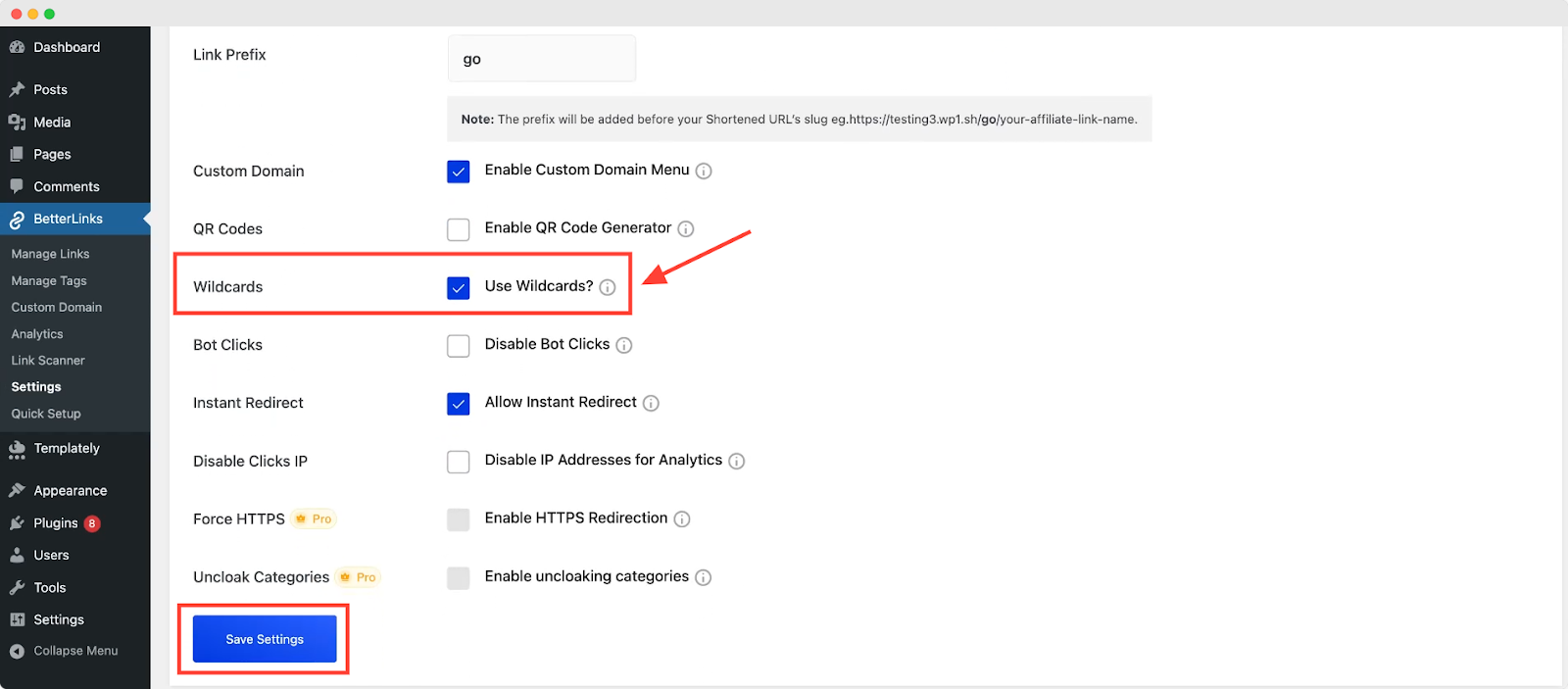
For sites that have restructured whole sections, wildcard redirects handle entire directories with one rule, which is far more maintainable than hundreds of individual entries.
Do Not Forget Internal Links
Internal rot is the most damaging and the most preventable kind. When you delete or move a post, every internal link pointing at it breaks at once. Before you unpublish anything, search your site for links to that URL and either update them or set up a redirect first. If your internal linking is built on a keyword system, review it after every content prune. BetterLinks covers the wider strategy in its roundup of internal linking plugins for WordPress.
How BetterLinks Automates WordPress Link Maintenance
BetterLinks is a link management plugin for WordPress built by WPDeveloper, the team behind Essential Addons and BetterDocs. It handles shortening, cloaking, redirects, tracking and link health from a single dashboard, which means the maintenance routine described above stops being a manual project and becomes a background process.
The real gain comes from centralisation, because links stored in one place can be scanned, labelled and repaired in one place too.
How to detect and audit Link Rot & Toxic Links with BetterLinks:
AI Link Assistant
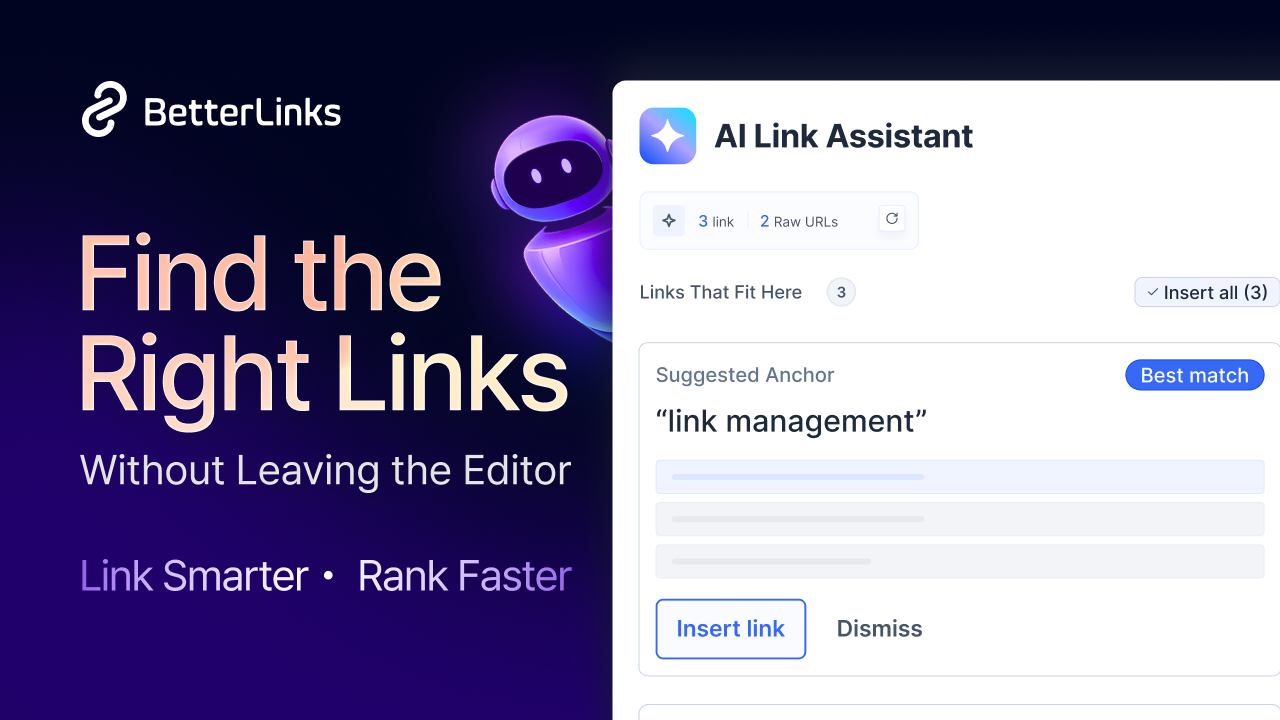
AI Link Assistant works inside the editor while you write, suggesting relevant internal links and converting raw URLs into managed links as you go. This is prevention work, handled before any repair becomes necessary. Links that enter your content already managed are links that can be fixed centrally later, which stops rot from accumulating in the first place.
Full Site Link Scanner
This is the feature that gives you a complete picture of your link health in a single pass. The Full Site Link Scanner audits every link across your website regardless of whether BetterLinks created it, which matters because most links on a mature site were pasted in by hand years ago. You choose the post types to scan, start a new scan and get back a report showing each link, its label, its status, the source text and the post it belongs to. That pairing of status and context is what makes the results genuinely actionable.
That context matters for toxic link detection as much as it does for rot. Seeing the anchor text next to the destination is how you catch an old citation that now points at a supplement store.
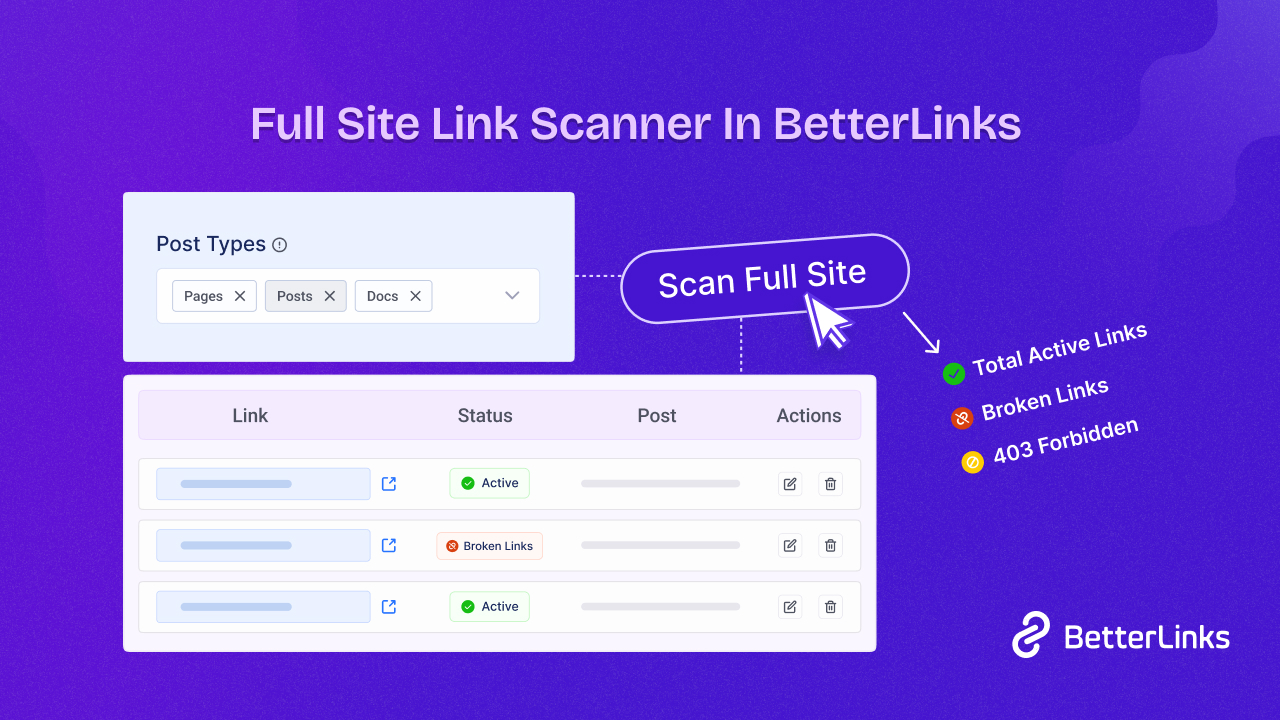
Scans can be resumed if they get interrupted, and results can be filtered by status so you can work through 404s first and questionable destinations second.
Broken Link Checker
Where the full scanner sweeps your entire site, the Broken Link Checker keeps continuous watch over the links you actively manage. The Broken Link Checker focuses on link health across your shortened and redirected links, which on most sites means your affiliate offers and campaign URLs.
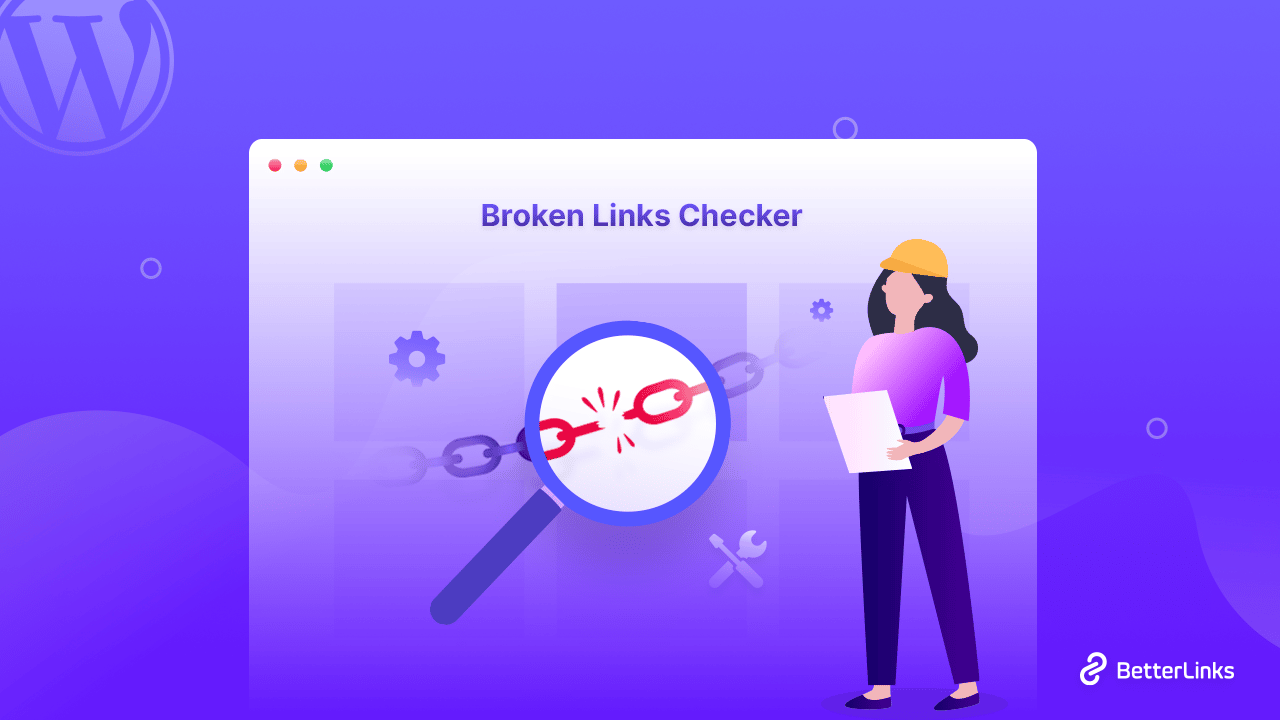
It gives you a running count of total URLs, scanned URLs and URLs needing repair, and it lets you fix problems directly from the dashboard without opening each post in the editor. That last detail removes most of the tedium from repair work.
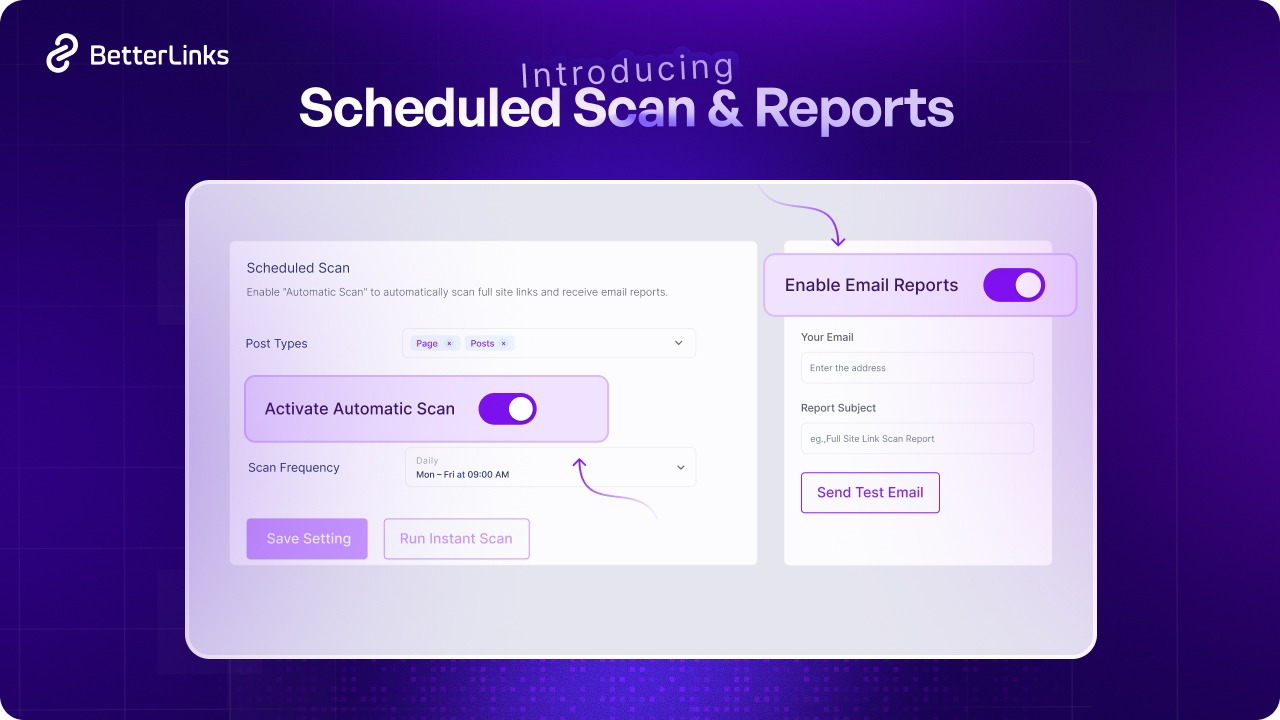
Scheduled Scan & Reports
This is the feature that turns maintenance into a habit you never have to remember. You can enable a scheduled scan, choose a frequency of daily, weekly, monthly or yearly and set the exact date and time it runs. Email reports then arrive automatically with the results.
Link Management Dashboard & Centralized Redirects
The dashboard is where centralisation pays off. Every managed link lives in one place with its destination, category, attributes and analytics attached. When a destination dies, you update one record and every placement across the site follows.
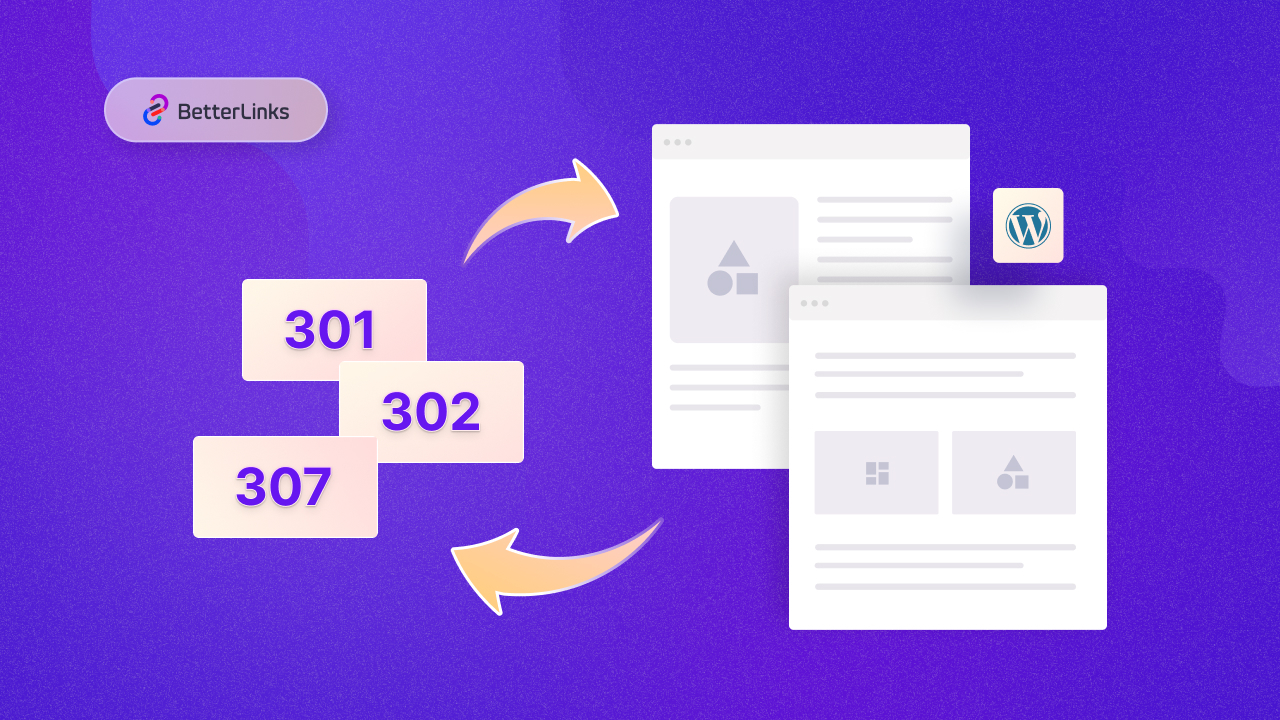
Paired with redirect management, this covers the repair half of the workflow. BetterLinks supports multiple redirect types and its guide on setting up redirects in WordPress walks through choosing between permanent and temporary redirects, which matters because a 301 signals that link equity should follow while a 302 does not.
Auto-Link Keywords
Auto-Link Keywords turns chosen phrases into links automatically across your content. For maintenance, the value is that the mapping lives in one place. Change the destination for a keyword once and every automatic instance updates, which removes an entire category of manual editing from your workflow.
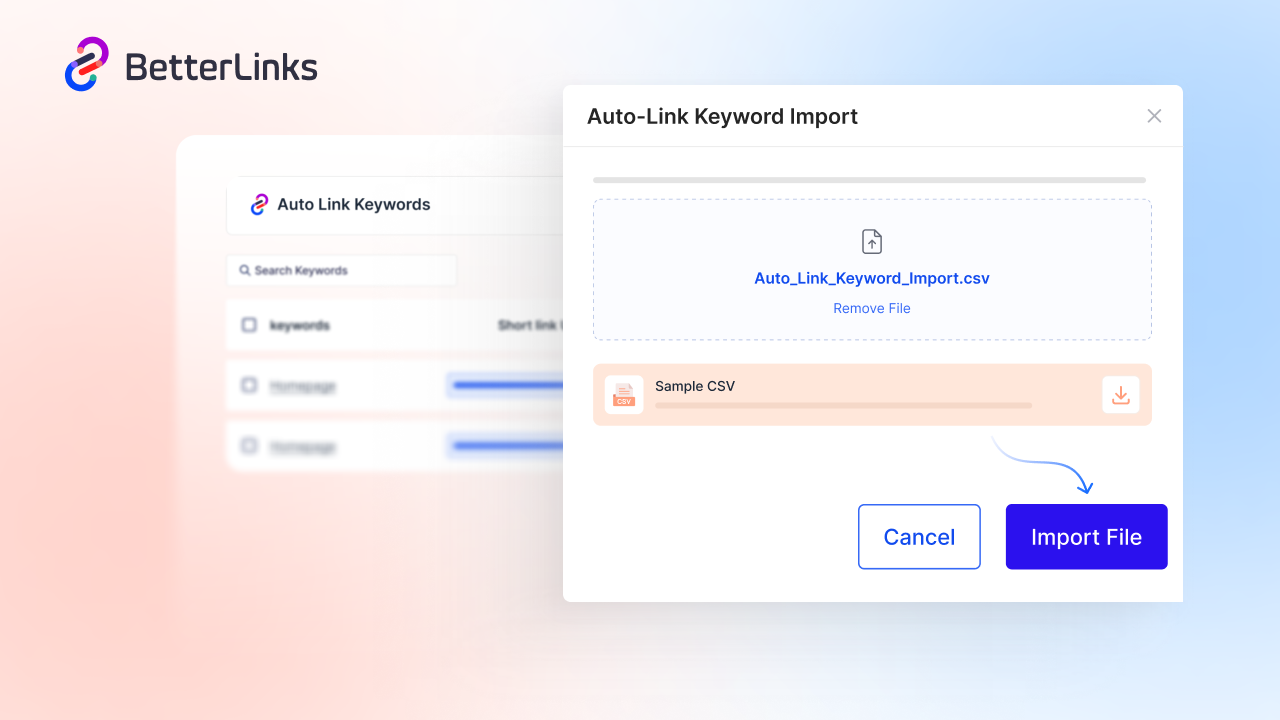
Keep the keyword list tight and relevant. Over-linking a common phrase across hundreds of posts creates a different problem, and the anchor text quality guidance in BetterLinks’ content link building strategies guide applies just as much to internal automation.
Individual Analytics
Link click analytics is your early warning system for silent failures. A link that still returns a 200 status but suddenly stops converting is usually a merchant that changed its offer page. Clicks stay flat, revenue drops and no scanner will flag it, because technically nothing is broken.
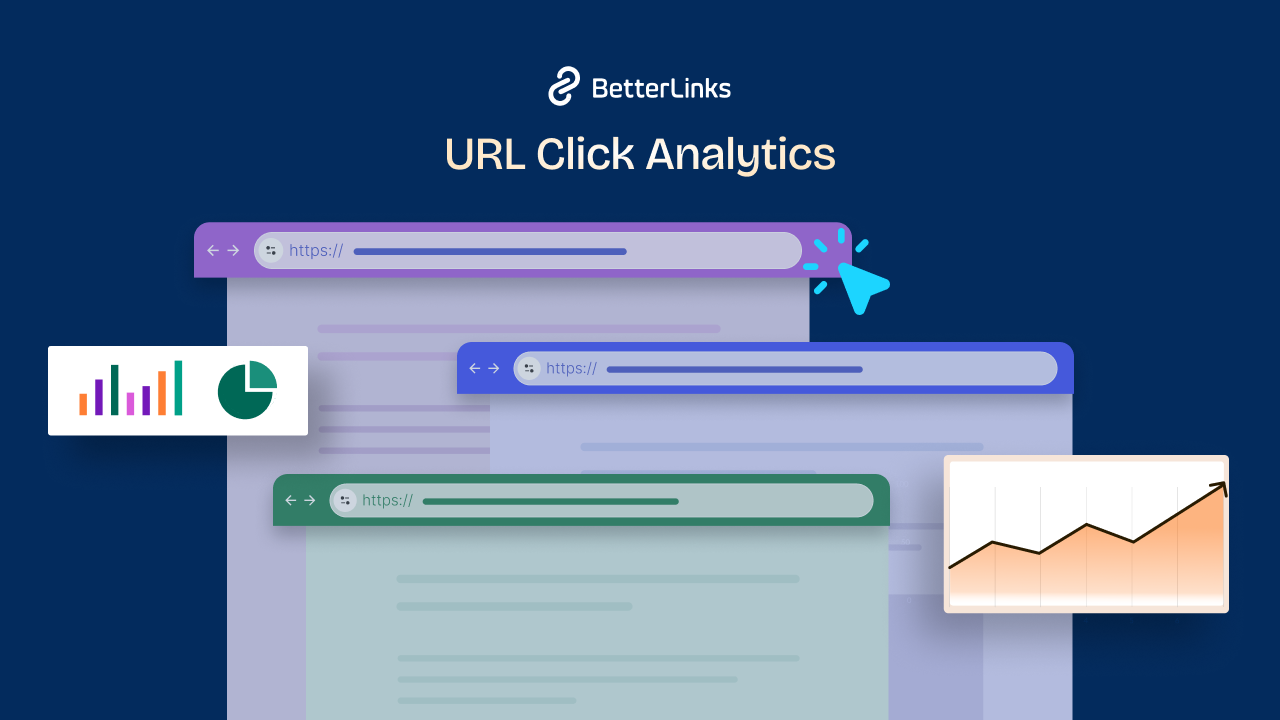
Watching click patterns per link is how you catch content drift before it costs you a full quarter of commissions.
Attribute Control for Toxic Link Prevention
BetterLinks helps you set nofollow and sponsored attributes per link and configure defaults so new links get labelled correctly without you thinking about it. That single setting removes the most preventable toxic link risk on any site, which is a paid or affiliate link left as a plain follow link.
How BetterLinks Eliminates 404 Errors & Prevents Toxic Link Penalties
BetterLinks directly tackles link rot and prevents SEO risks associated with toxic links through an automated, centralized set of features. It solves link rot at scale using the Full Site Link Scanner and Broken Link Checker to continuously crawl site content, identify dead 404 URLs, and facilitate instant redirects, which are automated and sent via email alerts through Scheduled Scan & Reports. Centralizing control, the Link Management Dashboard allows site owners to edit, update or remove failing and toxic URLs in bulk without digging into individual posts.
Meanwhile, features like Auto-link Keywords instantly apply pre-approved URLs across content, preventing accidental linking to spammy external domains, and Individual Analytics monitors traffic patterns to detect suspicious bot or spam clicks in real time. Finally, Attribute Control prevents toxic link penalties by allowing users to enforce rel="nofollow", rel="sponsored" or rel="ugc" tags across site-wide links, protecting site authority and ensuring full compliance with search engine guidelines.
Worked Example: 400 Affiliate Links Across 180 Posts
Numbers make this case far better than principles do, so here is a realistic scenario. Consider a review site with 400 affiliate links spread across 180 posts, drawn from eleven different merchant programs.
Nothing about that setup is unusual for a site that has been publishing steadily for three or four years. The difference automation makes becomes obvious the moment one of those merchants changes something.
Before Automation
One merchant restructures its URLs. Sixty links break. The site owner finds out three weeks later from a reader email, then spends a full day searching posts and editing links by hand. Estimated loss: three weeks of commissions on the site’s best-performing category.
After Automation
Every affiliate link routes through a managed short link with rel=”sponsored” set as the default attribute to ensure instant search engine compliance.
Behind the scenes, BetterLinks automates site maintenance through its Scheduled Scan & Reports feature. Rather than requiring manual site audits, the plugin runs automated, recurring background checks for link rot, dead destinations and 404 errors on a customizable schedule (such as weekly).
Once a scan completes, BetterLinks automatically generates and sends a full audit report directly to the site owner’s email address, flagging all failing destinations without requiring them to log in to check.
When sixty destination links fail on a run, the owner simply opens the central Link Management Dashboard, updates the eleven affected target URLs (one per merchant program), and all sixty placements across the site automatically update and repair themselves. Total time: about twenty minutes.
The whole gain comes from where the links live. Four hundred records scattered across 180 posts behave very differently from 400 records stored in one central dashboard.
The whole gain comes from where the links live. Four hundred records scattered across 180 posts behave very differently from 400 records stored in one dashboard.
Common Mistakes to Avoid
Most of the damage in link maintenance comes from a short list of well-intentioned errors. Some of them only waste your time, some actively make your rankings worse and a few manage to do both at once.
The table below covers the ten that come up most often on real WordPress sites, each paired with the correct alternative. Read it before your first audit so you can avoid these mistakes entirely.
| Mistake | Why it hurts | Do this instead |
| Disavowing links as routine housekeeping | You can remove links that were helping and Google says most sites never need the tool | Reserve disavow for manual actions and clear link schemes |
| Only checking for 404 errors | Soft 404s, drifted content and expired domains all return 200 | Scan with source text and destination context |
| Redirecting every dead link to the homepage | Readers land somewhere irrelevant and search engines read it as a soft 404 | Redirect to the closest matching page, or serve a helpful 404 |
| Changing permalinks without redirects | Breaks every existing internal and external link at once | Always create the redirect first |
| Ignoring internal links during content pruning | Creates the largest single burst of link rot a site can experience | Update internal links before unpublishing |
| Leaving affiliate links unlabelled | Reads as a link scheme and risks a manual action | Set sponsored as a default attribute |
| Auditing once a year | Rot accumulates continuously, so annual checks always run behind | Schedule automated scans |
| Trusting spam scores blindly | Low authority is not the same as toxic | Review flagged domains manually before acting |
| Pasting raw affiliate URLs into posts | Every merchant change becomes a manual editing project | Route commercial links through a link manager |
| Forgetting comment sections | Open comment forms remain a major source of outbound spam links | Moderate and apply the ugc attribute |
Take Control of Your Link Health Today
Toxic links and link rot are two different problems wearing the same disguise. One threatens your credibility and needs careful human judgment. The other quietly drains traffic, revenue and reader trust, and it responds beautifully to automation.
Start with the scan. Everything else on that list gets easier once you can actually see which links are working and which ones stopped working while you were busy publishing.
Ready to put your link maintenance on autopilot? Explore the complete BetterLinks feature set and let scheduled scanning, centralised redirects and AI-assisted linking handle the repetitive work for you.
Is this blog helpful? Join our Facebook community to stay updated on advanced link management and technical SEO strategies, or subscribe to our blog for deep-dive WordPress solutions.