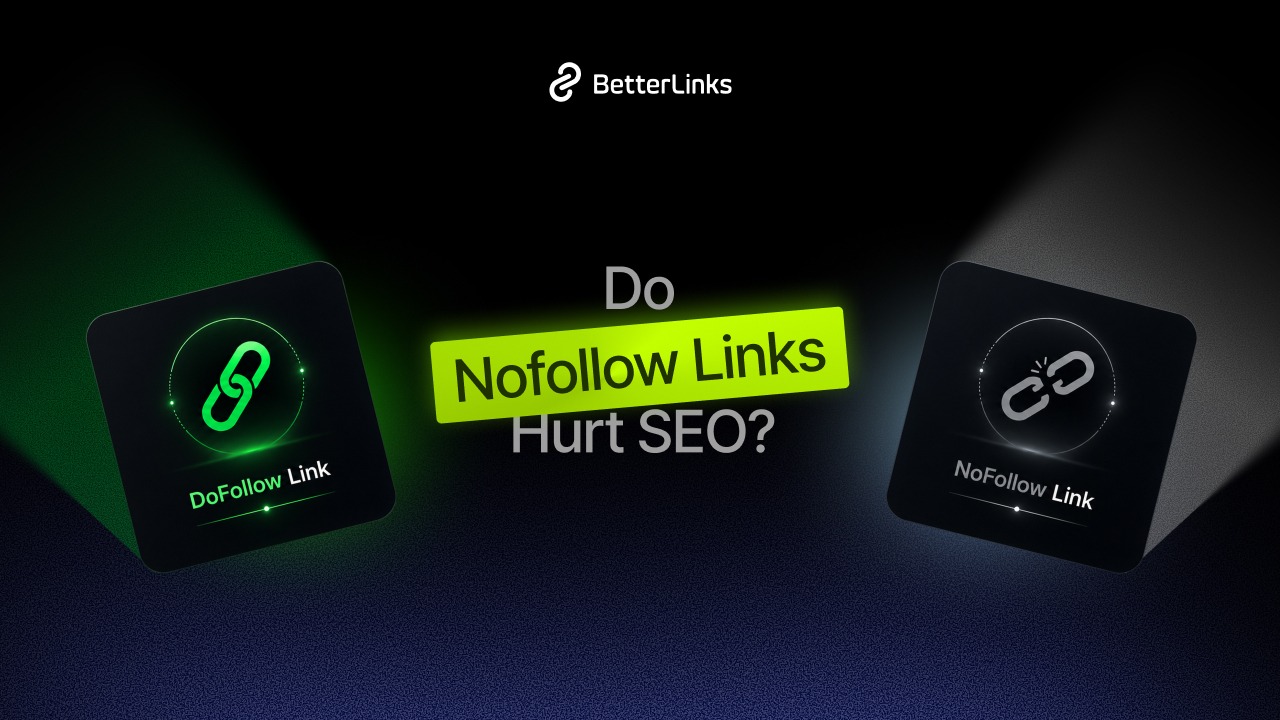
Few SEO questions cause as much quiet anxiety as whether nofollow links quietly cap your site’s growth. Here is the direct answer before anything else.
Do nofollow links hurt SEO? No. Adding a nofollow attribute to your outbound links never harms your rankings or triggers a penalty, it is normal site hygiene. For inbound links, a nofollow backlink usually will not pass full ranking credit but since March 2020 Google treats nofollow as a hint rather than a strict rule, so it can still carry value.
This guide answers the questions that actually bring people here are nofollow links bad for SEO, do nofollow backlinks have value, does a nofollow link have any SEO impact on a website and should you use nofollow on affiliate links. You will get a clear definition, the technical truth about Google’s hint model, a short history of the attribute, the edge cases where nofollow goes wrong, and how to apply the right tag in WordPress without manual hassle.
Key Takeaways
Short on time? These are the rules that matter, in order of how often they trip people up:
- Outbound nofollow links are safe. Tagging paid, affiliate or untrusted links never damages your own rankings.
- Inbound nofollow links are hints, not zero. They generally will not pass full ranking credit but Google has weighed them as hints not directives since March 2020.
- Match the attribute to the link. Use rel=“sponsored” for paid and affiliate links, rel=“ugc” for user content, and rel=“nofollow” for non-endorsements.
- Nofollow is not noindex. One controls ranking credit; the other controls whether a page appears in search. They are not interchangeable.
- A mixed profile is the natural profile. Ahrefs’ backlink analysis shows roughly one in ten links to the web’s top sites is nofollow, so an all-dofollow profile can look engineered.
- Automate it. A WordPress link manager applies the correct attribute at scale so you never tag a link by hand again.
What Is a Nofollow Link?
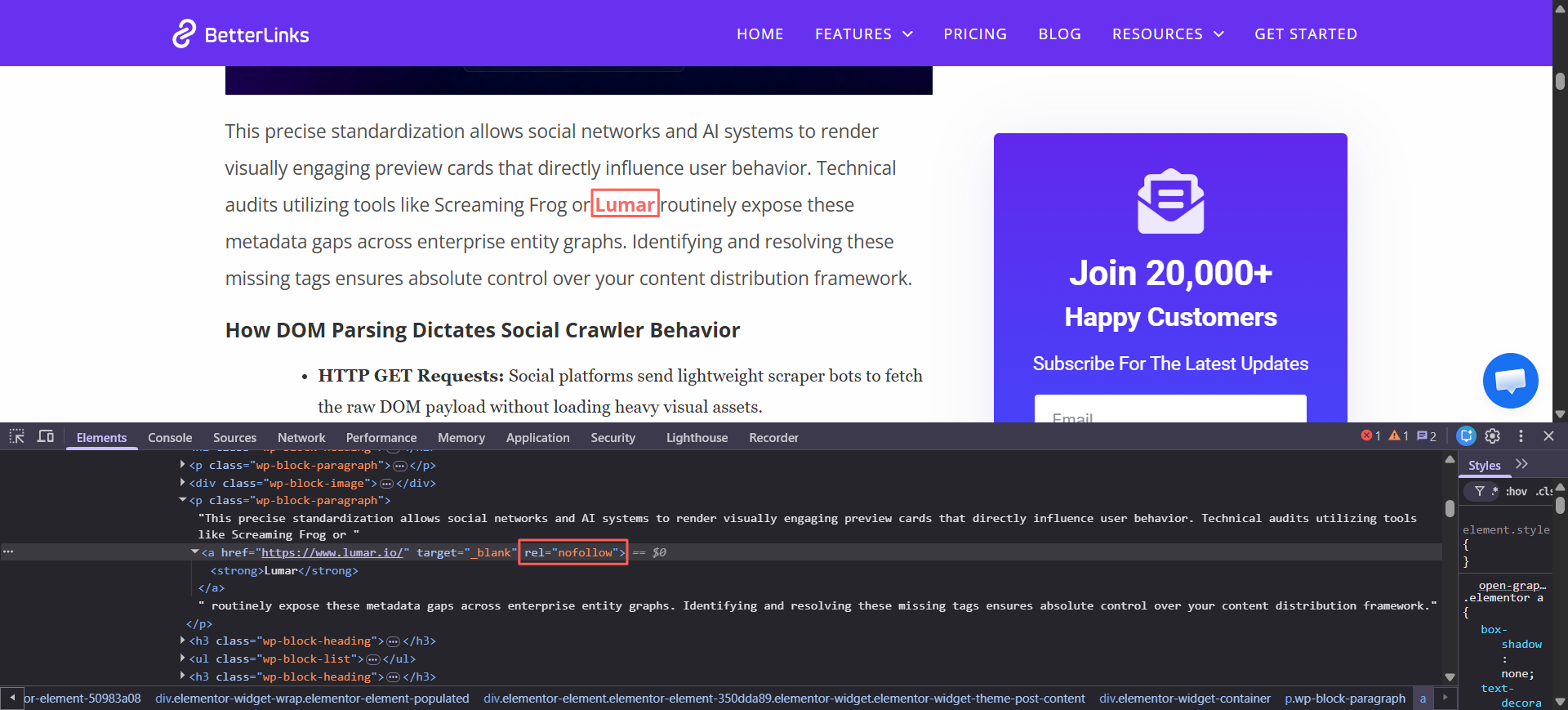
A nofollow link is a hyperlink that carries the rel=“nofollow” attribute, which tells search engines you do not want to pass ranking credit, sometimes called link equity or PageRank to the page you are linking to. The link still works for human visitors and can still send them traffic. It simply signals that you are not vouching for the destination. Google introduced the attribute in 2005 to fight comment spam, and its purpose has always been to let you link without implying endorsement.
The rel Attribute Taxonomy at a Glance
Google now recognises four practical states for an outbound link. Knowing the full taxonomy is what lets you label precisely instead of defaulting everything to nofollow:
| rel value | What it tells Google | Use it for |
|---|---|---|
| (none) — dofollow | This is a genuine vote of confidence; pass ranking credit. | Trusted editorial sources and all internal links |
| rel=“sponsored” | This link exists because of payment. | Ads, paid placements, affiliate links |
| rel=“ugc” | This link came from user-generated content. | Blog comments, forum posts |
| rel=“nofollow” | I am not endorsing this destination. | Untrusted or non-vouched links; a catch-all |
You can combine values. A paid link inside a comment can be rel=“ugc sponsored”, and you can pair the newer attributes with classic nofollow for example rel=“nofollow ugc” to stay backwards-compatible with crawlers that do not yet read them. Google documents all of this under qualifying outbound links.
How the Hint Model Works: From Directive to Hint
The single most misunderstood part of this topic is what “hint” actually means, so it is worth a precise, technical explanation.
Before September 2019, nofollow was a directive. When Google saw rel=“nofollow” it ignored the link entirely for ranking, no credit, no anchor-text signal, nothing. On September 10, 2019, Google’s Danny Sullivan and Gary Illyes announced on the Google Search Central that nofollow, along with the new sponsored and ugc attributes, would instead be treated as a hint.
A directive is obeyed every time; a hint is advisory. With a hint, Google reserves the right to consider a link or exclude it, weighing your label against its other signals much like it can respect or override a canonical tag.
Danny Sullivan clarified that “hint” refers specifically to a ranking-signal hint: it does not mean Google will suddenly start crawling and following every nofollow link. The reasoning Google gave is that links carry useful information, such as how anchor text describes a destination and discarding that entirely was wasteful.
Timing matters and is often reported incorrectly. The hint model applied to ranking from the September 2019 announcement, and was extended to crawling and indexing on March 1, 2020. In practice, that means Google may now discover and weigh a nofollow-linked page, which is exactly why a nofollow backlink from an authoritative source is not worthless.
What the Hint Model Changes for You
- For your outbound links: nothing to fear. Labelling a link as nofollow, sponsored or ugc is housekeeping, never a penalty trigger. Google has stated there is no need to change existing nofollow links.
- For your inbound links: plan as though nofollow backlinks pass no ranking credit but value the strong ones anyway for discovery and referral traffic.
Do Nofollow Links Hurt Your SEO?
For the site doing the linking, the answer is a flat no. A nofollow, sponsored or ugc attribute is an expected part of a healthy site and never drains your authority. Google has confirmed there is no need to change existing nofollow links and a sensible mix of attributes is what a natural profile looks like.
That “natural mix” is measurable. Ahrefs, the backlink-analytics platform, has found that roughly one in ten backlinks pointing to the web’s most popular sites carries a nofollow attribute, with smaller shares using ugc and sponsored. A profile built only from dofollow links is an unusual one.
The Honest Answer About Ranking Value
Nofollow links generally do not pass ranking credit, so a nofollow backlink will not boost the destination the way a trusted editorial dofollow link can. That is the design, and it causes the linking site no harm whatsoever. The receiving site can still benefit, because Google now processes the attribute as a hint and may choose to consider it.
Even setting rankings aside, nofollow links move people. Conductor, an enterprise SEO platform, has noted that nofollowed links still retain a degree of authority and, more importantly, continue to generate traffic. A citation from a major publication or a Wikipedia reference can send qualified visitors who convert, judging a link only by whether it passes PageRank and ignores the audience it delivers. Google Search Advocate John Mueller has made the same point repeatedly: nofollow is a hint, and incoming nofollow links cannot harm the site that receives them.
Best Practices for Outbound Link Attributes
- Apply the correct attribute to paid, affiliate and untrusted links without fear.
- Keep editorial links you trust as normal dofollow links.
- Aim for a natural mix of attributes across your backlink profile.
- Value strong nofollow backlinks for referral traffic and discovery, not just ranking credit.
Edge Cases: Where Nofollow Goes Wrong
Nofollow is safe but it is also misused. These are the situations where the attribute actively works against you.
Nofollowing Your Own Internal Links
Internal links are how authority flows between your pages, so tagging them nofollow blurs your site structure. The myth dates back to PageRank sculpting, but since Google’s 2009 change that approach does nothing useful the credit simply evaporates. A blogger who nofollowed every internal link to ‘save crawl budget’ watched those pages struggle to rank until the attributes were removed.
Using Nofollow to Control Indexing
Nofollow affects link credit, not indexing. If you want to keep a page out of search results, use a noindex robots meta tag; if you want to keep crawlers off a path, use robots.txt. Reaching for nofollow to hide a page is a common mix-up that breaks the intended outcome.
Treating Nofollow as a Crawl-Budget Tool
This is the myth most guides skim over. Crawl budget, how many URLs Googlebot fetches in a given window is only a real concern for very large sites with hundreds of thousands of URLs. For the vast majority of sites it is a non-issue and nofollow was never a reliable way to manage it. Since March 2020 Google may still discover a nofollow-linked URL anyway, so the attribute does not dependably stop crawling. If you genuinely need to manage crawling at scale, use robots.txt and proper URL controls rather than scattering nofollow across internal links.
Forgetting to Tag Paid or Affiliate Links
Leaving a paid or affiliate link as a plain dofollow link is the one edge case that can actually attract trouble. Unlabelled paid links can be read as a link scheme and, in the worst case, prompt a manual action. The December 2022 link spam update, powered by SpamBrain, made automated detection of unnatural links far more capable, so the safe move is simple: label every paid link with sponsored (or nofollow).
Nofollow vs Dofollow Links
A dofollow link is a normal link with no rel attribute restricting it, so it passes authority to the destination. A nofollow link carries rel=“nofollow” and signals that you do not want to pass that credit. Dofollow links are how authority moves across the web; nofollow links let you participate in linking, citing sources, monetising, hosting comments without endorsing every destination. Both belong in a healthy profile.
When to Use Dofollow vs Nofollow
Use dofollow for editorial links to sources you trust and for every internal link between your own pages. Use nofollow when a link is paid, user-generated, untrusted or simply not something you want to vouch for. The decision is about endorsement, not about whether the link is allowed.
Nofollow vs Dofollow at a Glance
| Aspect | Dofollow link | Nofollow link |
|---|---|---|
| rel attribute | None | rel=“nofollow” |
| Passes ranking credit | Yes, normally | Generally no; treated as a hint |
| Sends referral traffic | Yes | Yes |
| Implies endorsement | Yes | No |
| Best for | Trusted editorial and internal links | Paid, affiliate, UGC and untrusted links |
Real-World Example: A Finance Blog’s Mixed Profile
A finance blog linked to a primary research study with a normal dofollow link and to a sponsored partner with rel=“sponsored”. The editorial link reinforced the post’s credibility, while the sponsored tag kept the paid placement compliant. Both links worked, and neither hurt the site.
Nofollow vs Sponsored vs UGC
In 2019 Google expanded the single nofollow attribute into a three-attribute system. Per Google’s documentation on qualifying outbound links, sponsored marks paid links, ugc marks user-generated content, and nofollow signals that you do not want to associate your site with the destination. Each value gives Google more context, all of them work as hints, and you can combine them when it helps.
rel=“sponsored” for Paid and Affiliate Links
Use sponsored for any link that exists because of payment ads, paid placements and affiliate links. Google states that sponsored is preferred for paid links, though nofollow is acceptable and treated the same for this purpose. Marking paid links this way is the cleanest way to stay clear of a link-scheme problem.
rel=“ugc” for User-Generated Content
Use ugc for links created by your users, such as blog comments and forum posts. Since WordPress 5.3, comment links are tagged with rel=“nofollow ugc” automatically, which correctly marks them as user content you have not vetted.
Mapping Link Types to the Right Attribute
| Link type | Recommended attribute | Why |
|---|---|---|
| Affiliate or paid link | rel=“sponsored” | Declares the paid relationship to Google |
| Blog comment or forum link | rel=“ugc” | Marks user-generated content |
| Untrusted or non-endorsed link | rel=“nofollow” | Signals no endorsement |
| Trusted editorial source | No attribute (dofollow) | Passes a genuine vote of confidence |
| Internal link | No attribute (dofollow) | Keeps authority flowing across your site |
When to Use Nofollow Links
You do not need to nofollow every outbound link. The attribute earns its place by signalling non-endorsement exactly where endorsement would be inappropriate or risky, which protects you from passing authority to places you cannot vouch for.
Affiliate Links That Earn You a Commission
Affiliate links exist because of payment, so search engines expect them to be labelled. Tagging them sponsored or nofollow where sponsored does not apply, keeps you compliant and transparent. BetterLinks walks through the practical setup in its guide on using nofollow links for affiliate marketing.
Paid and Sponsored Placements
Any link that exists because money changed hands should carry sponsored or nofollow. This separates paid placements from organic recommendations and protects both the linking and receiving sites from link-scheme actions.
Untrusted Outbound Links (But Never Internal Links)
Use nofollow for outbound links to sources you cite but do not fully endorse. Keep internal links dofollow, because nofollow on internal links interferes with how search engines understand your structure. Nofollow is for outbound links, not for your own pages.
Best Practices for Affiliate and Paid Links
- Tag affiliate and paid links as sponsored by default.
- Apply ugc to comment and forum links if your platform does not already.
- Reserve nofollow for non-endorsed or untrusted outbound links.
- Never use nofollow to control indexing that is what noindex is for.
How to Add Nofollow Links in WordPress
You can apply these attributes by hand for the occasional link or automate them across an entire affiliate library. The right method depends on how many links you manage.
The Manual Method (For a Handful of Links)
In the block editor, add your link, open the link settings, and add the rel attribute in the HTML for example rel=“sponsored” for an affiliate link. This is fine occasionally, but it becomes slow and error-prone once you publish regularly.
The Plugin Workflow (For Scale)
A link management plugin makes this effortless. When you create a new link in BetterLinks, you can enable the No Follow and Sponsored options directly in the link settings, and you can set defaults so the right attribute applies automatically. BetterLinks also offers an affiliate link disclosure feature so readers and search engines both see the relationship clearly.
Worked Example: Managing Hundreds of Affiliate Links
Consider an affiliate marketer managing several hundred links. By cloaking them through BetterLinks and setting sponsored as the default attribute, every new affiliate link is tagged correctly with zero manual edits. When a program changes its destination, a single redirect update keeps every placement compliant and working and because the profile stays a natural mix rather than all-dofollow, it lines up with the kind of link composition Ahrefs observes on healthy sites.
Best Practices for Automating Attributes in WordPress
- Set a default attribute so new affiliate links are always tagged.
- Centralise links so one update propagates everywhere.
- Pair sponsored links with a visible affiliate disclosure.
- Audit periodically to catch any untagged paid links.
Common Misconceptions
Most mistakes come from a handful of myths. Clearing them up removes the fear that drives them.
| Myth | Reality | Why it matters |
|---|---|---|
| Nofollow links hurt your SEO. | Outbound nofollow links cause no harm and protect your profile. | You can tag links freely without worry. |
| Nofollow links are completely useless. | Since 2020 they are hints and still drive referral traffic. | Quality nofollow backlinks still have value. |
| Nofollow blocks indexing. | Nofollow affects link credit, not indexing; use noindex for that. | Mixing them up breaks your intended outcome. |
| Nofollow manages crawl budget. | It is not a reliable crawl tool, and Google may still discover the page. | Use robots.txt for real crawl control. |
| You should nofollow internal links. | Internal links should stay dofollow to pass authority. | Nofollowing them weakens your site structure. |
| An all-dofollow profile is best. | A natural profile mixes dofollow, nofollow, sponsored and ugc. | All-dofollow can look engineered to Google. |
Future Trends for Nofollow and Link Attributes
Structure and clarity will only grow in importance as AI reshapes discovery, a theme BetterLinks explores in its generative engine optimization guide.
Marketers who label links accurately today will be ready for whatever search becomes next. A few trends are worth watching as 2026 unfolds:
- The hint model deepens. Google keeps using attributes as flexible signals, so accurate labelling matters more than rigid rules.
- Quality over quantity. Following the March 2024 core update, Google weights link relevance and quality over sheer volume, so a clean attribute strategy supports trust.
- Links and AI search. As generative engines crawl and cite sources, clear attributes and anchor text help them represent your links correctly.
- Disclosure expectations rise. Transparency for paid and affiliate links is becoming standard for both compliance and reader trust.
- Automation becomes the default. Managing attributes by hand fades as link tools apply the correct rel values automatically.
Frequently Asked Questions
Are nofollow links bad for SEO?
Does a nofollow link have any SEO impact on a website?
Do nofollow backlinks have value?
What is the difference between nofollow and dofollow?
When should I use rel=sponsored?
What is rel=ugc for?
Is nofollow the same as noindex?
Should I use nofollow on affiliate links?
Tag Your Links with Confidence Today
Nofollow links do not hurt your SEO and now you know exactly how to use them. The rules are simple: sponsored for paid and affiliate links, ugc for user content, nofollow for non-endorsements, and normal dofollow links for trusted editorial and internal links. Start by reviewing your affiliate and sponsored links, then set the correct attribute as a default so future links are handled automatically.
Is this blog helpful? Join our Facebook community to stay updated on advanced technical SEO strategies or subscribe to our blog for deep-dive WordPress solutions.