Every social profile gives you one link, and most creators waste it on a generic third party bio tool that puts someone else’s branding above yours and hides your click data behind a paywall. That link is prime real estate, and it deserves better than a rented page you do not control.
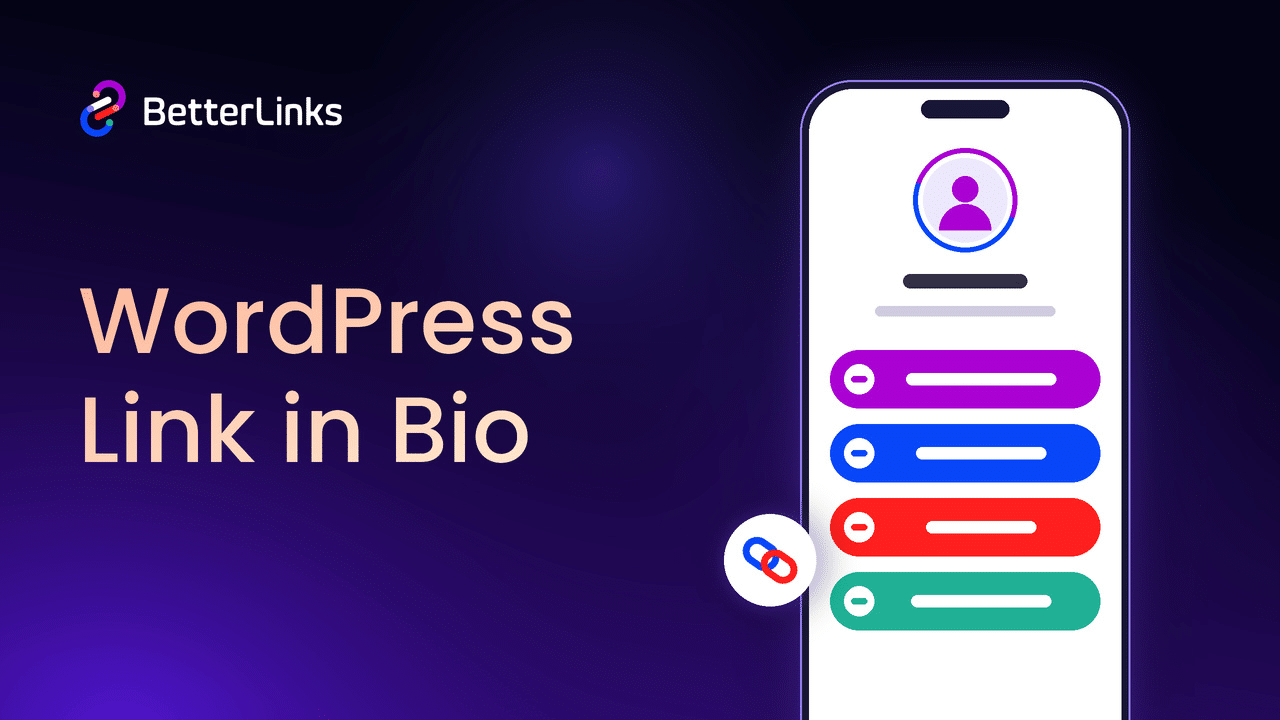
Bio Links solves this by moving the entire experience onto your own WordPress site. Instead of sending your Instagram, TikTok or YouTube followers to a third party domain, you send them to a page that lives on your domain, matches your brand and reports every click straight into your own dashboard. In this guide, you will learn what Bio Links is, why it matters and how to set up your first page step by step with BetterLinks.
What Are Bio Links?
Bio Links is a page builder inside BetterLinks that turns your single social media link into a complete landing page hosted on your own WordPress domain. Instead of pointing followers to a generic linktree style page, you build a page that carries your name, your avatar, your social icons and every link you want to share, styled the way you want it styled.
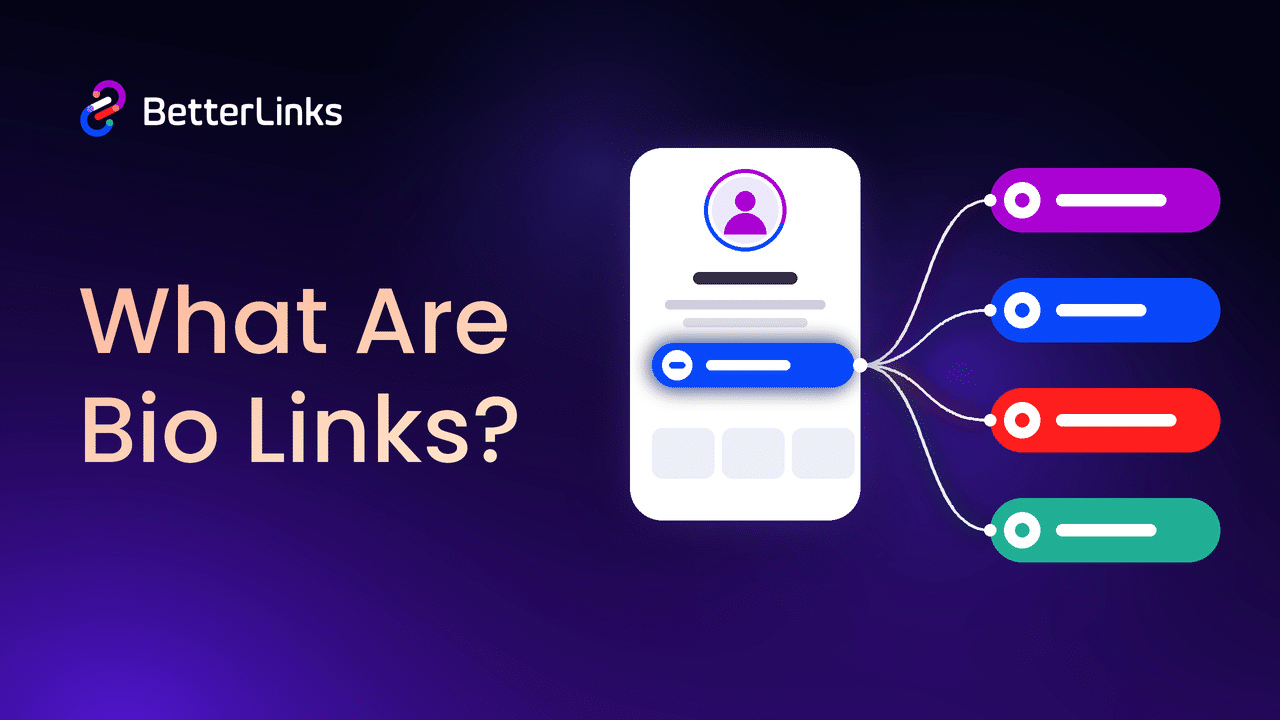
What makes it different is that the page is not just a static list. Every social icon and link button on the page can route through a tracked BetterLinks short link, so the clicks your bio page earns show up in the same analytics dashboard you already use for the rest of your links. The page itself is also served independently of your WordPress theme, so it stays fast and clean on mobile, which is where almost all of your bio page traffic will land.
Why a Self-Hosted Link in Bio Page Matters
Before getting into setup, it is worth understanding why this is worth doing at all. Third party bio link tools are convenient, but the convenience comes at a cost. You are building an audience on a domain you do not own, your click data often stays locked behind a paid tier and your page carries someone else’s branding front and center above your own.
Hosting your bio page on your own domain flips that. You keep full ownership of the page and the traffic it earns, you keep every click inside your own analytics rather than a third party dashboard and you control exactly how the page looks, right down to the fonts and the background. If you also want your regular links to stay healthy over time, pairing Bio Links with automated link monitoring keeps your whole site clean.
Key Features of Bio Links
Bio Links packs a full page builder into BetterLinks, so you are not choosing between a quick generic page and a proper branded one. From the profile setup to the analytics that follow, every part of the page lives inside the same plugin you already use to manage your links.
A closer look at what the feature actually gives you:
- Full page builder inside WordPress: Set your avatar, name, bio and handle, then add social icons and link buttons, all from one screen with a live phone preview beside it.
- Eight ready layouts: Switch between Classic, Hero, Cover, Spotlight, Wave, Pro, Card and Frame, and watch the preview update instantly as you click through them.
- Full style control: Pick a theme preset or build your own with 28 Google fonts, custom button shapes, animation and a solid, gradient or image background.
- Built in click tracking: Turn on the Track toggle for any icon or link button and BetterLinks quietly creates a short link behind it, so the click lands in your analytics automatically.
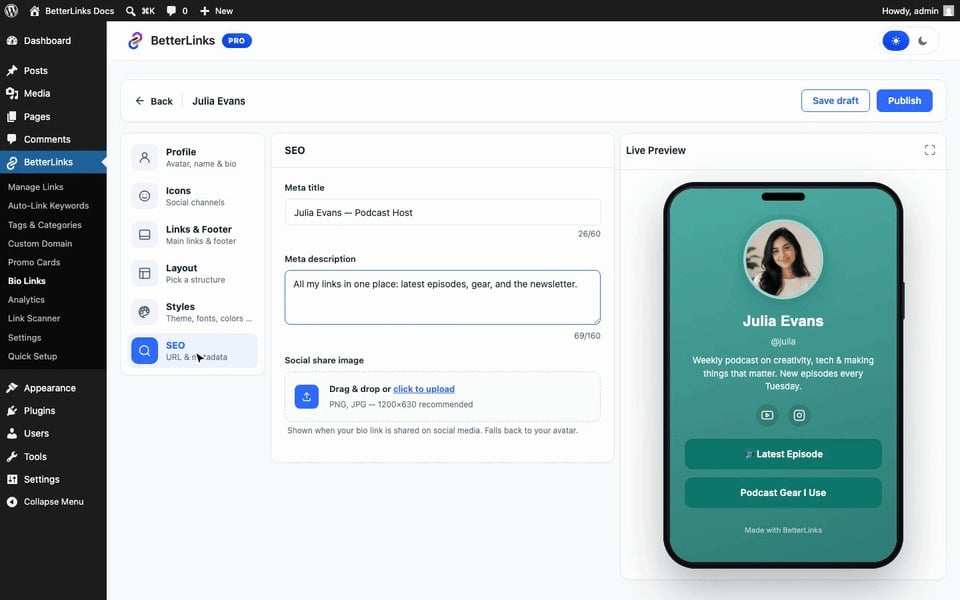
- Dedicated SEO controls: Set a meta title, meta description and social share image for the page itself, so it looks right when it gets shared or indexed.
- Standalone fast loading: The published page loads independently of your WordPress theme, which keeps it quick even on a slower mobile connection.
How to Create a Bio Link Page with BetterLinks
With the features in mind, let us walk through the setup. This guide shows you how to open the Bio Links dashboard, build out your page and publish it live on your domain.
Step 1: Open the Bio Links Dashboard
From your WordPress dashboard, navigate to BetterLinks → Bio Links. This opens a dashboard with two tabs, ‘Bio Links’, where your pages are listed, and ‘Analytics’, where you track how each page performs.
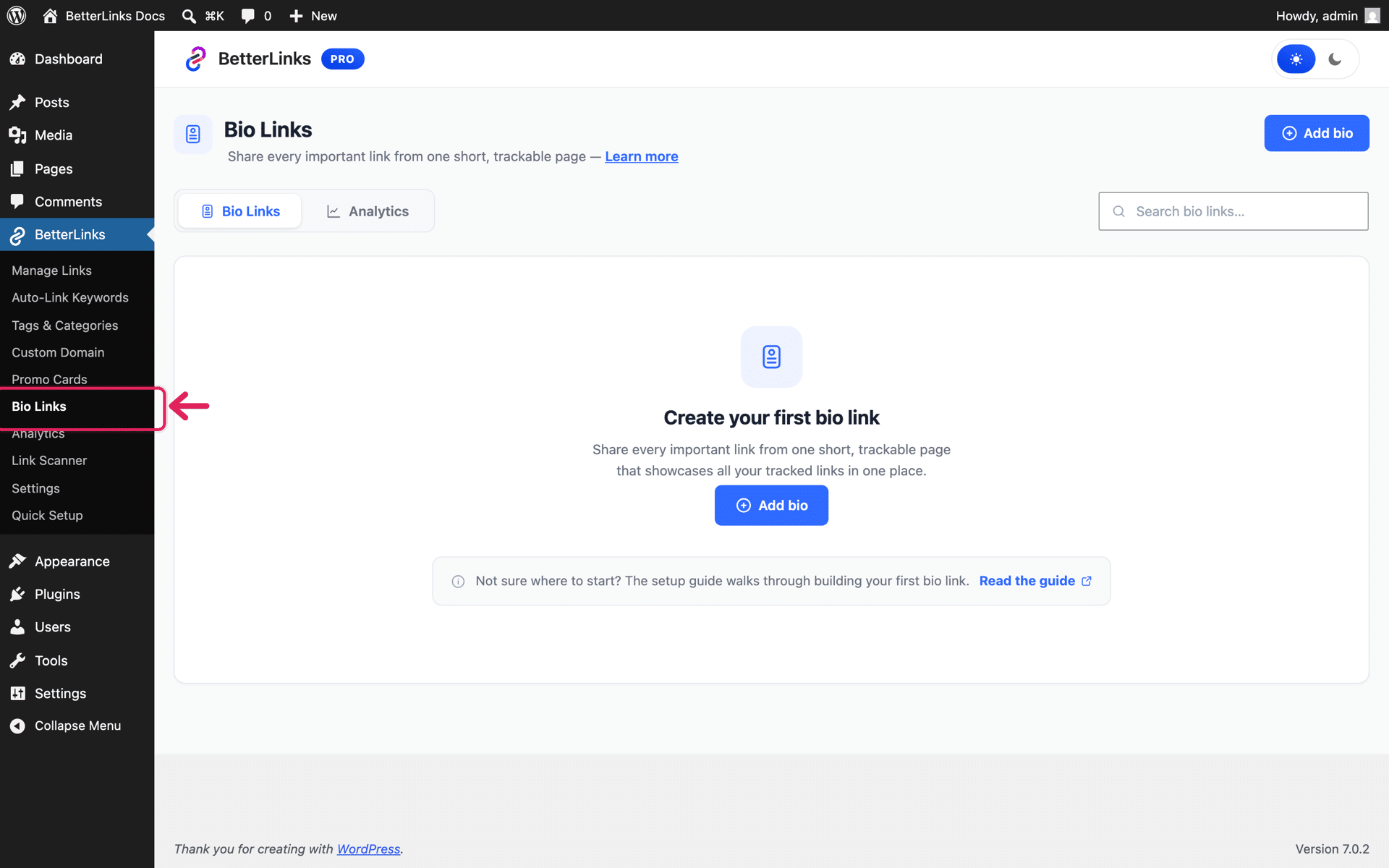
If this is your first time here, the dashboard will be empty. Click the ‘Add bio’ button to start your first page.
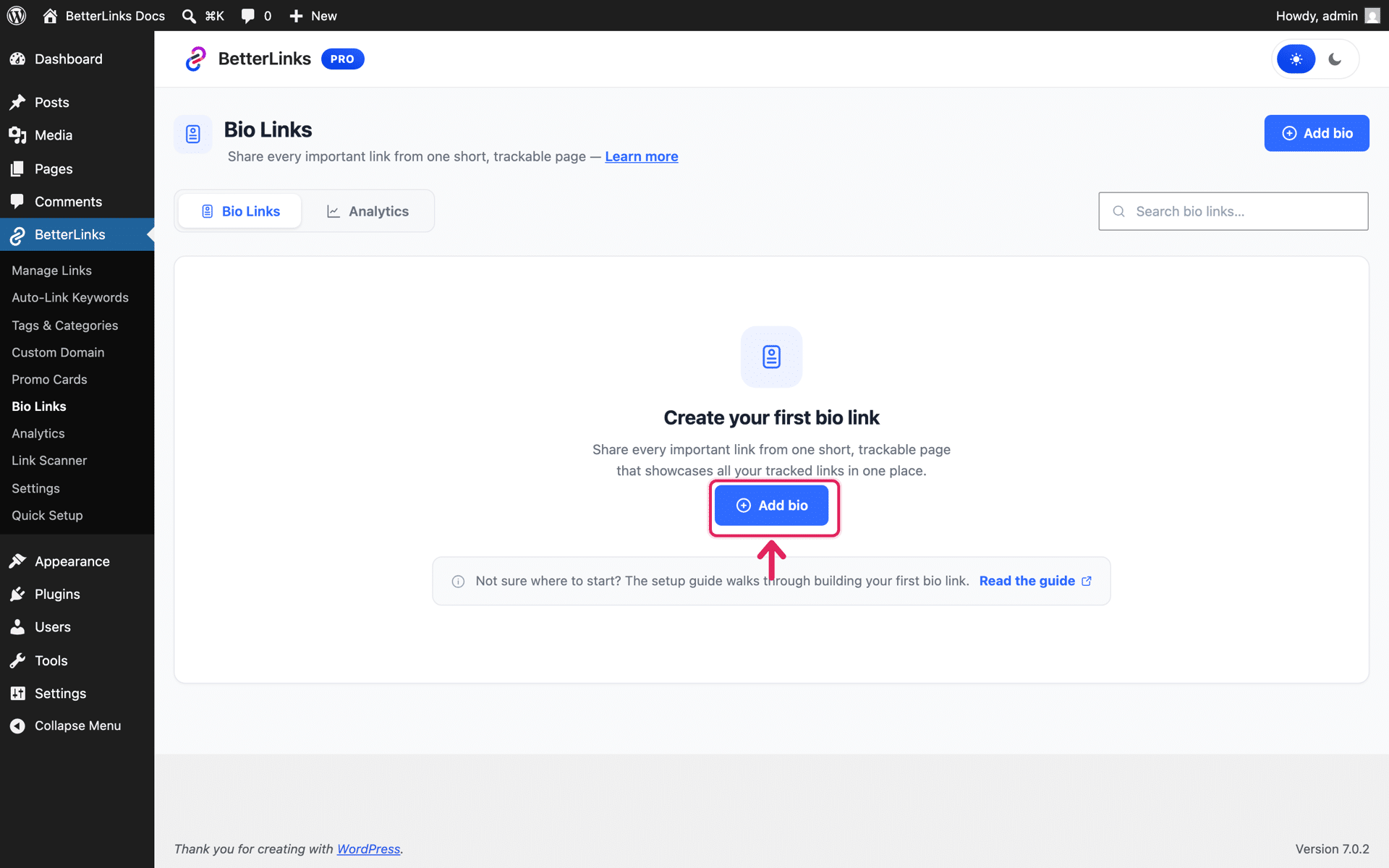
This opens the full screen builder with a live phone preview on the right, so your page takes shape as you type instead of leaving you guessing what it will look like once published.
Step 2: Build Your Page
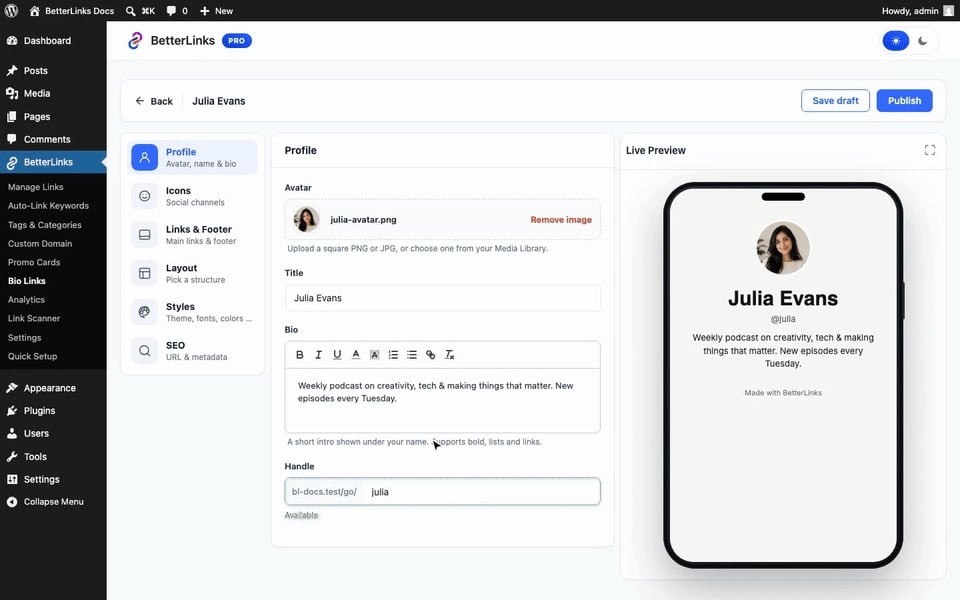
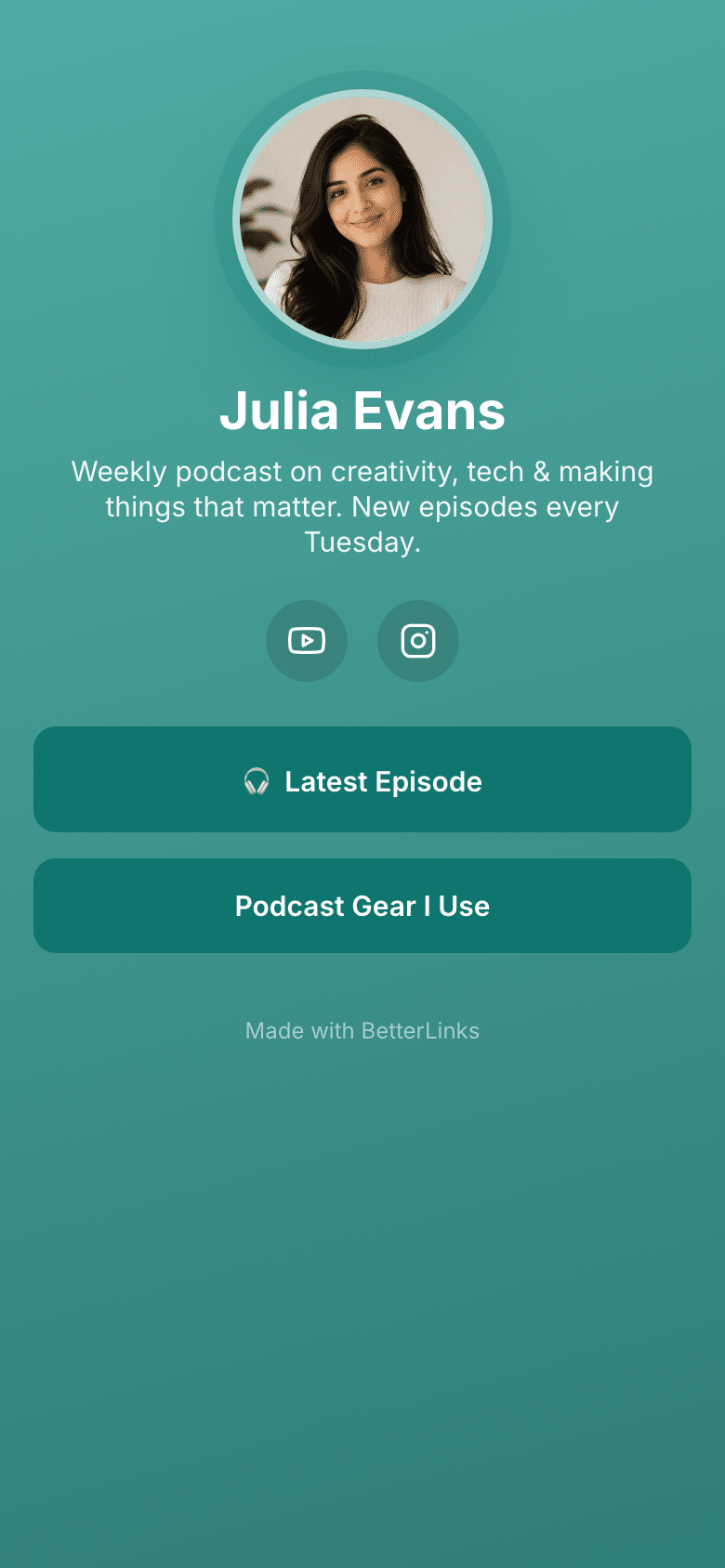
Set up your profile first, upload an avatar from the Media Library, add your name and a short bio, and choose your page’s Handle, which becomes the last part of your bio page URL, for example yoursite.com/go/julia.
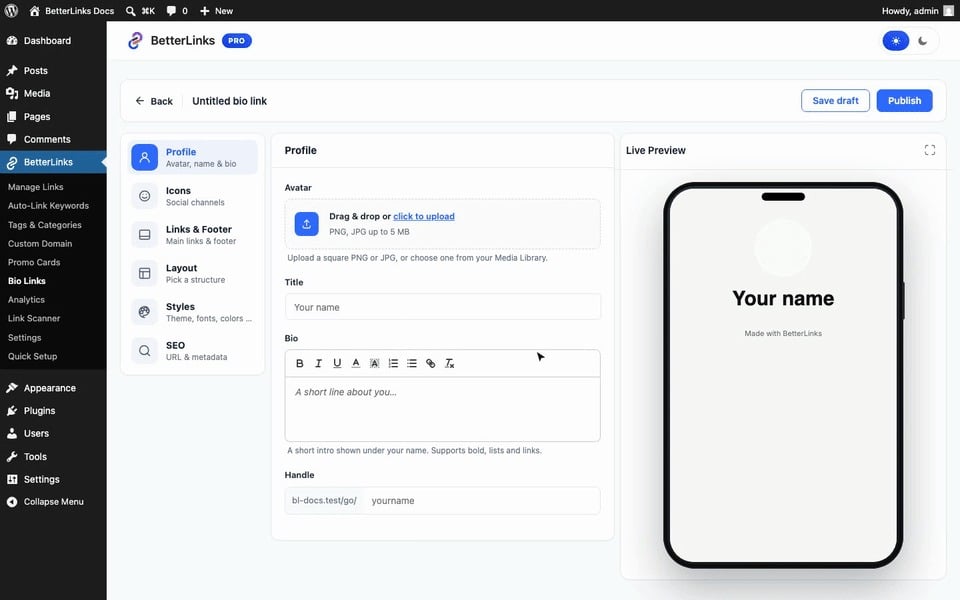
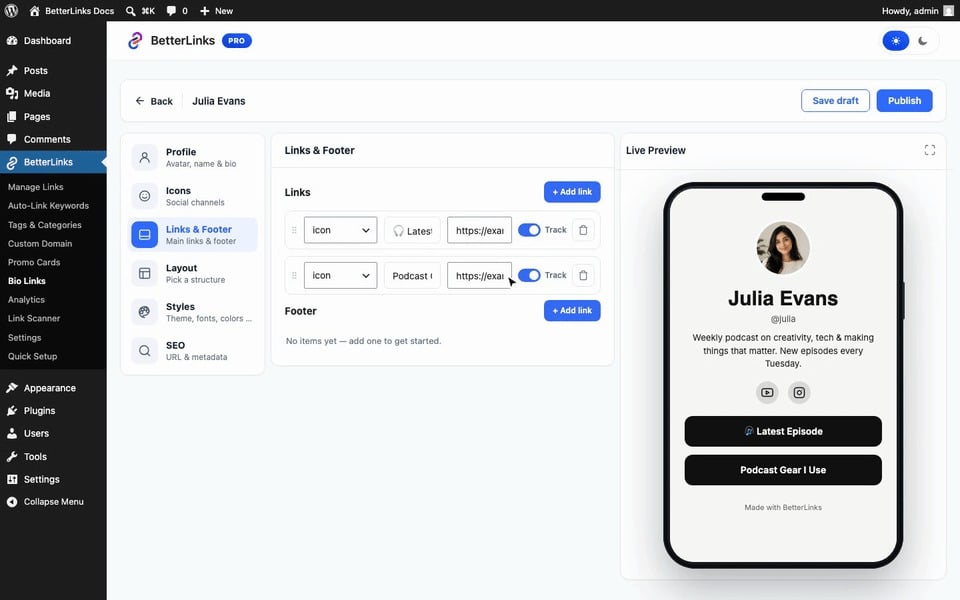
Next, add your social icons and link buttons. Pick a platform for each icon and paste your profile URL, then create link buttons with a label and destination URL. Watch for the ‘Track’ toggle on every icon and link, turn it on and BetterLinks creates a short link behind that button automatically, so the click appears in your analytics. Footer links sit at the bottom of the page as plain text and are never tracked.
Then choose a layout from eight page structures, Classic, Hero, Cover, Spotlight, Wave, Pro, Card and Frame, clicking through them updates the phone preview instantly so you can compare before deciding.
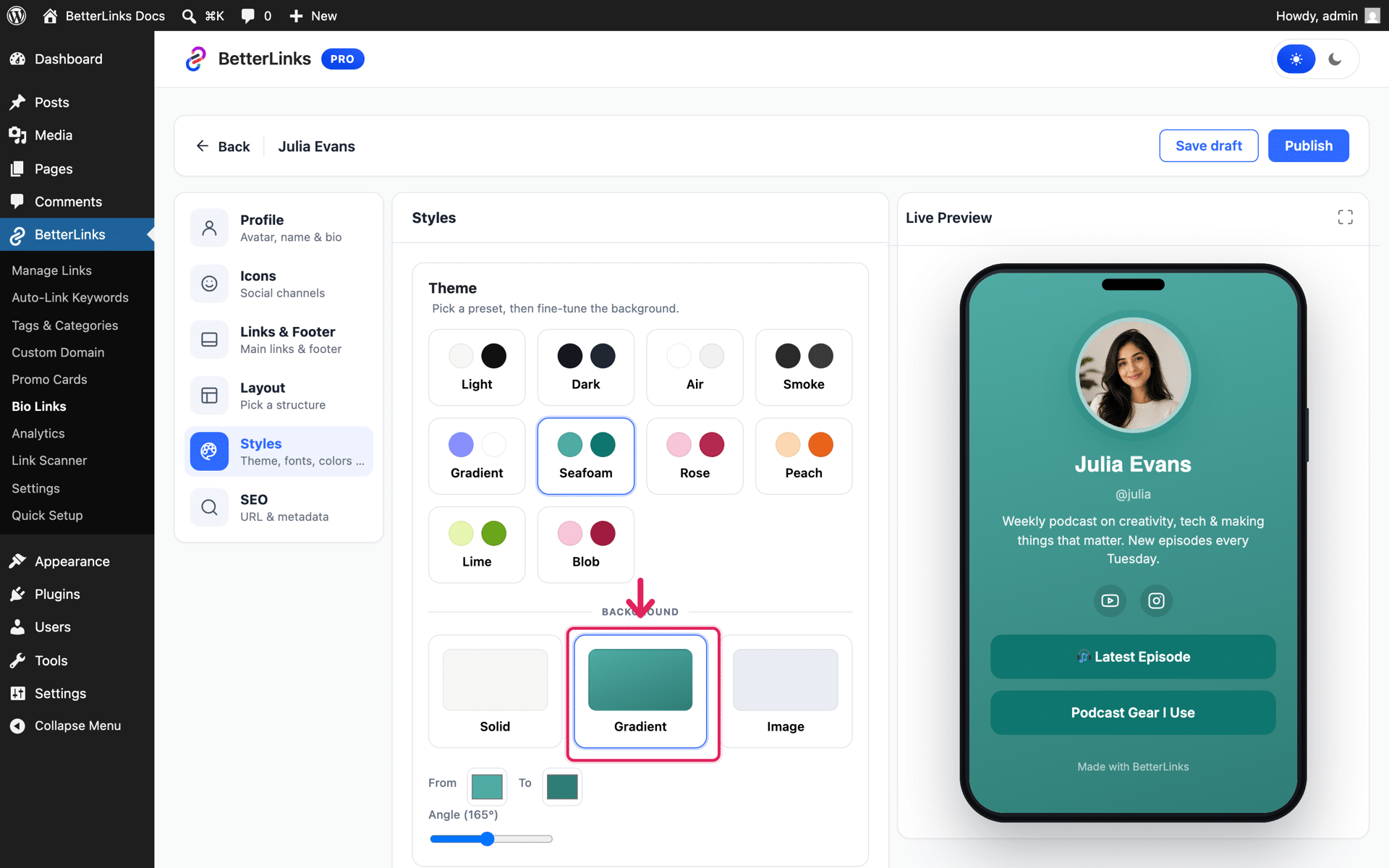
Once the layout is set, move on to styling. Pick a ready theme preset or design your own from 28 Google fonts, customize the button style, animation and shape, and set a solid, gradient or image background.
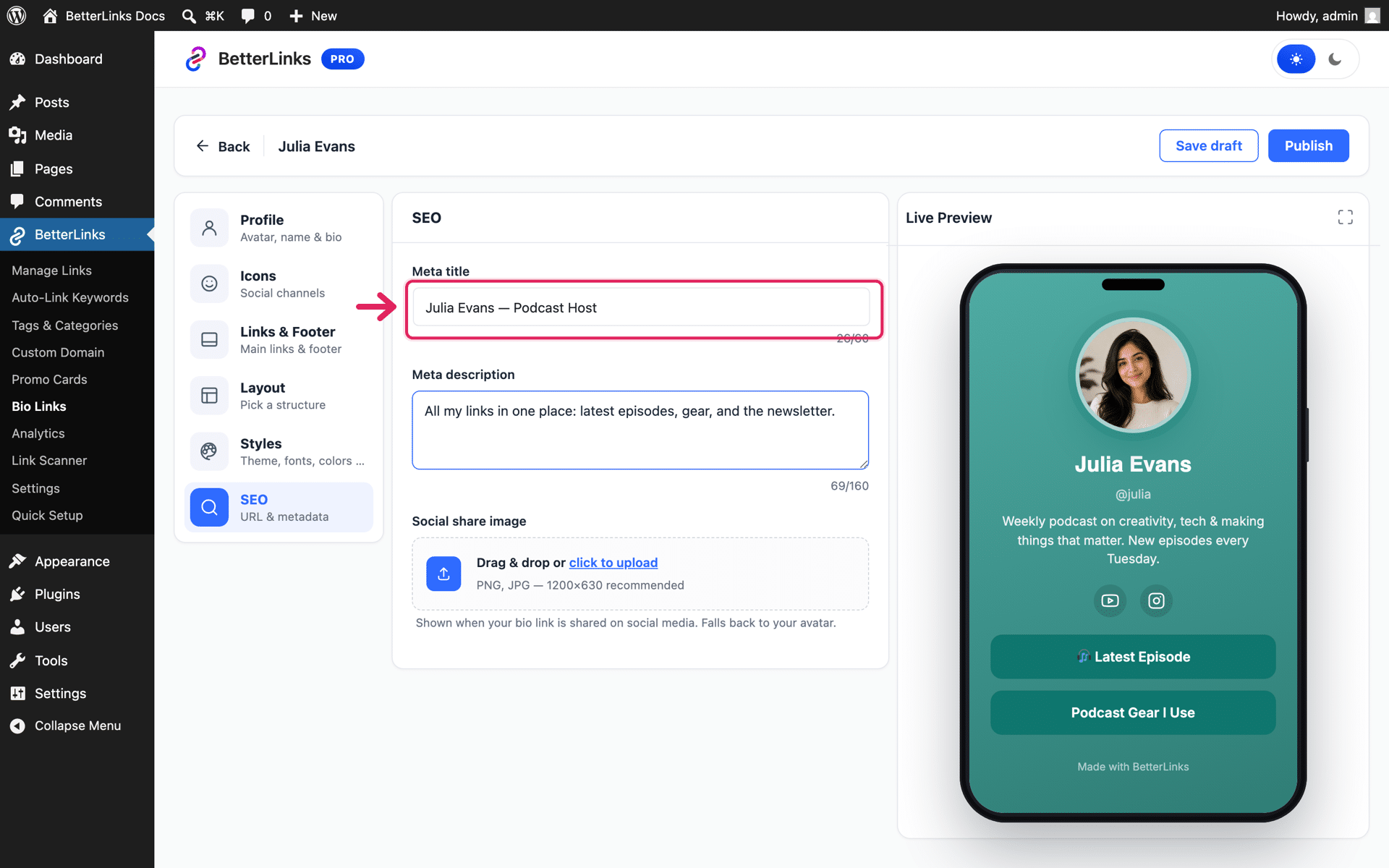
Finally, fine tune the SEO section, set a meta title, meta description and social share image so your page presents well when it gets shared or shows up in search.
Step 3: Publish and Share Your Page
Once the preview looks right, hit ‘Publish’. The top bar now shows ‘Copy URL’ and ‘Open live link’, and your page goes live at yoursite.com/go/your-handle.
Copy that URL and paste it into your Instagram, TikTok or YouTube bio. Here is how a finished page looks to your visitors:
Need more help walking through the builder? Check out this documentation for the full step by step guide with every setting explained.
Track Your Bio Page Performance
Publishing the page is only half the job, knowing how it performs is what lets you improve it. Switch to the ‘Analytics’ tab of the Bio Links dashboard to see total views, total clicks on your tracked buttons and your click rate, per page, with a 14 day trend.
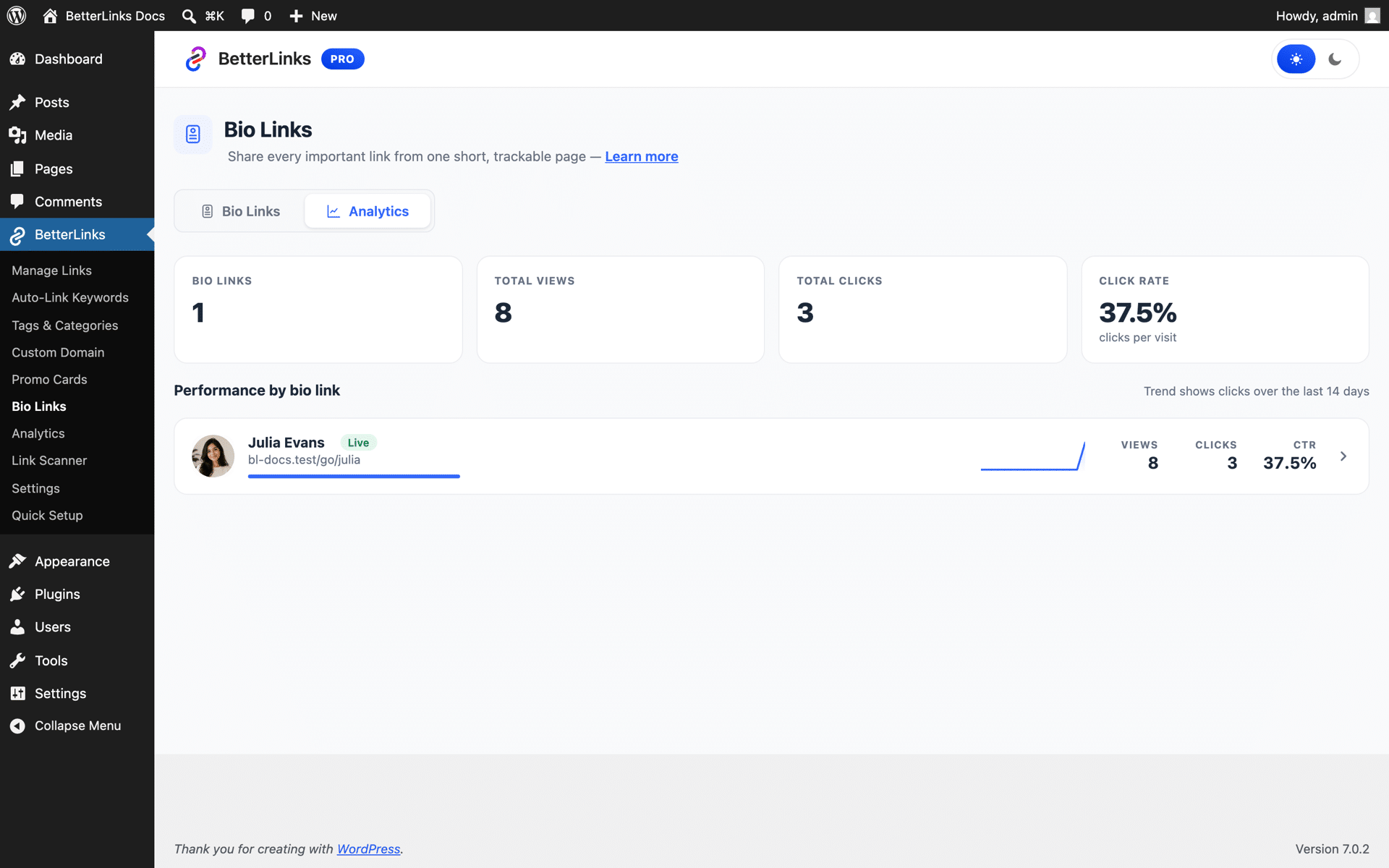
This closes the loop that most bio link tools leave open. You are not just publishing a page and hoping it works, you can see exactly which buttons your followers tap and adjust your layout, your link order or your wording based on real numbers.
Who Gets the Most Out of Bio Links
Bio Links is built for anyone who has one link to give social media followers and wants that link to work harder. Whether you post content, run a business, sell products or manage client accounts, it turns that single link into a branded page you fully control.
This feature fits almost anyone active on social media, but a few groups gain the most from it. Here is a quick look at how different users put it to work.
| User | How Bio Links Helps |
|---|---|
| Content creators | Send followers to a fast, branded page that showcases every platform and link in one place, without renting space on someone else’s domain. |
| Affiliate marketers | Turn every icon and button into a tracked short link, so you know exactly which offer your bio page traffic is clicking. |
| Small businesses | Build a lightweight landing page for a campaign or product launch without touching a website builder or hiring a designer. |
| Agencies | Spin up branded bio pages for multiple client accounts, all managed and tracked from the same WordPress dashboard. |
| Podcasters and YouTubers | Group every episode link, sponsor link and social profile into one page that updates the moment new content goes live. |
Why Use BetterLinks Bio Links
The strongest reason to use Bio Links comes down to ownership. A third party bio tool puts your audience one click away from someone else’s branding and locks your performance data behind a subscription. BetterLinks keeps the page, the domain and the data all in your hands.
- You own the domain. Your bio page lives at yoursite.com, not a third party subdomain, which keeps your branding consistent and your SEO working in your favor instead of someone else’s.
- You own the data. Every tracked click reports into the same BetterLinks analytics you already use, so there is no separate dashboard or paid tier to unlock your own numbers.
- You control the design. Eight layouts, 28 fonts and full color and background control mean your page can actually look like your brand, not a template everyone else is also using.
- It stays fast. The page loads independently of your WordPress theme, so it does not inherit a slow theme’s load time on the one page that gets the most first impressions.
How Bio Links Shifts Link Management to the Next Level
Link management used to mean shortening URLs and checking a spreadsheet of clicks. Bio Links pushes that idea further by turning your single most valuable link, the one in your social bio, into a fully tracked, fully branded destination that lives beside every other link you manage.
Instead of juggling a link shortener for your content and a separate bio tool for your social profiles, everything sits inside one BetterLinks dashboard. Your short links, your Bio Links page and your analytics all speak to each other, so you get one complete picture of where your traffic comes from and where it goes next.
Start Building Your Bio Page Today
Your social media bio deserves more than a rented page with someone else’s logo on it. Bio Links gives you a fast, fully branded landing page built right inside WordPress, with every click tracked in the same dashboard you already use for your links.
If you are ready to take that link back, get started with BetterLinks and build your first Bio Links page today. Want more WordPress tips and product updates? Subscribe to the BetterLinks blog and explore the rest of the site for the newest tutorials and demos.