Few technical-SEO worries are as persistent as this one: ‘If I cloak my affiliate links, will I quietly wreck my page speed and tank my Core Web Vitals?’ Here is the direct answer before anything else.
Does link cloaking hurt Core Web Vitals? No, not when it is done correctly. Link cloaking uses a redirect that fires after a visitor clicks and leaves the page, so it has no direct effect on the Largest Contentful Paint, Interaction to Next Paint or Cumulative Layout Shift of the page the link lives on. The real risk is not cloaking itself.
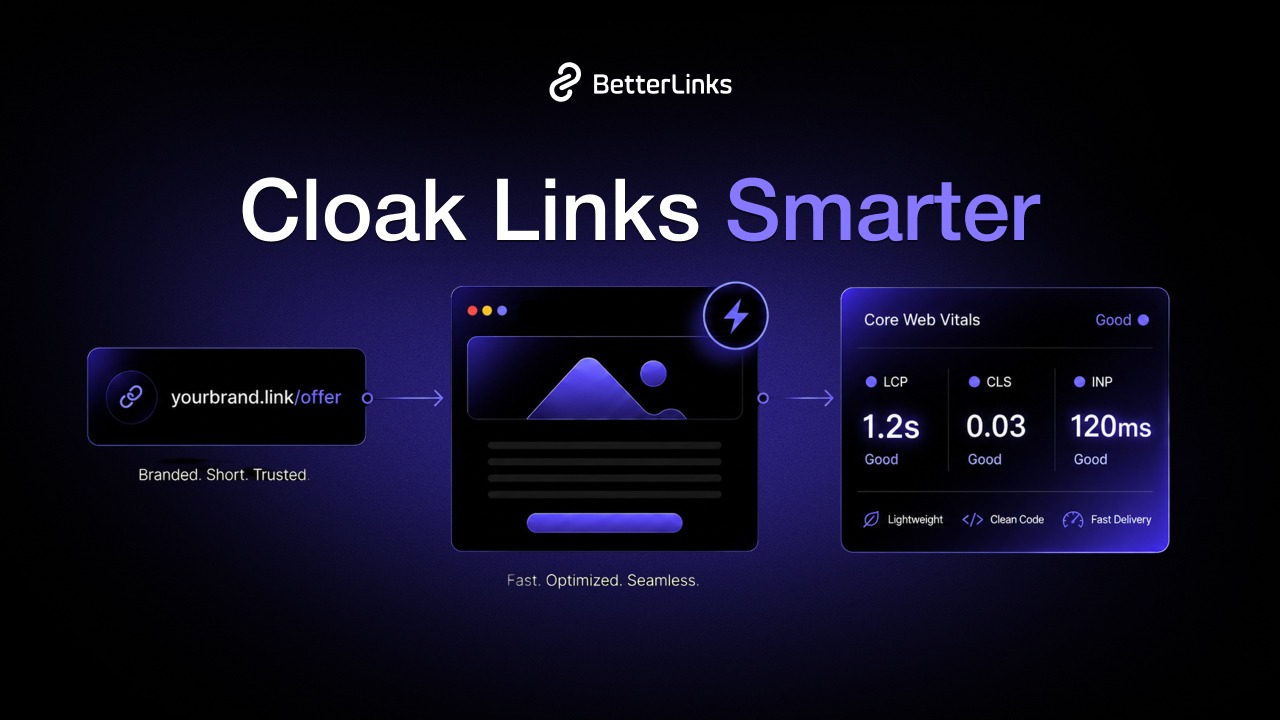
This guide unpacks the whole picture: what link cloaking actually is, why affiliates and marketers rely on it, how Google’s three Core Web Vitals work in 2026, exactly where redirects do and do not touch performance and a practical playbook for hiding links without losing a millisecond of speed. You will also see the myths worth ignoring and the mistakes worth avoiding.
Key Takeaways
Short on time? These are the rules that matter most, in the order people usually get them wrong.
- Cloaking a link does not change your page’s Core Web Vitals. The redirect runs on click, after the user leaves, so it is measured as a navigation to the destination, not as part of your source page’s LCP, INP or CLS.
- The plugin is the variable, not the cloak. A heavy link manager that injects render-blocking JavaScript on every page can hurt LCP and INP. A lightweight one does not.
- Use server-side redirects. A 301 or 302 handled by the server is faster and more crawler-friendly than a JavaScript or meta-refresh redirect.
- Every redirect hop costs a round trip. Typically 100 to 300ms each. One clean hop is fine; chains are the enemy.
- The three Core Web Vitals are LCP, INP, and CLS. INP replaced First Input Delay in March 2024, so if a guide still mentions FID, it is out of date.
- Automate and centralize. A dedicated link manager applies fast redirects, tidy cloaking, and analytics without you touching code.
What Is Link Cloaking?
Link cloaking is the practice of hiding a long, messy, or untrustworthy-looking destination URL behind a short, branded, on-site link. Instead of exposing a raw affiliate link string like https://partner.example.com/track?aff=99231&camp=summer&sub=blogpost, you publish something clean such as yoursite.com/go/best-camera. When a visitor clicks, your server quietly redirects them to the true destination.
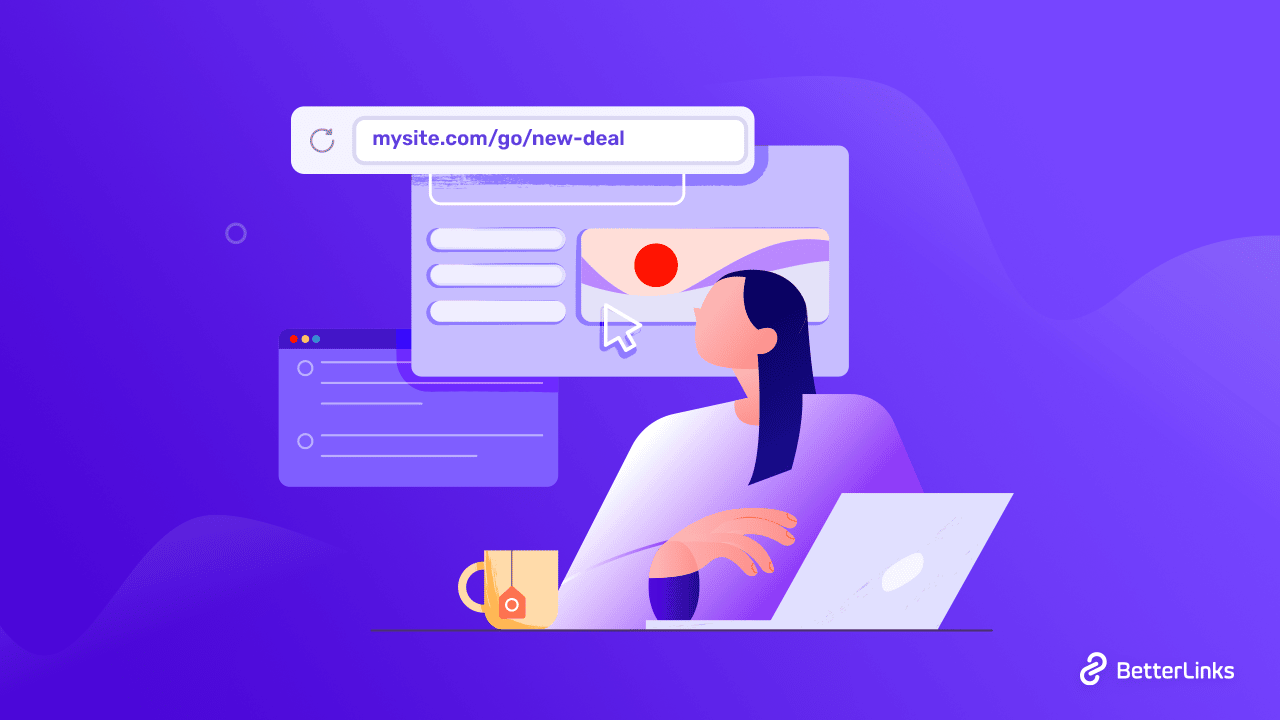
Technically, a cloaked link is nothing more exotic than a redirect with a friendly slug. The visitor sees the branded URL; the browser requests it; your site responds with a redirect pointing to the affiliate or partner URL.
The mechanics are the same ones the web has used for decades and the difference is presentation and control.
It is worth separating two meanings of the word ‘cloaking,” because they are frequently confused:
- Link cloaking (the legitimate kind): masking a destination URL for readability, branding, and manageability. Every visitor and every crawler is sent to the same place. This is standard, accepted practice.
- Search-engine cloaking (the forbidden kind): showing search engines one page and human users a completely different one to manipulate rankings. This violates Google’s spam policies and can trigger a penalty.
Why Marketers, Affiliates & Website Owners Use Link Cloaking
Cloaking is popular because a raw tracking URL is hostile to almost everyone who touches it. Cleaning it up solves several problems at once.
- Trust and click-through: A branded yoursite.com/go/webhost link looks safer than a 90-character parameter soup, so readers are more likely to click it.
- Brandable, on-brand links: A cloaked link carries your own domain (yoursite.com/go/webhost) instead of a partner’s, so every link you share reinforces your brand and builds recognition and trust with your audience over time.
- Central Management: When an affiliate program changes its destination URL, you update one cloaked link and every mention across your site instantly points to the new target, with no hunting through old posts.
- Protection against Link Theft: Cloaking hides the raw affiliate ID, making it harder for others to strip or swap your commission tag.
- Cleaner Analytics: A dedicated link manager records clicks on each cloaked link, so you can see which placements actually convert.
- Readable, Shareable Links: Short branded URLs work better in newsletters, videos, podcasts, and social bios than unwieldy tracking strings.
- Compliance and Disclosure: Cloaked links can be tagged with the correct rel attribute (sponsored or nofollow) automatically, keeping paid links transparent to Google.
What Are Core Web Vitals?
Core Web Vitals are Google’s standardized set of metrics for measuring the real-world experience of loading, interacting with, and viewing a web page. They are part of the broader page-experience signals Google’s ranking systems consider, and they are drawn from field data, actual Chrome users visiting your site, collected in the Chrome User Experience Report (CrUX).
Three principles are essential to understand before we connect them to cloaking:
- They measure the page a user is on. Core Web Vitals score the loading and interactivity of a specific page, not the redirects that fire when a user leaves it.
- They are measured at the 75th percentile. A page ‘passes’ a metric only when at least 75% of real visits meet the ‘good’ threshold, split across mobile and desktop.
- Passing is not guaranteed. According to the 2025 Web Almanac, only around 48% of mobile pages and 56% of desktop pages pass all three Core Web Vitals, so there is real competitive advantage in getting them right.
Each metric is rated Good, Needs Improvement or Poor. Here are the current thresholds you should be optimizing against in 2026.
| Metric | Measures | Good | Needs Improvement | Poor |
| LCP (Largest Contentful Paint) | Loading | ≤ 2.5s | 2.5s to 4.0s | > 4.0s |
| INP (Interaction to Next Paint) | Responsiveness | ≤ 200ms | 200ms to 500ms | > 500ms |
| CLS (Cumulative Layout Shift) | Visual stability | ≤ 0.1 | 0.1 to 0.25 | > 0.25 |
Does Link Cloaking Affect Core Web Vitals?
This is the heart of the question, so let’s be precise.
In almost every correct implementation, cloaking has no measurable effect on the Core Web Vitals of the page containing the link. The reasoning is mechanical, not opinion:
- A cloaked link is rendered as an ordinary
<a href="yoursite.com/go/product">element. Rendering an anchor is effectively free, so it adds nothing to LCP or CLS. - The redirect only executes when the user clicks. At that moment they are navigating away. The round trip that follows is attributed to the journey toward the destination, so it is not part of your source page’s LCP, INP, or CLS measurement.
- Core Web Vitals are recorded for the page the user is viewing. A link they have not clicked cannot influence them.
So where does the fear come from? It comes from the tools people use to create cloaked links, not from cloaking as a concept. There are three genuine ways a poorly chosen setup can drag down your scores, and none of them are inherent to cloaking.
| Risk source | What actually happens | Effect on Core Web Vitals |
| Heavy link-management plugin | Injects render-blocking JS/CSS or tracking scripts on every page load | Can raise LCP and INP sitewide |
| Client-side redirect method | JavaScript or meta-refresh redirect runs in the browser instead of the server | Slower click-through; wastes main-thread time |
| Redirect chains | Cloaked link points to a URL that redirects again, and again | Adds latency to the transition; risks losing clicks |
The takeaway is reassuring: cloaking is safe by design. Your job is simply to pick a fast, lightweight link manager that uses server-side redirects and does not bloat the pages where your links live. A link management plugin like BetterLinks is built around exactly that constraint: lightweight, fast redirects that keep the cloaking layer invisible to your page-speed metrics.
How Redirects Influence Page Speed & User Experience
Redirects deserve their own section because they are the one place where cloaking can touch performance, just not where most people assume.
A redirect is the server (or browser) saying ‘it’s not here, go there.’ Every redirect adds an extra HTTP request-response cycle before the visitor reaches the content they wanted. That cycle includes DNS lookup, connection setup, and waiting for a response, and it cannot run in parallel with anything else, because the browser doesn’t know the final destination yet.
- The cost is real but small when handled well. Industry testing consistently puts a single server-side hop at roughly 100 to 300 milliseconds, depending on network conditions and distance. The problems compound only when redirects stack up:
- Removing three redirects from one landing page improved its LCP by over a full second in a documented test, cutting the main image’s request-start time from 1.89s to 854ms.
- Redirect chains typically add 0.3 to 0.7 seconds to load times.
- An extreme case of 50,000 redirect rules in a single .htaccess file raised Time to First Byte by 0.225 seconds, a 116% slowdown, showing how bloated rule sets punish every request.
Watch Out for Infinite Redirect Loops
The worst chain of all is one that never ends. An infinite redirect loop happens when a cloaked link points to a URL that eventually redirects back to the original, creating a cycle the browser can never resolve.
Instead of a slow page, the visitor hits a hard error: most browsers give up after roughly 20 hops and show ERR_TOO_MANY_REDIRECTS, so the click is lost completely rather than merely delayed. Loops usually creep in when a destination URL is edited without checking where it finally resolves, or when two cloaked links quietly reference each other.
A good link manager detects and prevents these automatically but if you edit redirect rules by hand, always confirm that every cloaked link reaches its true destination in a single forward-moving hop.
Redirect Types & Their Performance Impact
Not all redirects behave the same way. The status code determines how browsers cache the redirect, whether the request method is preserved, and how search engines interpret the move. Getting this right keeps cloaked links both fast and correctly understood.
| Type | Meaning | Method preserved? | Best for | Speed / SEO note |
| 301 | Permanent | No (forces GET) | Permanent moves, HTTPS migration, most cloaked affiliate links | Cached by browsers; passes ranking signals; fast |
| 302 | Temporary | No (forces GET) | Short-term or A/B redirects | Rechecked each visit; passes signals; fine for cloaking |
| 307 | Temporary (strict) | Yes | Temporary redirects needing POST/PUT | Method-preserving; server-side; fast |
| 308 | Permanent (strict) | Yes | Permanent API endpoints | Method-preserving; cached; fast |
| Meta refresh | Client-side | N/A | Rarely recommended | Slower; runs in browser; weak SEO signal |
| JavaScript | Client-side | N/A | Rarely recommended | Depends on JS execution; crawlers may miss it |
Best Practices to Cloak Links without Hurting Core Web Vitals
Cloaked links do not harm Core Web Vitals when they are implemented correctly. Performance issues usually come from poorly optimized plugins, unnecessary scripts or inefficient redirect configurations instead of the cloaking process itself.
Follow these best practices to keep your website fast while maintaining clean and trackable links.
- Choose a Lightweight Link Management Plugin: Choose a lightweight link management plugin like BetterLinks. A solution that avoids loading unnecessary scripts and assets across your website helps maintain fast performance.
By keeping things lightweight, BetterLinks reduces the risk of slowing down your page speed while still giving you powerful link management features. - Use server-side redirects only: Configure cloaked links with server-side 301 or 302 redirects instead of JavaScript or meta refresh redirects. Server-side redirects are faster, more reliable and search engine friendly.
- Keep redirects to a single hop: Point each cloaked link directly to its final destination. Redirect chains increase latency and create unnecessary delays for users.
- Tag affiliate links correctly: Apply rel=”sponsored” or rel=”nofollow” to paid and affiliate links so they follow Google’s recommendations while remaining easy to manage.
- Prevent render-blocking scripts: If your link management tool includes analytics or tracking features, ensure they are deferred or processed server-side instead of blocking page rendering.
- Cache permanent redirects: Browsers cache 301 and 308 redirects, reducing server requests for repeat visitors and improving click performance.
- Keep redirect rules organized: Remove outdated redirects and consolidate similar patterns with wildcard rules whenever possible. Smaller redirect tables are easier to maintain and process more efficiently.
- Use CDN or edge redirects when available: Handling redirects closer to visitors reduces latency and improves the overall click experience.
- Prefer internal redirect paths: Cloaked links such as yourdomain.com/go/product avoid an extra DNS lookup during the first redirect and help strengthen brand consistency.
- Use clear and consistent URL structures: Create descriptive slugs such as /go/best-hosting instead of random strings. Maintain a consistent prefix like /go/ or /recommend/ so cloaked links remain easy to identify and audit.
- Manage destinations from a single location: Update the destination URL once inside your link management tool instead of editing every blog post manually. This prevents broken outbound links and simplifies maintenance.
- Regularly audit outbound links: Affiliate offers and partner URLs change over time. Schedule periodic checks to detect expired or broken destinations before they affect visitors.
- Protect Core Web Vitals with smart optimization: Defer non-critical tracking scripts to protect LCP and INP. Reserve space for any dynamic elements that appear after a click to prevent unexpected layout shifts and maintain CLS.
- Keep internal links separate from cloaked links: Never cloak or add nofollow to genuine internal navigation links. Internal links should remain standard dofollow links so authority flows naturally throughout your website.
- Verify performance with real-world data: Monitor your site using Google Search Console’s Core Web Vitals report and PageSpeed Insights after implementing cloaked links. Compare performance before and after installation to identify whether any slowdown comes from the plugin rather than the cloaked links themselves.
Where BetterLinks Fits In
Everything above points to one requirement: a link manager that cloaks cleanly, redirects fast and adds nothing to your page weight. That is the exact problem BetterLinks is built to solve. It represents the shift from patchwork tooling to advanced link management that consolidates cloaking, tracking and compliance in one lightweight layer.
- Fast, lightweight redirects that keep the cloaking layer invisible to your Core Web Vitals.
- Link cloaking and link shortening to turn raw affiliate URLs into clean, branded, on-site links.
- Advanced redirect management with the right status codes and the correct rel attributes applied automatically.
- Link analytics so you can see which cloaked links actually convert.
- Broken link checking to catch expired destinations before your readers do.
- QR code generation for taking any cloaked link offline into print, packaging, or events.
- Scheduled redirects for campaigns, launches, and time-limited offers.
- Import and export to migrate your entire link library without rebuilding it by hand.
Frequently Asked Questions
Does link cloaking slow down my website?
No. A cloaked link is a normal anchor tag, and its redirect only fires when a visitor clicks and leaves the page. That means it never affects the LCP, INP or CLS of the page it lives on. Any slowdown you see comes from a heavy link-management plugin’s assets, not from cloaking itself.
Is link cloaking against Google’s guidelines?
Legitimate link cloaking, masking a destination URL so users and crawlers are sent to the same place, is standard, accepted practice. What Google prohibits is deceptive cloaking: showing search engines different content than human visitors to manipulate rankings. Transparent affiliate-link masking is fine.
Which redirect type is best for cloaked affiliate links?
A server-side 301 or 302 is the standard choice. Both pass ranking signals and both are fast. Use a 301 for permanent destinations and a 302 for temporary or rotating ones. Avoid client-side meta-refresh and JavaScript redirects, which are slower and weaker for SEO.
Do redirects hurt Core Web Vitals?
Only when they fire before a page loads. A redirect on the page a user is loading can inflate LCP. A cloaked link redirect fires on click, on the way out, so it affects click-through speed to the destination, worth minimizing for user experience, but not your source page’s Core Web Vitals.
What are the three Core Web Vitals in 2026?
Largest Contentful Paint (LCP, loading, good is ≤ 2.5s), Interaction to Next Paint (INP, responsiveness, good is ≤ 200ms), and Cumulative Layout Shift (CLS, visual stability, good is ≤ 0.1). INP replaced First Input Delay in March 2024.
Will adding many cloaked links slow my page?
No. Links on a page are lightweight anchor elements. The number of them has no bearing on Core Web Vitals. Only render-blocking scripts loaded by a plugin affect speed, so the tool you choose matters far more than how many links you cloak.
How do I check whether cloaking affected my speed?
Measure the same page in Google PageSpeed Insights before and after activating your link plugin, and monitor the Core Web Vitals report in Search Console. If scores move, the plugin’s assets are responsible, so test switching to a lighter, server-side tool.
Can I cloak internal links too?
You should not. Internal links between your own pages should stay normal dofollow links so authority flows through your site. Cloaking is for outbound affiliate and partner links only.
Cloak Confidently without Losing a Millisecond
Link cloaking does not have to be a trade-off against speed, and now you know why. The redirect that powers a cloaked link fires on click, after the visitor leaves, so it sits entirely outside your page’s Core Web Vitals. The only real variables are the weight of your link tool and whether it redirects server-side. Get those two things right and cloaking stays completely invisible to LCP, INP and CLS.
The practical path is simple: use a lightweight link manager, insist on fast server-side redirects, keep every link to one clean hop, tag paid links correctly, and verify with real field data. Do that and you get all the branding, management, and analytics benefits of cloaking with none of the speed anxiety.
Ready to cloak your links without sacrificing performance? Get started with BetterLinks and turn every messy affiliate URL into a fast, branded, trackable link, with no code, no bloat and no compromise on Core Web Vitals.
Found this helpful? Subscribe to the BetterLinks blog for more technical SEO and link management deep dives.