If you have ever clicked a search result, glanced at the page for a few seconds and then hit the back button to try a different result, you have experienced pogo sticking firsthand. It is one of the most talked-about yet least understood behaviors in SEO. And if it is happening on your website, it may be costing you rankings without you even knowing it.
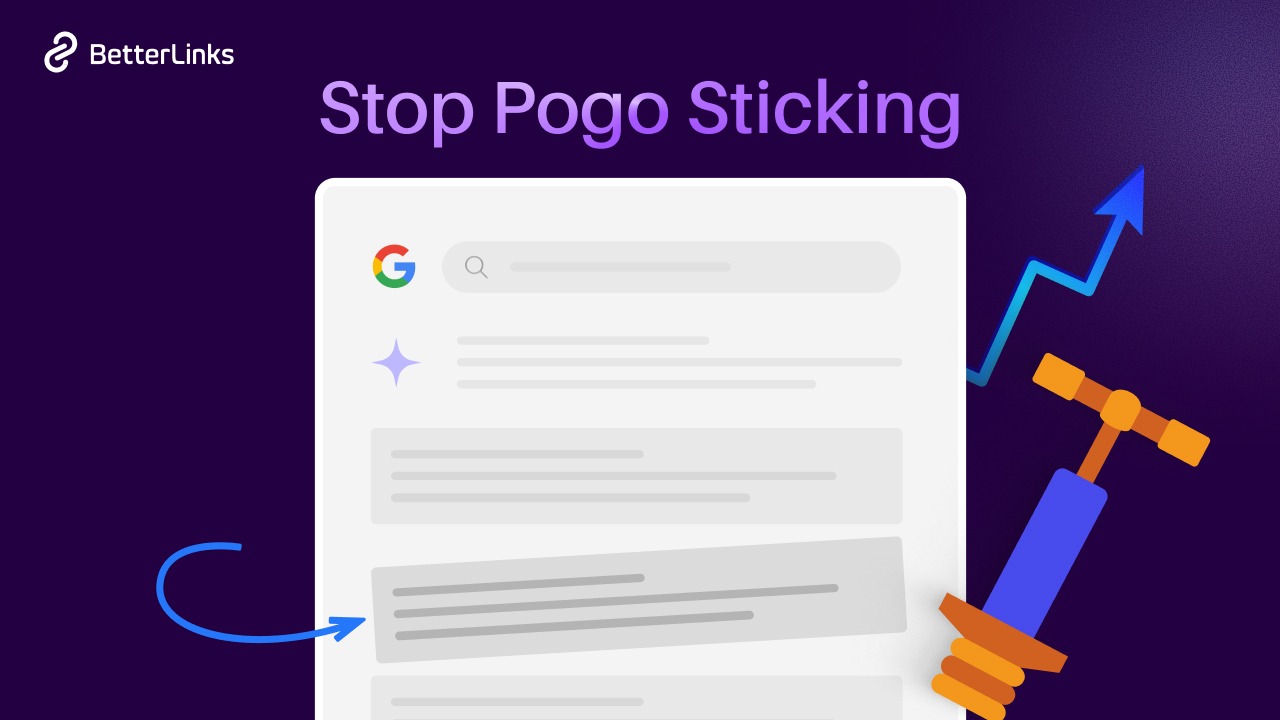
This guide walks you through everything you need to know about pogo sticking in SEO, what it means, why it matters, how it differs from bounce rate and dwell time, what causes it and exactly how to fix it.
TL;DR (Too Long, Didn’t Read?)
Pogo sticking in SEO refers to the behavior where a user clicks on a search result, quickly decides the page does not meet their needs and immediately returns to the search engine results page (SERP) to click on a different result.
This rapid back-and-forth movement signals to Google that the page failed to satisfy user intent, which can negatively affect its ranking over time.
| Topic | Key Takeaway |
| What is pogo sticking? | When users click a result and immediately return to the SERP |
| Is it a ranking factor? | Likely an indirect signal Google uses to measure satisfaction |
| Pogo sticking vs bounce rate | Bounce rate tracks exits; pogo sticking tracks back-to-SERP behavior |
| Pogo sticking vs dwell time | Dwell time measures how long a user stays before returning to the SERP |
| Main causes | Poor content, misleading titles, slow loading, bad UX |
| How to fix it | Match search intent, improve content quality, optimize page experience |
What Is Pogo Sticking in SEO?
When a user bounces between your page and the search results in a short span of time, it is called Pogo Sticking. The name comes from the visual image of someone jumping back and forth, just like a pogo stick.
A clear pogo sticking example to understand it better 👉🏻
Imagine someone searching for ‘how to fix a leaking faucet.’ They click the first result. The page loads, but it is filled with vague advice, no clear steps and a wall of unrelated text. Within 10 seconds, the user presses the back button and clicks the second result instead.
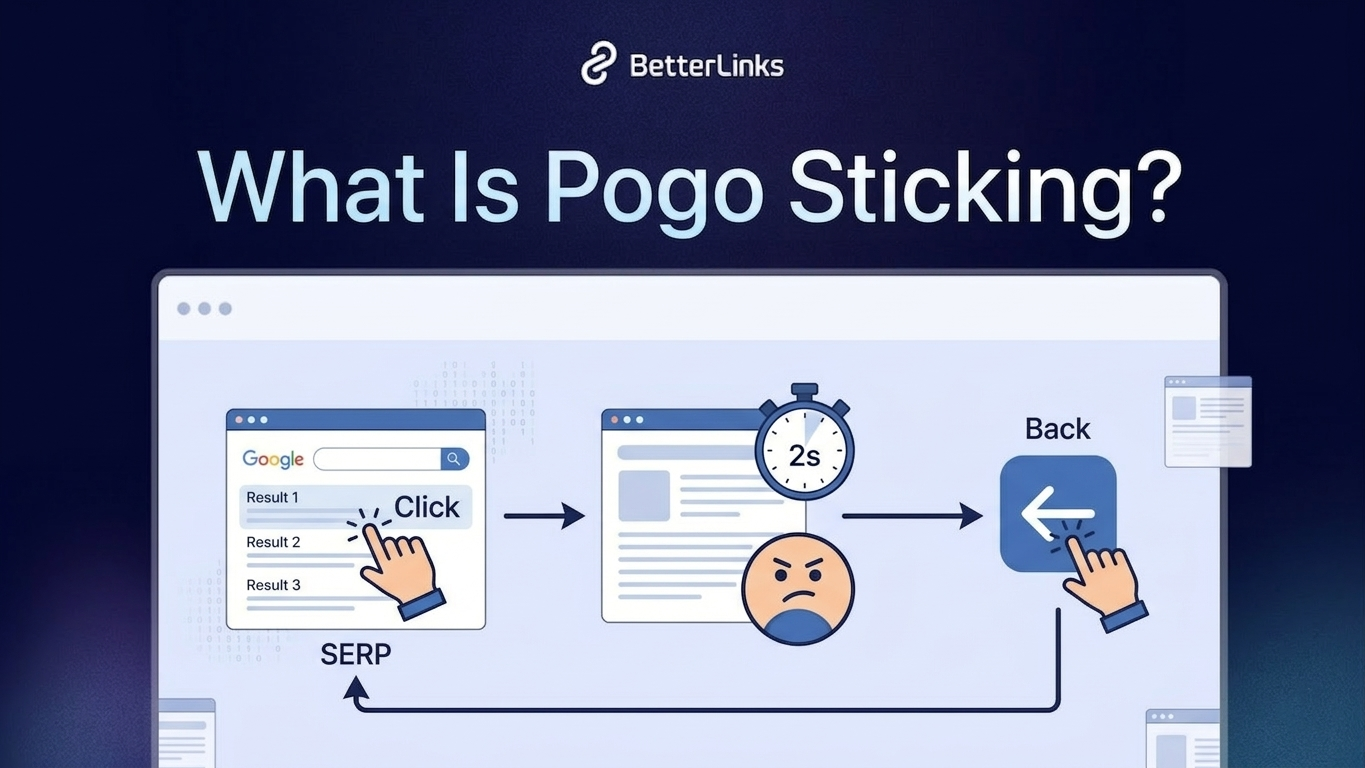
That action, clicking a result, leaving quickly and going back to Google, is pogo sticking.
It is worth noting that not every short visit counts as pogo sticking. If someone clicks a result, instantly finds exactly what they need (like a quick phone number or a one-line answer) and leaves satisfied, that is not pogo sticking. The key is whether the user returned to the SERP to look for a better answer because your page failed them.
Pogo sticking is about search dissatisfaction. The user expected one thing, your page delivered another and they went back to keep searching.
Is Pogo Sticking a Google Ranking Factor?
Google has never officially confirmed that pogo sticking is a direct ranking factor. However, Google has been very clear that it cares deeply about user satisfaction and search quality. In Search Quality Evaluator Guidelines, Google instructs quality raters to evaluate whether a page truly satisfies the user’s search intent.
- Former Google engineer Edmond Lau described pogo sticking as a signal Google used to detect poor search results.
- Google’s RankBrain algorithm processes behavioral signals, including how quickly users return to the SERP, to adjust rankings.
- Bill Slawski, one of the most respected Google patent analysts, documented Google patents related to measuring user satisfaction through click behavior and time-on-page.
So while pogo sticking may not be listed explicitly as a ranking factor in Google’s official documentation, it is widely accepted in the SEO community that this type of user behavior feeds into broader engagement signals that Google does evaluate.
When users consistently return to the SERP after visiting your page, it sends a clear message: your content did not meet the need. Google notices this pattern. And over time, pages that frustrate users tend to lose their positions to pages that genuinely satisfy them.
Pogo Sticking vs Bounce Rate vs Dwell Time
A lot of people confuse these three terms. They are all related to how users interact with your page, but they measure very different things. Understanding the difference between ‘pogo sticking’ and ‘bounce rate’ and how ‘dwell time’ fits in is important for diagnosing real SEO problems.
| Metric | What It Measures | Where Is It Measured | What It Indicates | Example |
| Pogo Sticking | When a user clicks a search result, they quickly return to the search results and choose another page | Search engine behavior (not directly visible in analytics tools) | The page failed to satisfy the user’s search intent | A user searches “how to clear WordPress cache”, opens your article, sees no instructions, returns to the search results within seconds and clicks another guide |
| Bounce Rate | Percentage of sessions where a user visits one page and leaves without interacting further | Analytics tools such as Google Analytics | Indicates users did not navigate to another page on your site, but it does not explain why they left | A visitor reads your full blog post about WordPress SEO, finds the answer, then closes the tab. It counts as a bounce even though the content helped them |
| Dwell Time | The amount of time a user spends on a page after clicking a search result before returning to the search results | Observed by search engines (not a direct metric in most analytics tools) | Suggests how engaging or helpful the content was | A user clicks your article, spends 4 minutes reading the guide, then goes back to search results. This indicates strong engagement |
A simple way to think about it:
- Bounce rate = Broad exit signal (no second page visit)
- Dwell time = How long a user stayed before leaving the SERP result
- Pogo sticking = User returned to SERP immediately because the page did not satisfy them
All three are connected, but pogo sticking is the most direct indicator of user dissatisfaction with search results.
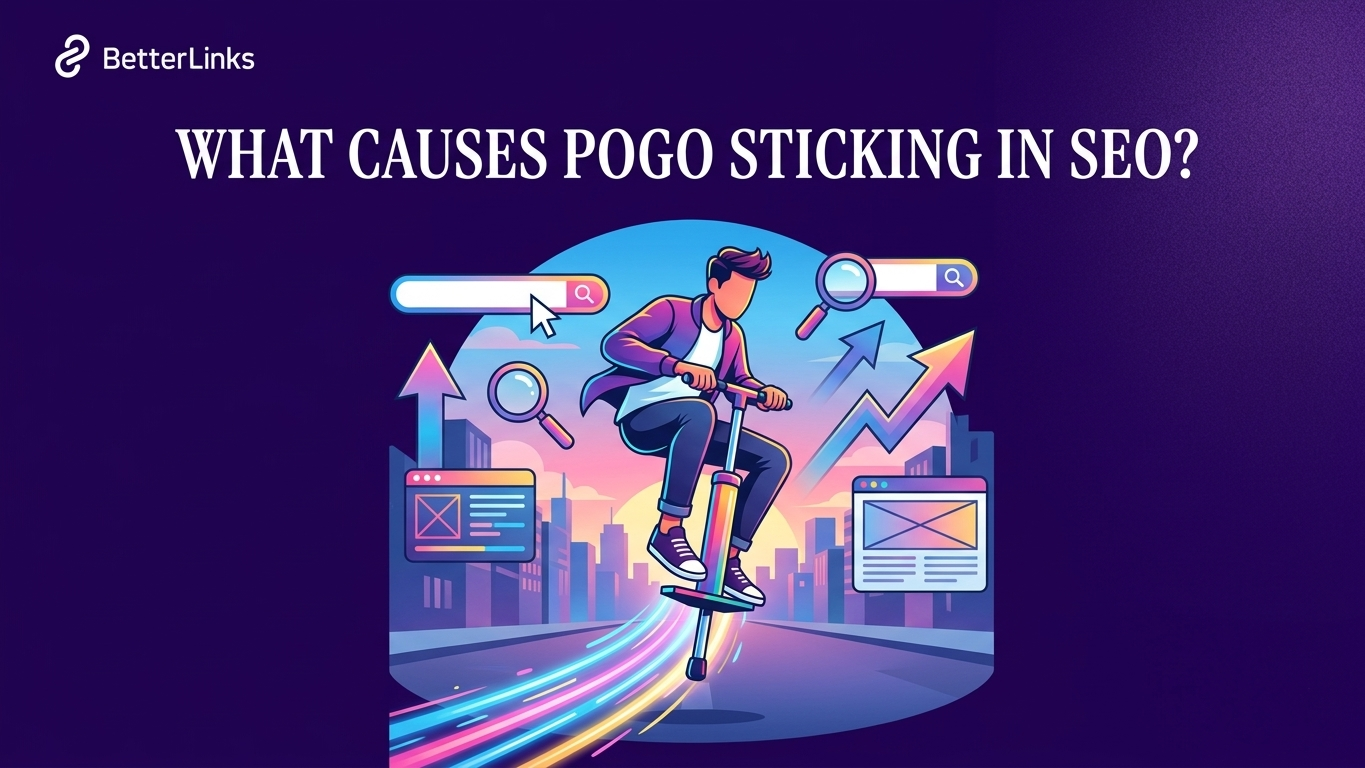
What Causes Pogo Sticking in SEO?
Understanding the causes of pogo sticking in SEO is the first step toward fixing it. Most cases come down to a disconnect between what the user expected and what your page actually delivered.
1. Misleading Title Tags And Meta Descriptions
This is one of the biggest causes. When your title or meta description promises something your content does not deliver, users click expecting one thing and find another. They immediately go back to Google.
For example, if your title says ‘10 Free SEO Tools for Beginners’ but the article is actually a paid tool comparison, users will leave within seconds.
Always write titles and meta descriptions that accurately reflect your content. Clickbait headlines might get more clicks initially, but they will tank your rankings over time through pogo sticking.
2. Poor Content Quality Or Thin Content
Thin content is content that lacks depth, substance, or real value. It might look like an article on the surface, but it offers nothing beyond what users already know.
When a user lands on your page and sees generic, surface-level information with no practical insight, they have no reason to stay. They return to the SERP looking for something more helpful.
Google has long penalized thin content and the human behavior of leaving quickly is one of the ways that problem gets flagged.
3. Content Does Not Match Search Intent
User intent in SEO means understanding why someone is searching for a particular term. There are four main types of intent: informational, navigational, commercial and transactional.
If someone searches ‘best CRM for small business’ with commercial intent, they want to compare options, but your page only gives a vague definition of what a CRM is; you have a content-to-intent mismatch. That mismatch almost always results in pogo sticking.
Matching your content format and depth to the actual intent behind the keyword is one of the most important factors in preventing pogo sticking.
4. Slow Page Loading Speed
If your page takes more than 3 seconds to load, a large percentage of users will leave before it even finishes loading. According to Google’s research on page speed and user behavior, the probability of bounce increases by 32% as page load time goes from 1 to 3 seconds.
Slow loading directly contributes to pogo sticking because users never even get the chance to engage with your content.
5. Poor User Experience And Layout
Bad formatting, intrusive pop-ups, broken layouts on mobile, hard-to-read fonts and cluttered above-the-fold content all push users away. If your page looks difficult to navigate, users will not bother.
Above the fold content for better dwell time should be clean, focused and immediately relevant to the user’s search. The user should see exactly what they came for without scrolling past a full-screen ad or a newsletter popup.
6. Irrelevant or Off-Topic Content
Sometimes the keyword brings in traffic, but the actual page content does not align closely enough with the search query. Content relevancy to search intent is critical. If your page is too broad or wanders away from the specific question the user had, they will bounce.
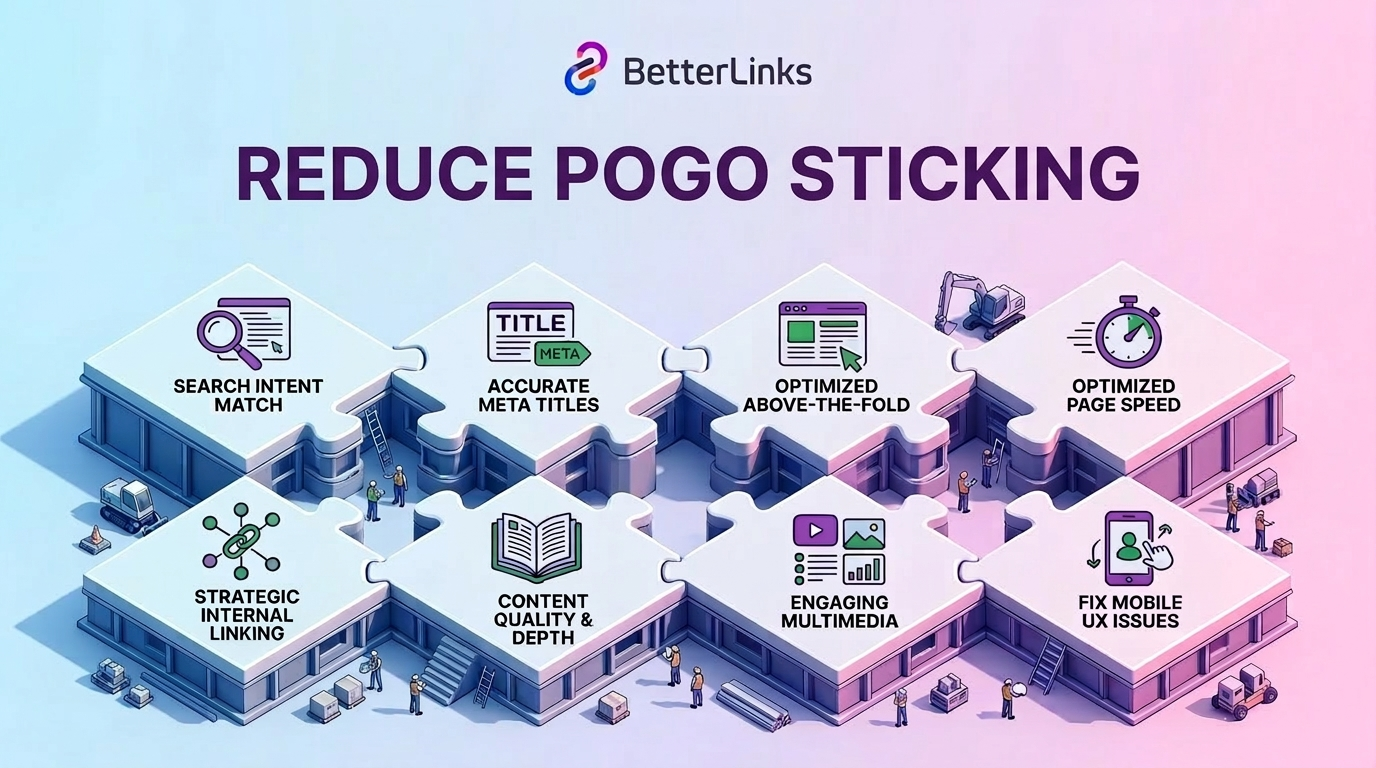
How to Reduce Pogo Sticking on Your Website?
Now that you understand what causes it, here is how to actually fix the problem. These are practical, proven strategies that work.
Match Your Content to Search Intent
Start by researching the search intent behind every keyword you target. Look at the top 5 results for your target keyword and notice the format, depth and angle those pages take. If they are all listicles, write a listicle. If they are all detailed how-to guides, write a how-to guide.
Content optimization to prevent pogo sticking starts with understanding what the user actually wants when they type that query, not just what you assume they want.
Example
If someone searches “how to clear cache in WordPress”, the top results usually contain step-by-step tutorials.
Users expect instructions like:
- Log in to your WordPress dashboard
- Go to your caching plugin settings
- Click the Purge Cache or Clear Cache option
- Verify the changes on the frontend
If your article only explains why caching matters without showing the steps, users will quickly return to the search results.
Write Accurate Titles And Meta Descriptions
Make sure your title tag and meta description honestly represent what is on your page. Avoid exaggerated claims or vague promises. Misleading titles and meta descriptions are completely avoidable with a little care during the optimization stage.
If your content is a beginner’s guide, say so. If it covers a specific tool or platform, mention it. Set the right expectation before the click.
Example
Misleading title: “The Only WordPress SEO Trick You Need in 2026.”
If the article only discusses basic SEO tips, readers will likely leave quickly.
Better title: “Beginner’s Guide to WordPress SEO: 10 Practical Optimization Tips”
Meta description example:
‘Learn how to optimize your WordPress site with better keywords, faster pages and stronger internal linking.‘ This clearly sets expectations before the click.
Improve Above-the-Fold Content
The first thing a user sees when they land on your page should immediately confirm they are in the right place. Use a clear headline, a short introduction that directly answers the search query and an easy-to-scan layout.
Do not hide the value behind long introductions, excessive context or slow-loading elements. Get to the point fast.
Example
Weak opening: A long introduction about the history of WordPress before addressing the actual topic.
Stronger opening:
Headline: What Is Pogo Sticking in SEO?
First paragraph:
Pogo sticking happens when a user clicks a search result, quickly returns to Google and chooses another result. It often signals that the page did not satisfy the user’s intent.
Then immediately follow with causes and solutions.
Optimize Page Speed
Use tools like Google PageSpeed Insights to diagnose loading issues. Common fixes include compressing images, enabling browser caching, using a CDN and minimizing JavaScript.
For WordPress users, a reliable and fast web hosting provider makes a significant difference in load times. Faster hosting means faster pages and faster pages mean lower pogo sticking rates.
Example
A WordPress blog page loads slowly because:
- Images are uploaded without compression
- No caching plugin is installed
- Multiple heavy plugins load unnecessary scripts
After optimization:
- Images compressed before uploading
- Caching is enabled using a plugin
- Unused plugins removed
Load time drops significantly and visitors are more likely to stay.
Use Internal Linking Strategically
An internal linking strategy to reduce pogo sticking keeps users engaged longer by guiding them to related content on your site. When users find one article valuable and click through to another, they are staying on your domain, which is a strong positive engagement signal.
Place internal links naturally within the body of your content, using relevant anchor text that genuinely helps the reader go deeper on a topic.
Example
Inside a WordPress SEO article, you might include links like:
- Learn how to optimize WordPress permalinks for SEO
- Read our guide on WordPress internal linking strategy
- See how to speed up your WordPress website
These links encourage readers to explore more pages instead of returning to search results.
Improve Content Quality And Depth
Go beyond the basics. Add:
- Step-by-step instructions that are easy to follow
- Real examples and case studies
- Visual aids like charts, screenshots or infographics
- Practical takeaways at the end of each section
- Expert quotes or data from credible sources
When users feel they are getting real value and not just filler, they stay longer. That increased dwell time in SEO is a strong counter-signal to pogo sticking.
Example
Instead of writing:
“Improve your WordPress site speed.”
Provide clear instructions such as:
- Install a caching plugin
- Compress large images before uploading
- Reduce unused plugins
- Use a lightweight WordPress theme
Adding screenshots of each step makes the guide easier to follow.
Use Engaging Multimedia
Embedding videos, interactive elements or well-designed visuals can dramatically increase time on page. A relevant explainer video embedded near the top of the page can increase dwell time significantly. Users who watch even a portion of it are far more likely to stay and read further.
Example
A WordPress tutorial page may include:
- A short video showing how to configure a plugin
- A visual checklist for WordPress optimization
- A comparison table of popular WordPress tools
These elements break up long text and keep readers engaged.
Fix Mobile UX Issues
With more than half of global web traffic coming from mobile devices, your mobile experience needs to be excellent. If the text is too small, the buttons are too close together or the layout breaks on smaller screens, mobile users will leave immediately.
Use Google Mobile-Friendly Test to identify and fix these issues regularly.
Example
Common mobile issues on WordPress sites include:
- Tiny text that requires zooming
- Sticky popups covering content
- Buttons placed too close together
Fixing these issues with a responsive theme and proper spacing improves usability and reduces quick exits.
Start Fixing Pogo Sticking Today
Pogo sticking in SEO is one of those problems that is easy to ignore until rankings start dropping. By the time most site owners notice something is wrong, the behavioral signals have already been feeding back to Google for weeks or months.
The good news is that fixing it is completely within your control. Start with your highest-traffic pages. Check whether your titles match what the content actually delivers. Make sure the page loads fast, looks clean on mobile and immediately answers what the user was searching for.
Every page that makes a visitor feel satisfied is a page Google will want to rank. Every page that sends a visitor running back to the search results is a page Google will quietly demote.
Is this blog helpful? Join our Facebook community to stay updated with the latest blogs, product reviews and WordPress solutions. Subscribe to our blog for in-depth tutorials, tips and visit our social media platforms for the newest updates.
Frequently Asked Questions About Pogo Sticking in SEO
Check out the following frequently asked questions to see what people most often ask about Pogo Sticking:
1. What is pogo sticking in SEO in simple terms?
Pogo sticking in SEO is when a user clicks on your page from Google search results, decides the content does not help them and immediately returns to Google to click on a different result. It is a signal of poor content relevancy or user experience.
2. Is Pogo sticking to a confirmed Google ranking factor?
Google has never officially confirmed pogo sticking as a direct ranking factor. However, the behavioral signals associated with it, short dwell time, immediate return to SERP and low satisfaction are widely believed to influence how Google evaluates and ranks pages over time.
3. What is the difference between pogo sticking and bounce rate?
Bounce rate measures when a user visits only one page on your site and leaves without any further interaction. Pogo sticking specifically refers to users who return to the search results page immediately after clicking your link, suggesting the page did not satisfy their search intent.
4. What causes pogo sticking on a website?
The most common causes include misleading title tags, thin or low-quality content, slow page loading, poor mobile experience, above-the-fold clutter and a mismatch between your content and the user’s search intent.
5. How can I check if my website has a pogo sticking problem?
You cannot track pogo sticking directly in Google Analytics. However, you can look at related signals: very short average session duration, high bounce rates combined with low pages per session and declining rankings for pages that once performed well. These patterns together can indicate a pogo sticking issue.
6. How do I reduce pogo sticking on my website?
The best ways to reduce pogo sticking include matching content to search intent, writing honest meta titles and descriptions, improving above-the-fold clarity, speeding up page load times, using strategic internal links and creating genuinely helpful and in-depth content that keeps users engaged.
7. Does pogo sticking affect Google rankings?
The consensus among SEO professionals is yes, not as a direct technical signal but as part of how Google measures whether a result is worth keeping at the top.