Managing links efficiently is a crucial task for any WordPress user. With multiple campaigns, affiliate marketing or website content, creating and organizing short links can take a lot of time. BetterLinks simplifies this process with its AI Bulk Link Generator. This feature allows users to generate multiple short links at once, saving time and keeping link management organized.
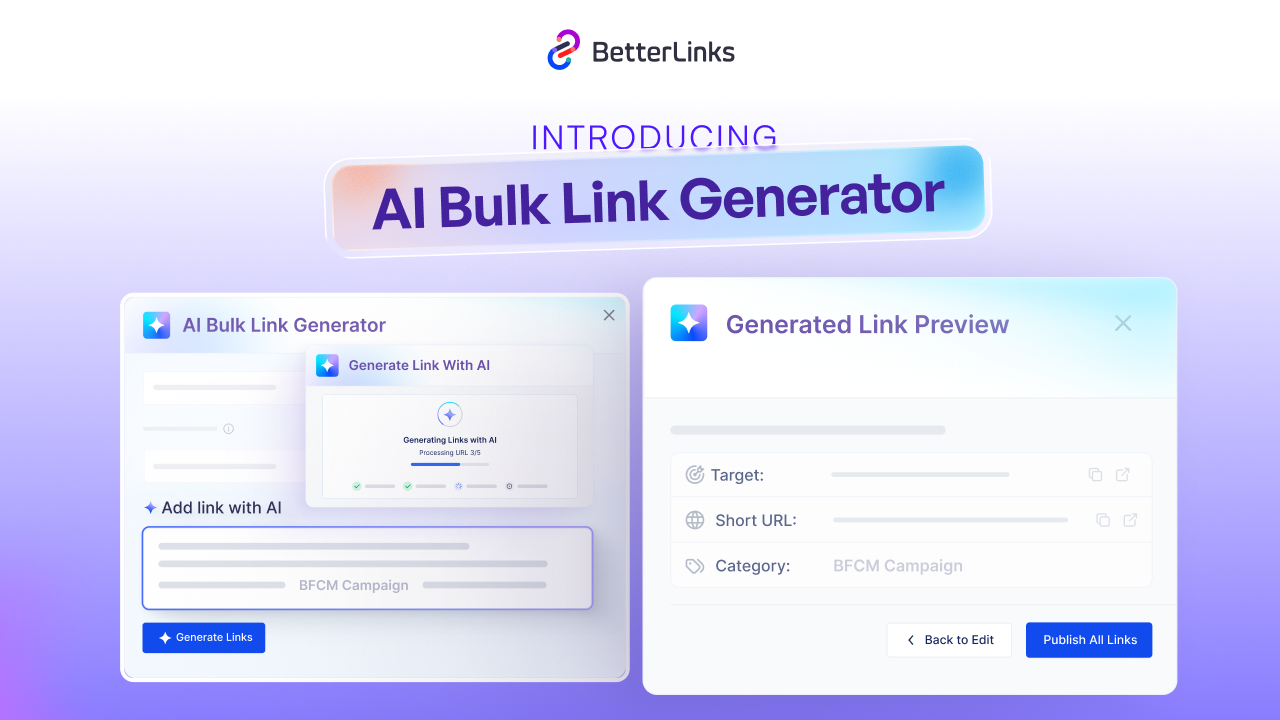
In this guide, we will explain how the AI Bulk Link Generator in BetterLinks works, its key benefits, step-by-step setup and best practices for maximizing its use.
What Is an AI Bulk Link Generator?
AI Bulk Link Generator is an exciting feature that lets you create tons of short links at once using artificial intelligence. You simply upload a bunch of URLs and it instantly turns them into short, branded links for you. On top of that, the AI also helps out by suggesting smart categories for your links, coming up with catchy titles and even generating meta descriptions, saving you a lot of manual work.
It is a feature in BetterLinks that combines artificial intelligence with bulk link creation. It allows users to upload multiple URLs and generate short, branded links instantly. The feature also provides AI suggestions for link categorization, title creation and meta description generation.
Using AI ensures consistency in naming conventions, tags and descriptions. This eliminates the repetitive task of manually creating individual links, which can be time-consuming for marketers, website owners and affiliate managers.
It also integrates seamlessly into WordPress, making it ideal for WordPress users who want to manage links directly from their website dashboard.
Key Features of BetterLinks AI Bulk Link Generator
BetterLinks offers several features that make the AI Bulk Link Generator powerful and user-friendly. Here are the most notable features:
- Bulk Link Creation: AI Bulk Link Generator allows you to generate multiple short links at once. You can upload a list of URLs and the feature will process them simultaneously. This is ideal for campaigns, product pages or affiliate marketing where multiple links are required.
- AI-Powered Suggestions: BetterLinks uses AI to suggest titles, meta descriptions and categories for your links. This ensures that your links are organized, professional and SEO-friendly.
- Customizable Short Links: You can create branded short links with custom slugs. AI helps maintain consistency across all links while allowing flexibility for individual link naming.
- Automatic Link Categorization: The AI analyzes the destination URL and assigns it to the most relevant category. This keeps your dashboard organized without manual effort.
- Time-Saving Automation: By combining bulk link creation with AI suggestions, BetterLinks reduces manual work, making it easier to manage hundreds of links efficiently.
Why WordPress Users Need AI Bulk Link Generator
WordPress users often deal with large amounts of content and external links. Managing these links manually can be slow and error-prone. AI Bulk Link Generator solves this problem with automation and intelligence. Here are key reasons why WordPress users benefit from this feature:
- Efficiency: Creating links one by one can take hours. The AI Bulk Link Generator allows bulk creation, reducing effort and saving time.
- Consistency: AI suggestions help maintain consistent naming, categories, and metadata for all links. This improves professionalism and brand recognition.
- Organization: Automatic categorization ensures links are grouped logically, making it easy to track and manage them later.
- Scalability: Whether you manage ten links or thousands, the AI Bulk Link Generator scales with your needs, making it suitable for small websites or large marketing campaigns.
How to Use AI Bulk Link Generator in BetterLinks?
BetterLinks helps you create multiple short links at once with the AI Bulk Link Generator, making link management faster and more efficient. This feature combines AI suggestions with bulk automation to maintain consistency and save time.
Step 1: Setup AI Bulk Link Generator
In this step, you will configure AI Bulk Link Generator to match your preferences and create links. Start by setting up the necessary options before generating links. Then, go to Manage Links. Find and click on AI Bulk Link Generator to get started.
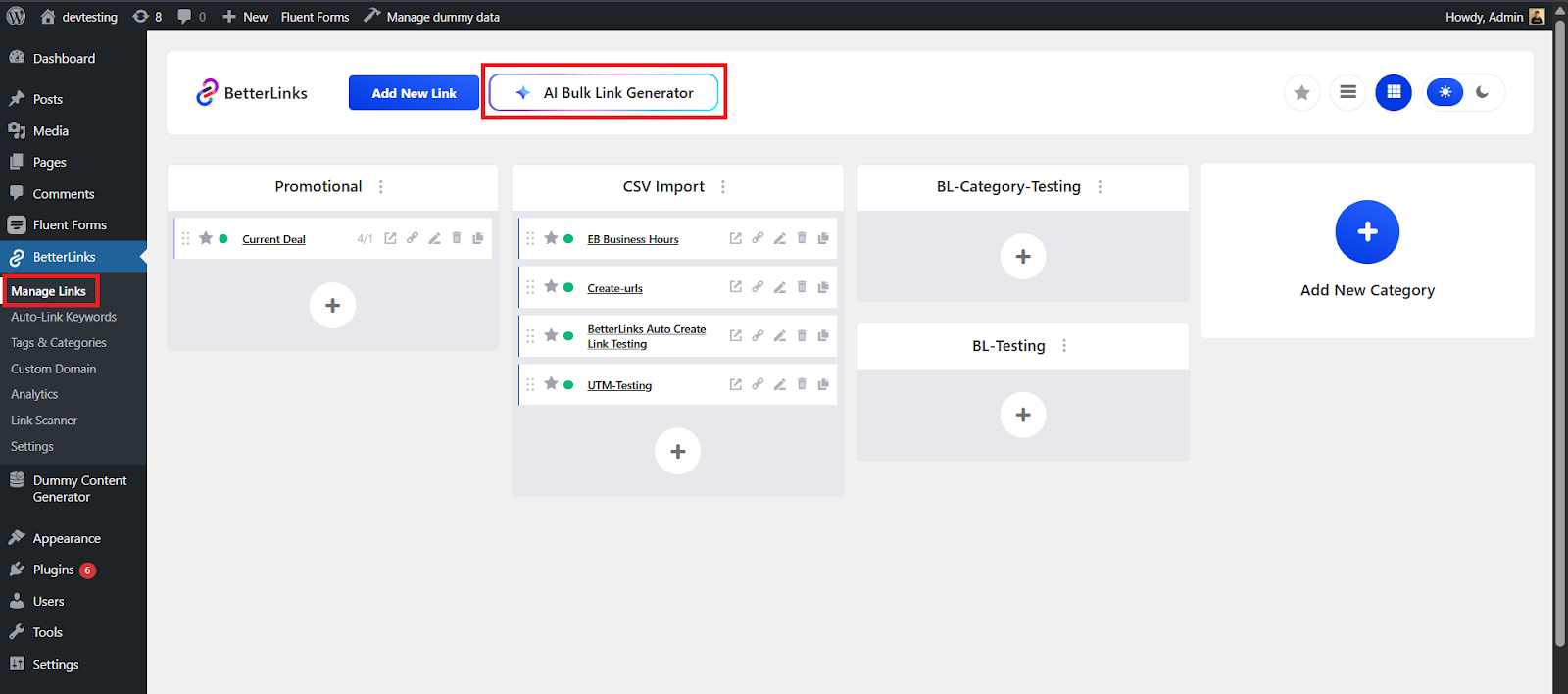
After clicking AI Bulk Link Generator, a configuration pop-up will appear. If the API is not set up, a warning will show. Click to Configure API to complete the setup.
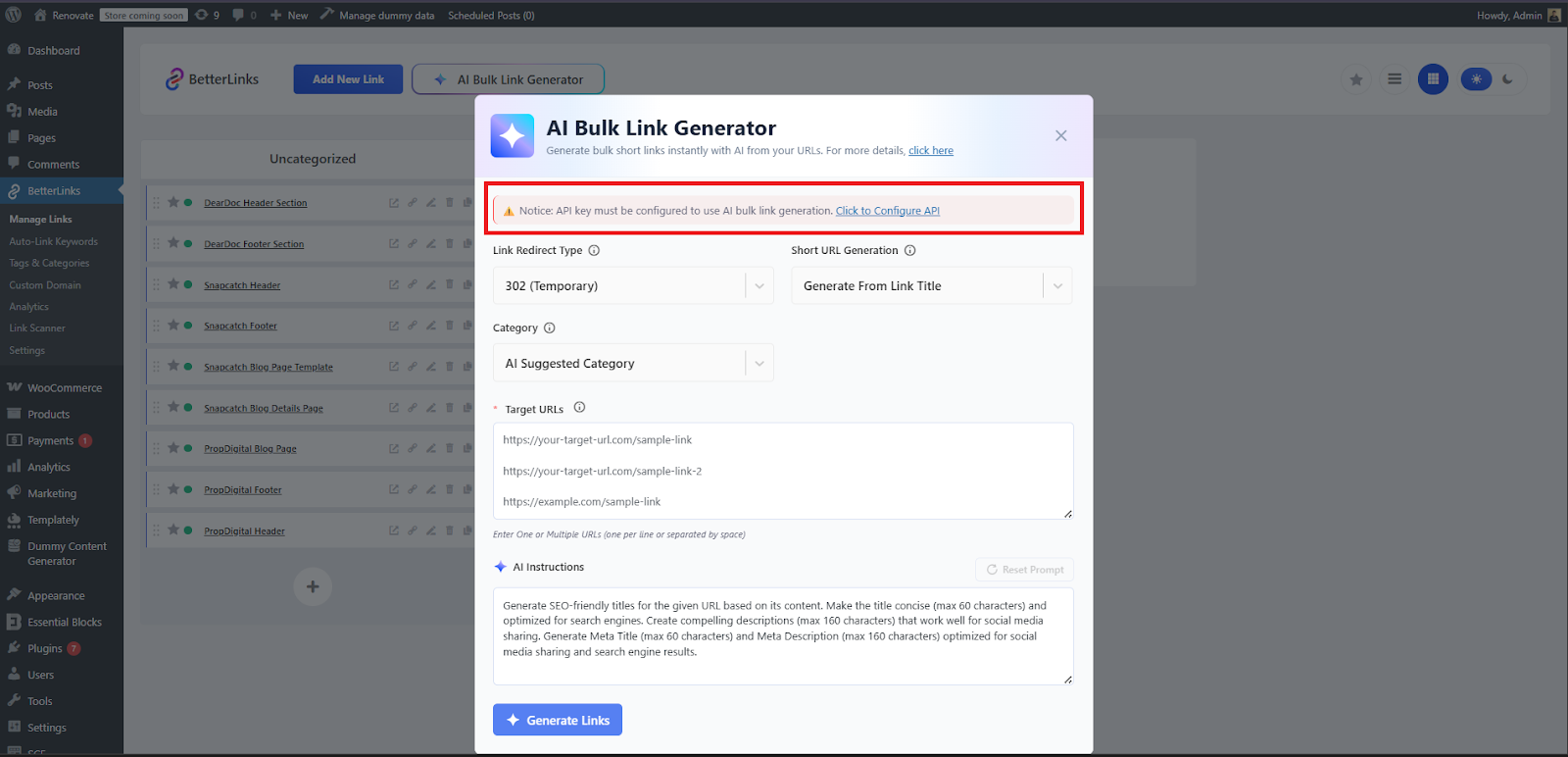
Step 2: How to Configure API?
You can use either Gemini or OpenAI. To get your API key, click Get your access key from the provider’s platform (OpenAI / Gemini). Then enter the key in the API Authentication Key field.
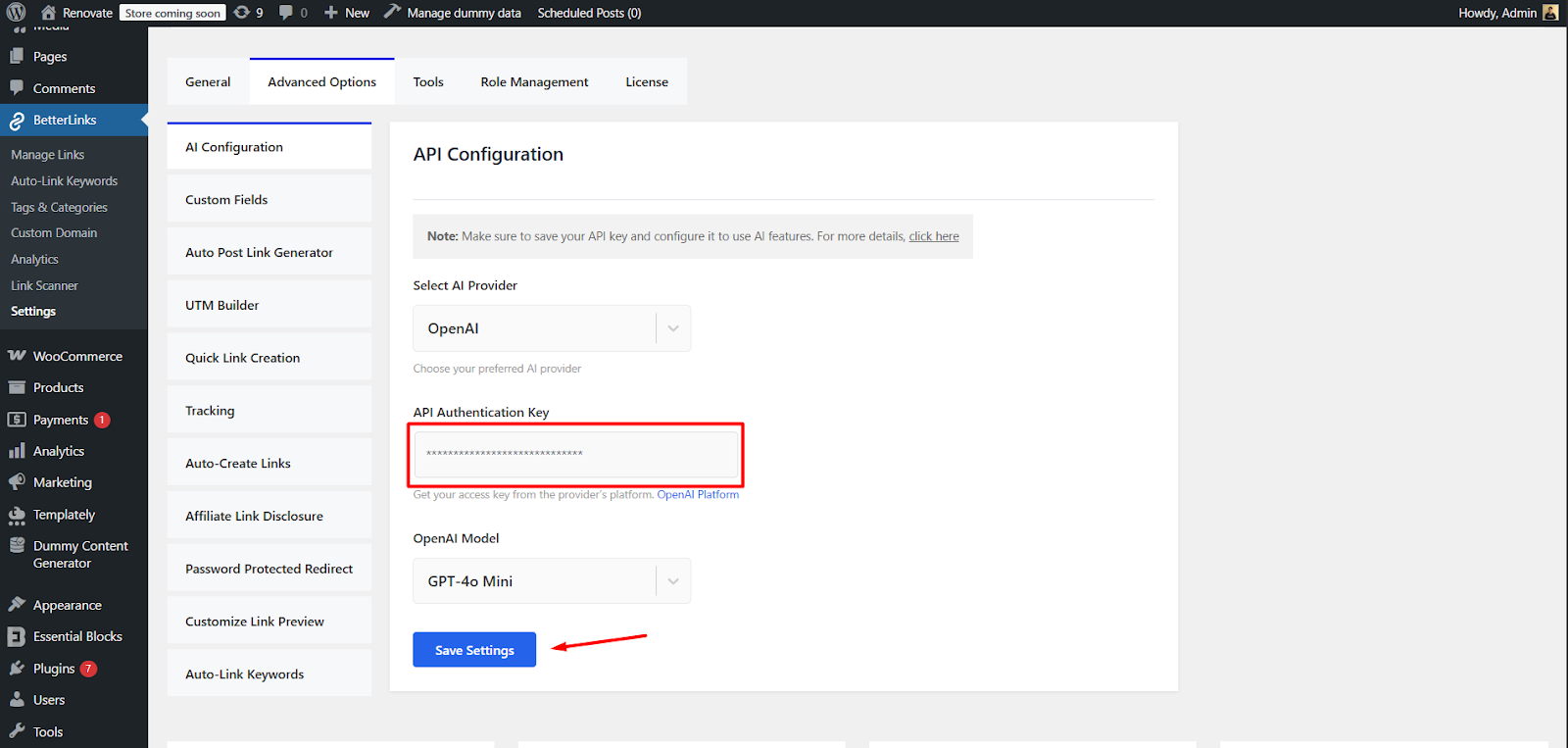
You can switch your API model using the API Model dropdown. After setting up the AI API, click Save Settings to confirm.
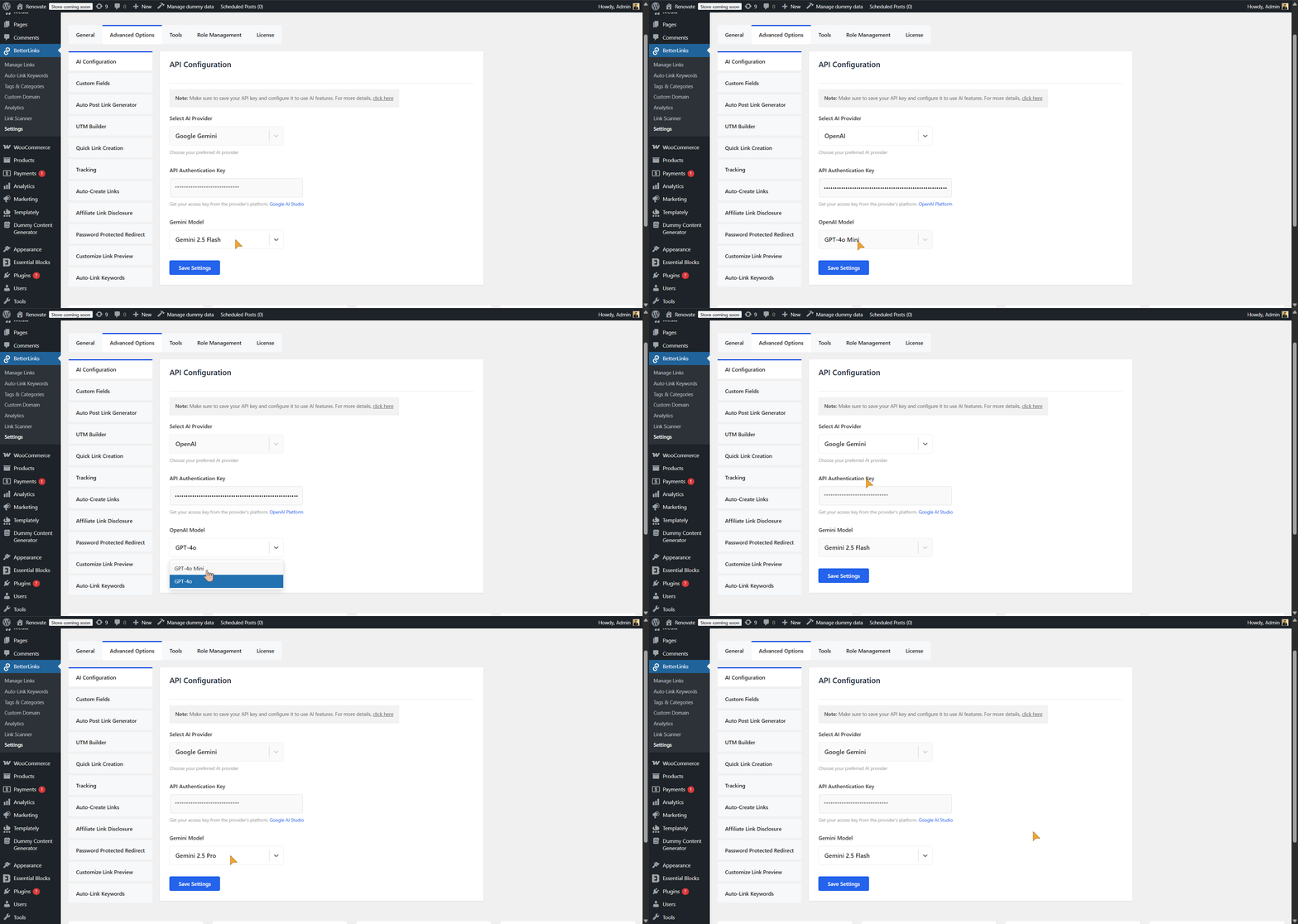
Step 3: Configure AI Bulk Link Generator And Generate Links
After successfully configuring the API, navigate back to ‘Manage Links’ and click on ‘AI Bulk Link Generator’. You will no longer see any API configuration warnings. From here, customize the AI Bulk Link Generator settings according to your preferences.
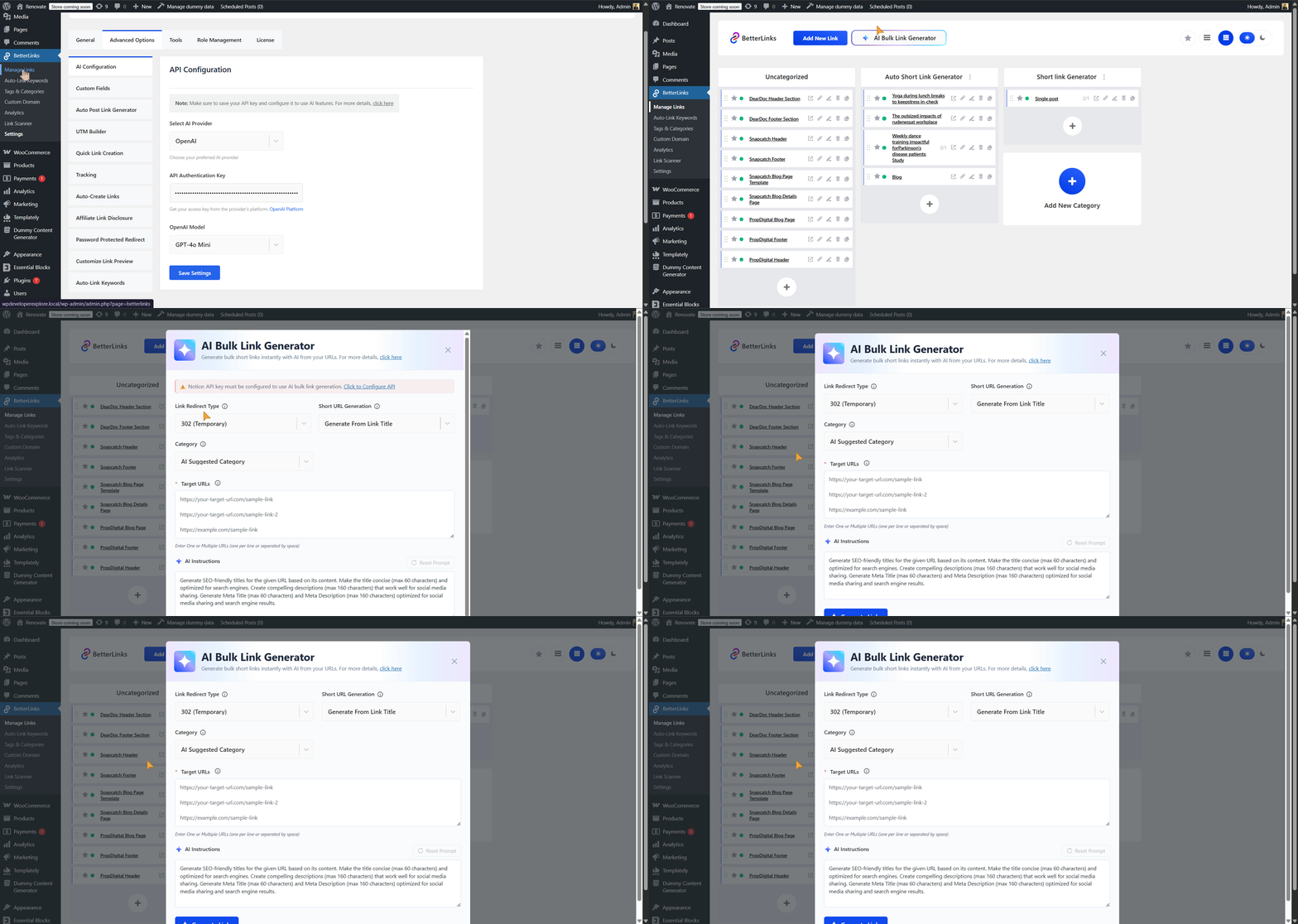
Link Redirect Type
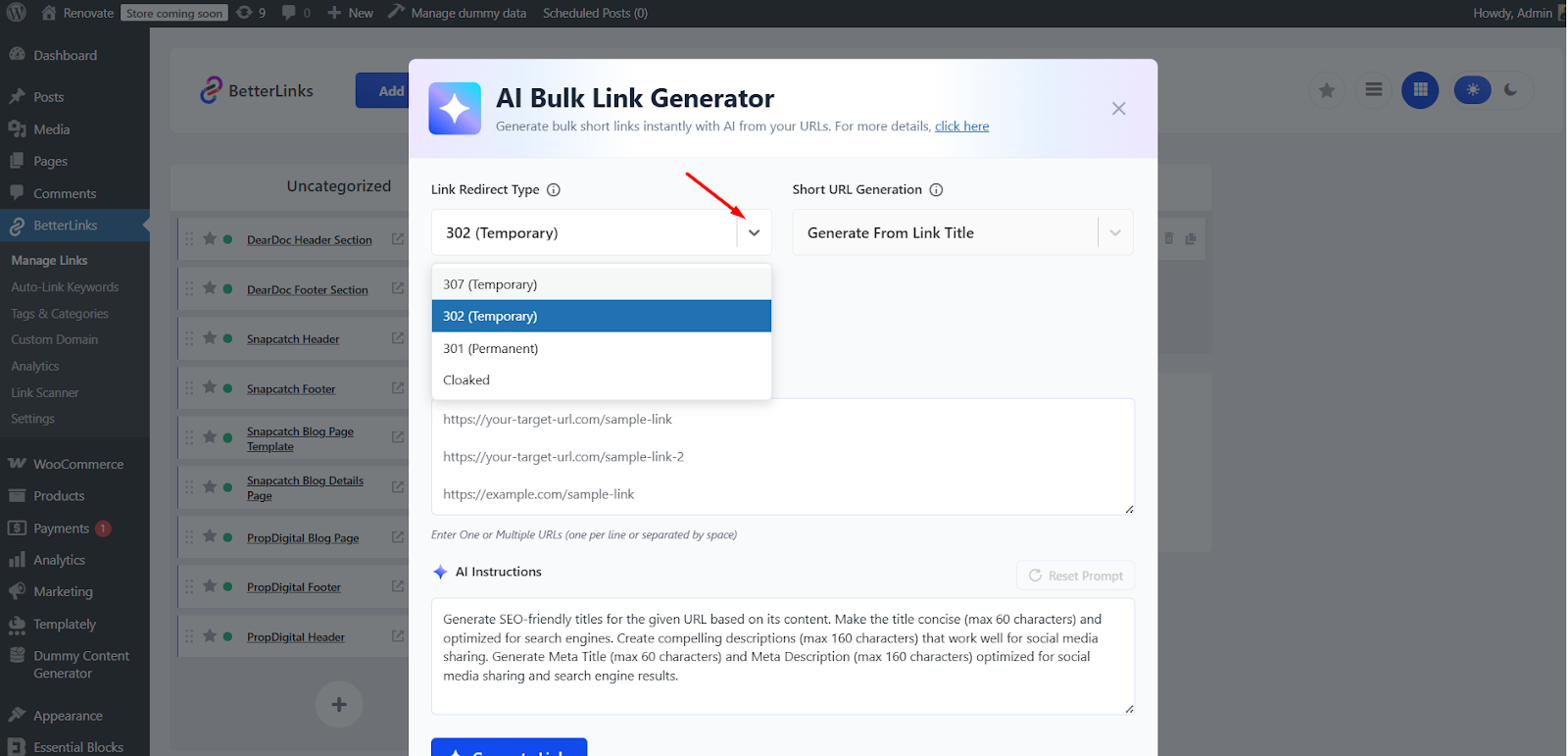
In the Link Redirect Type field, you can select how your short links will redirect visitors to the destination URL. BetterLinks offers several redirect options, each with a specific purpose:
301 (Permanent)
Use this option when the destination URL is permanent. A 301 redirect passes link authority to the destination URL and is ideal for SEO purposes. Search engines treat this as a permanent move, so any ranking value from the short link is passed to the final page.
302 (Temporary)
Select 302 if the redirect is temporary. This tells search engines that the original URL may be used again in the future. It is useful for limited-time campaigns or testing links without affecting SEO.
307 (Temporary)
Similar to 302, a 307 redirect ensures that the method and data of the original request are preserved. This is particularly useful for forms or e-commerce pages where request type (GET or POST) matters.
Cloaked
Cloaked links hide the destination URL from users. This is commonly used for affiliate marketing or campaigns where you want the short link to appear branded and professional. Cloaking does not affect the redirect behavior but ensures that the target URL is not visible.
Short URL Generation
Use the Short URL Generation dropdown to choose how AI will create your short links. You can pick from these options:
- Generate from Link Title: Creates short links based on the link’s title.
- Generate from Target URL: Uses the destination URL to create the short link.
- Random Strings: Generates short links with random letters.
- Random Numbers: Creates short links with random numbers.
- Random Alphanumeric: Uses a mix of letters and numbers for the short link.
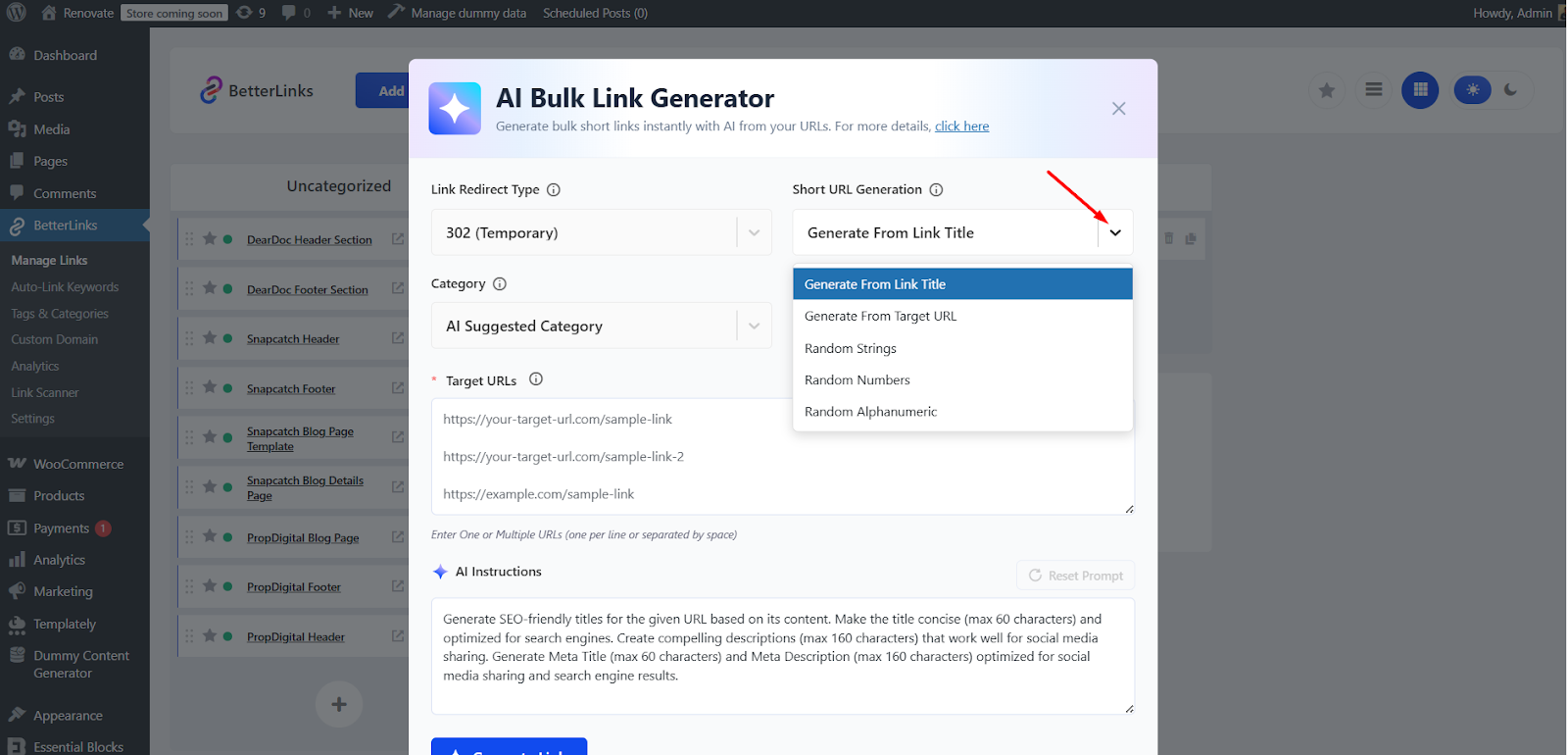
Choose the option that best fits your needs. You can decide whether your short links should be descriptive (based on titles or target URLs) or more secure (using random strings, numbers or alphanumeric combinations).
Category
Use the Category dropdown to assign categories to your links. You can choose manually or allow AI to do it automatically.
- Manual Selection: Pick a category from your existing list. The selected category will apply to all generated links.
- AI Suggested Category: Let AI analyze your links and assign the most relevant category automatically.
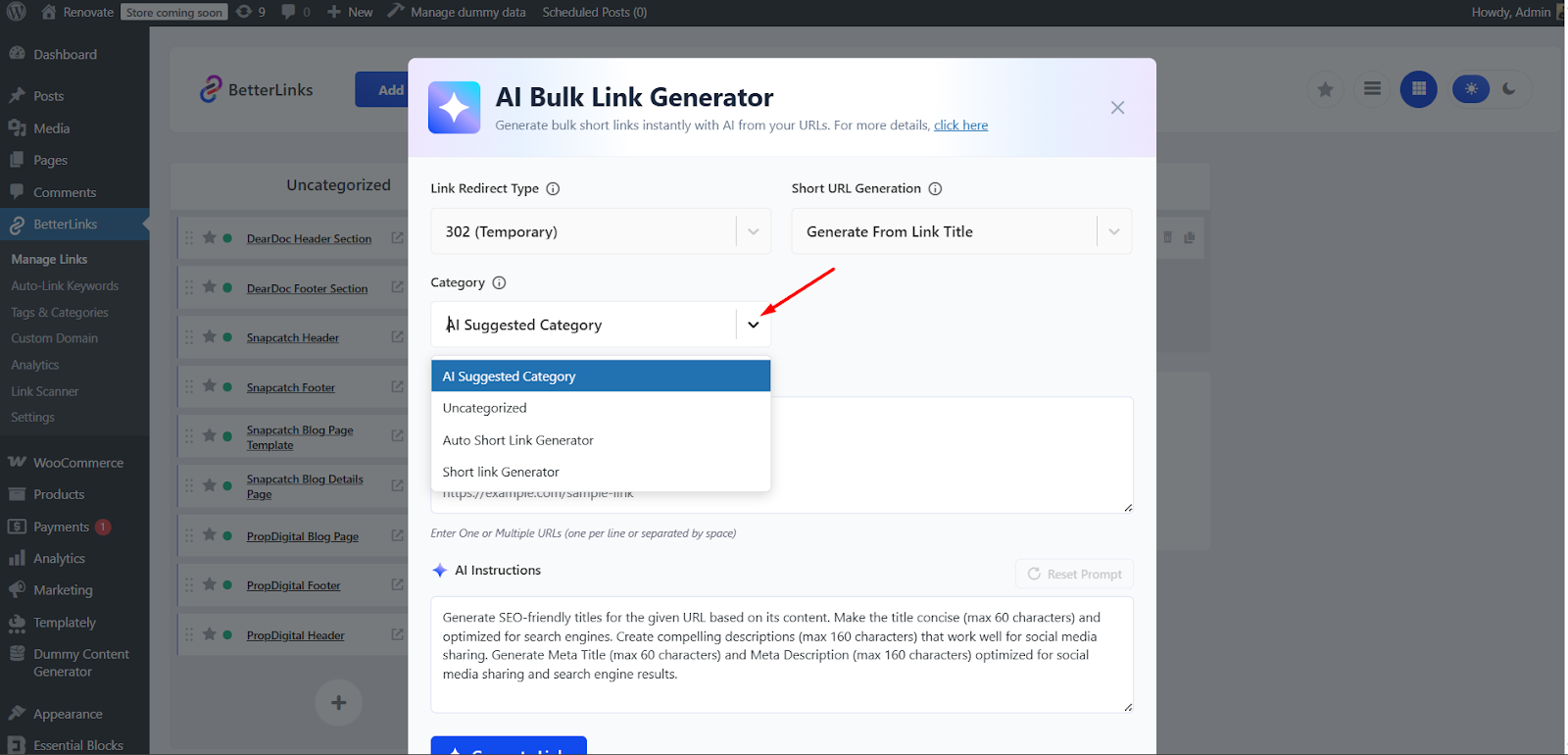
This flexibility ensures that you can maintain consistency with your existing categories or let AI handle categorization for faster setup.
Target URLs
Enter your destination URLs in the Target URLs box, one per line or separated by spaces. The AI Instruction box shows a default prompt that you can edit or reset.
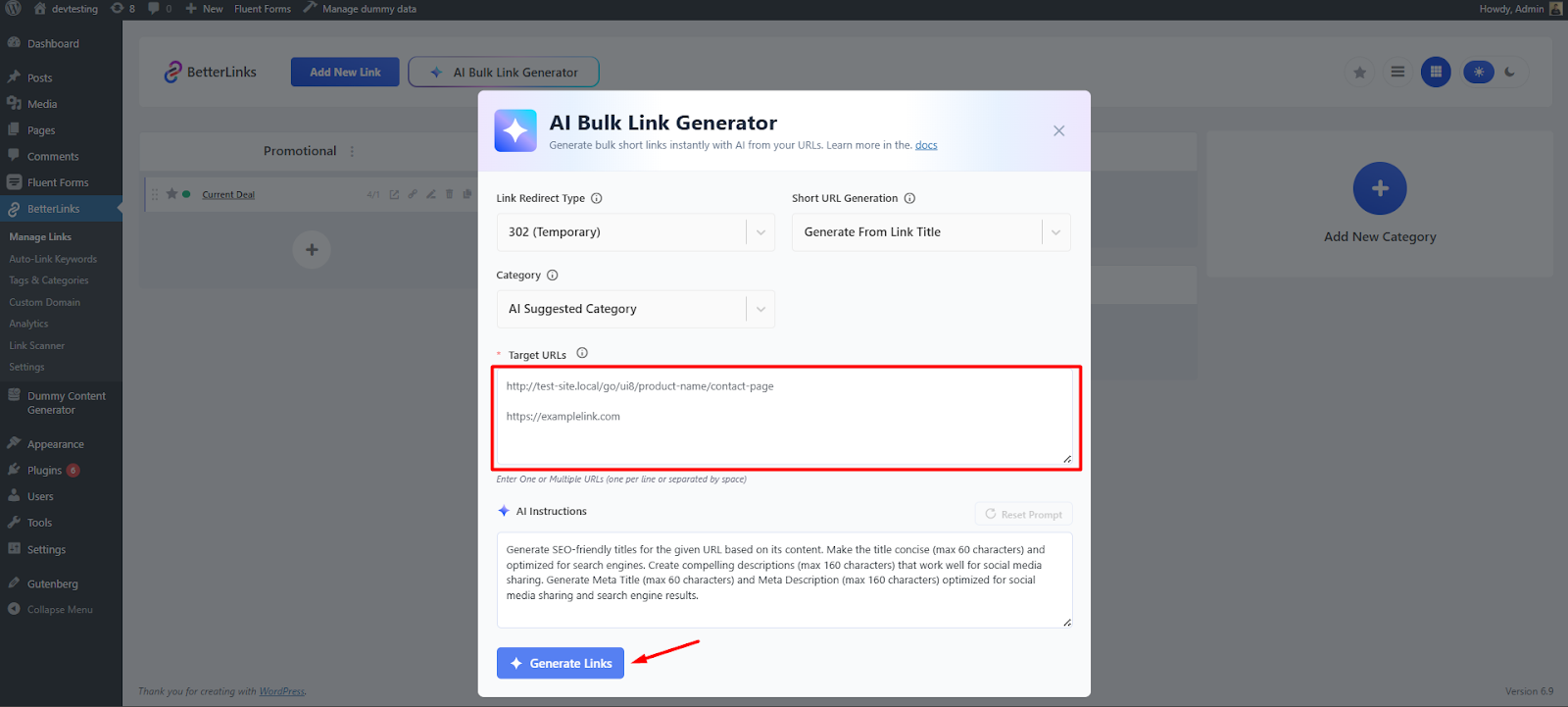
After setting your preferences in AI Bulk Link Generator, click Generate Links.
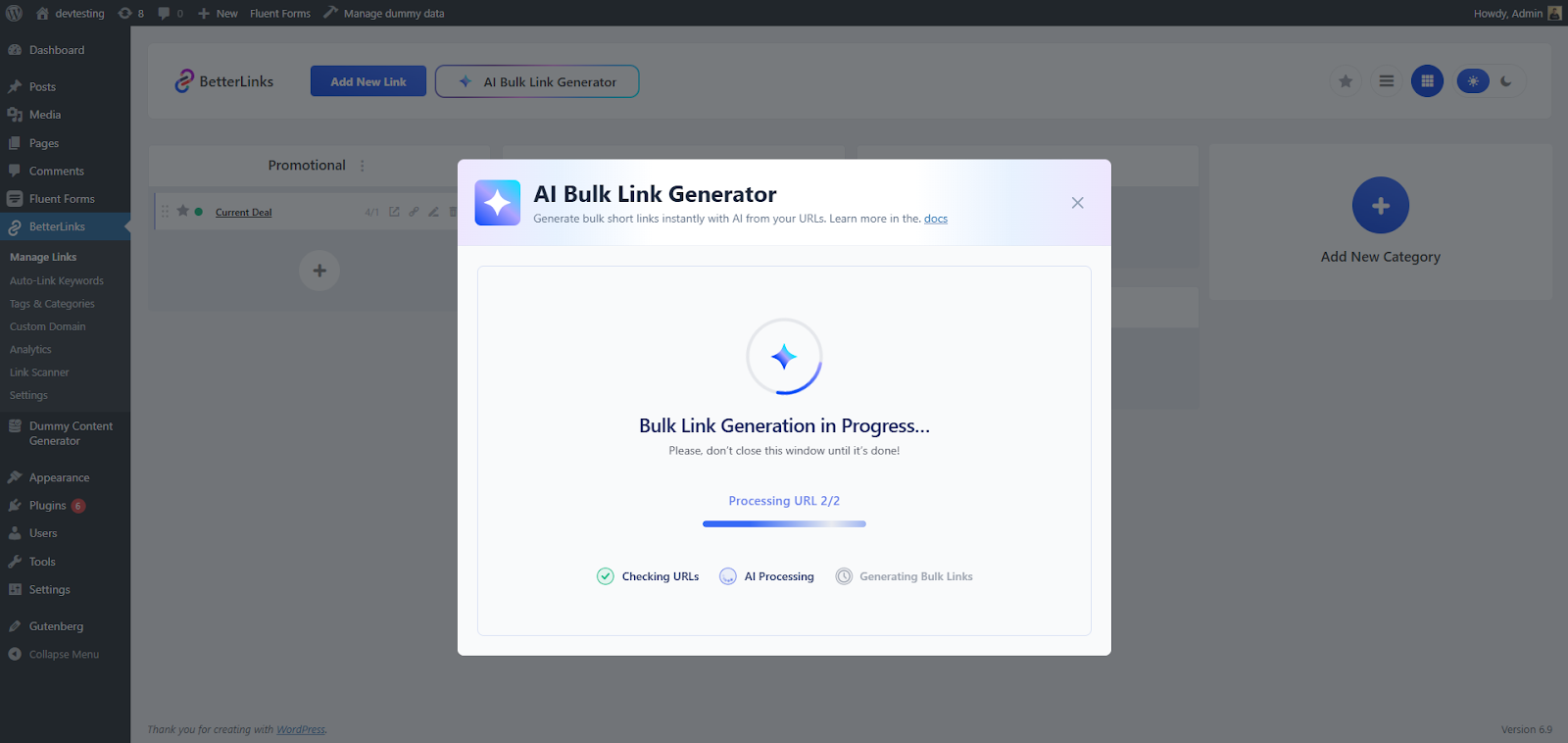
AI Bulk Link Generation will start and run in three phases: Checking URLs, AI Processing, and Generating Bulk Links. Do not close the window until it finishes.
Step 4: Review and Publish Generated Links
After generating links, review the preview before publishing. Check the Target URL, Short URL, and Category. You can copy and test URLs if needed. Once confirmed, click Publish All Links.
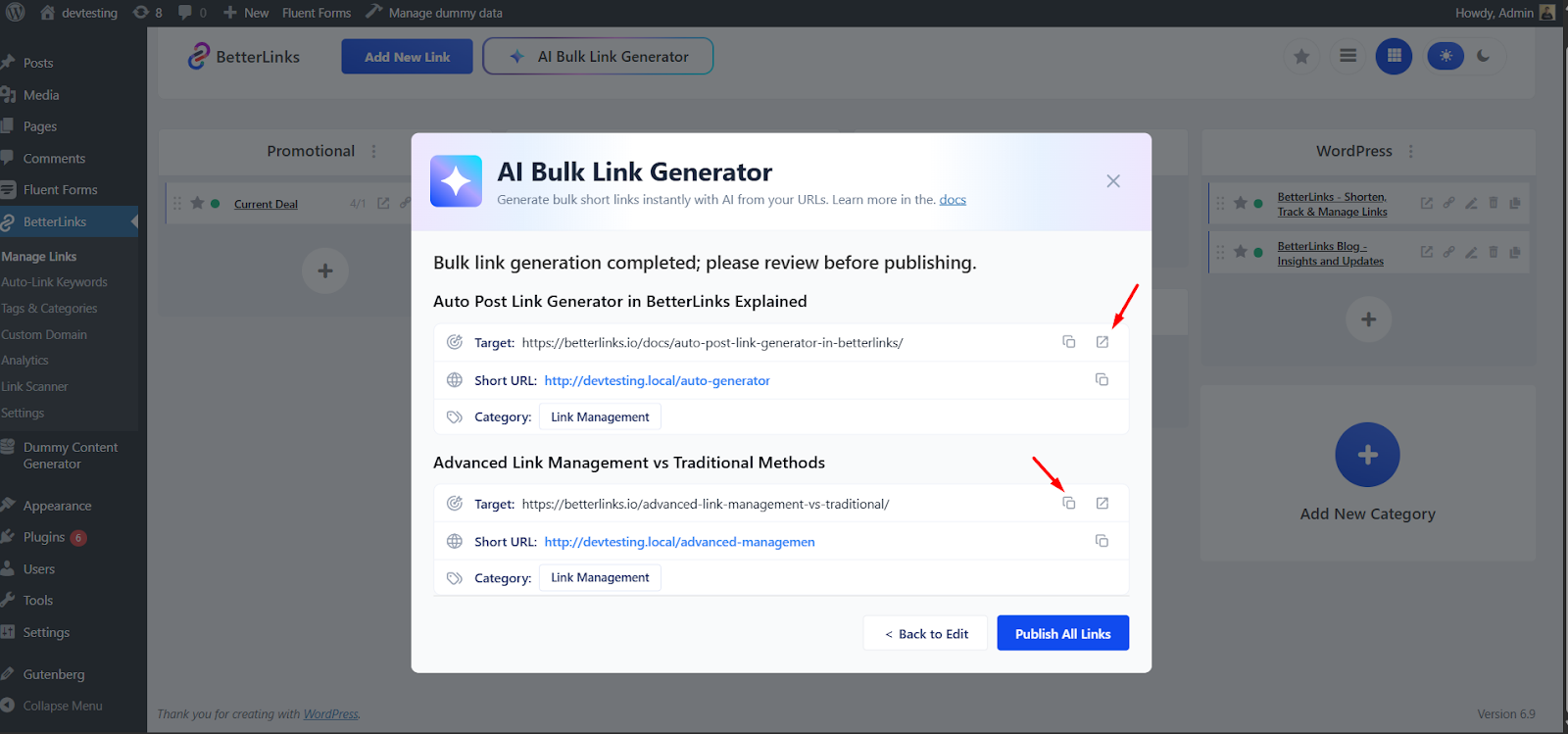
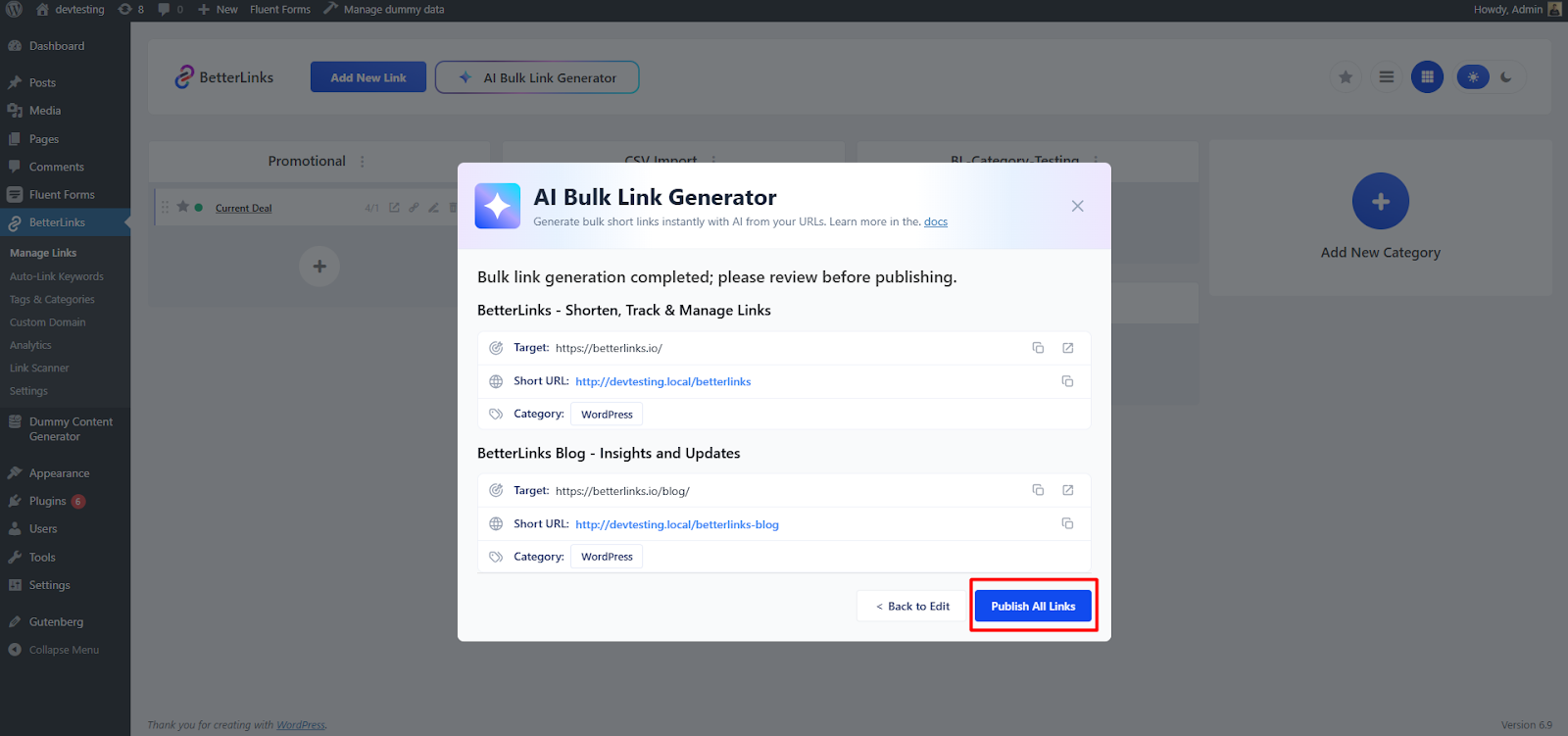
After reviewing, click Publish All Links to make all generated links active and ready to use.
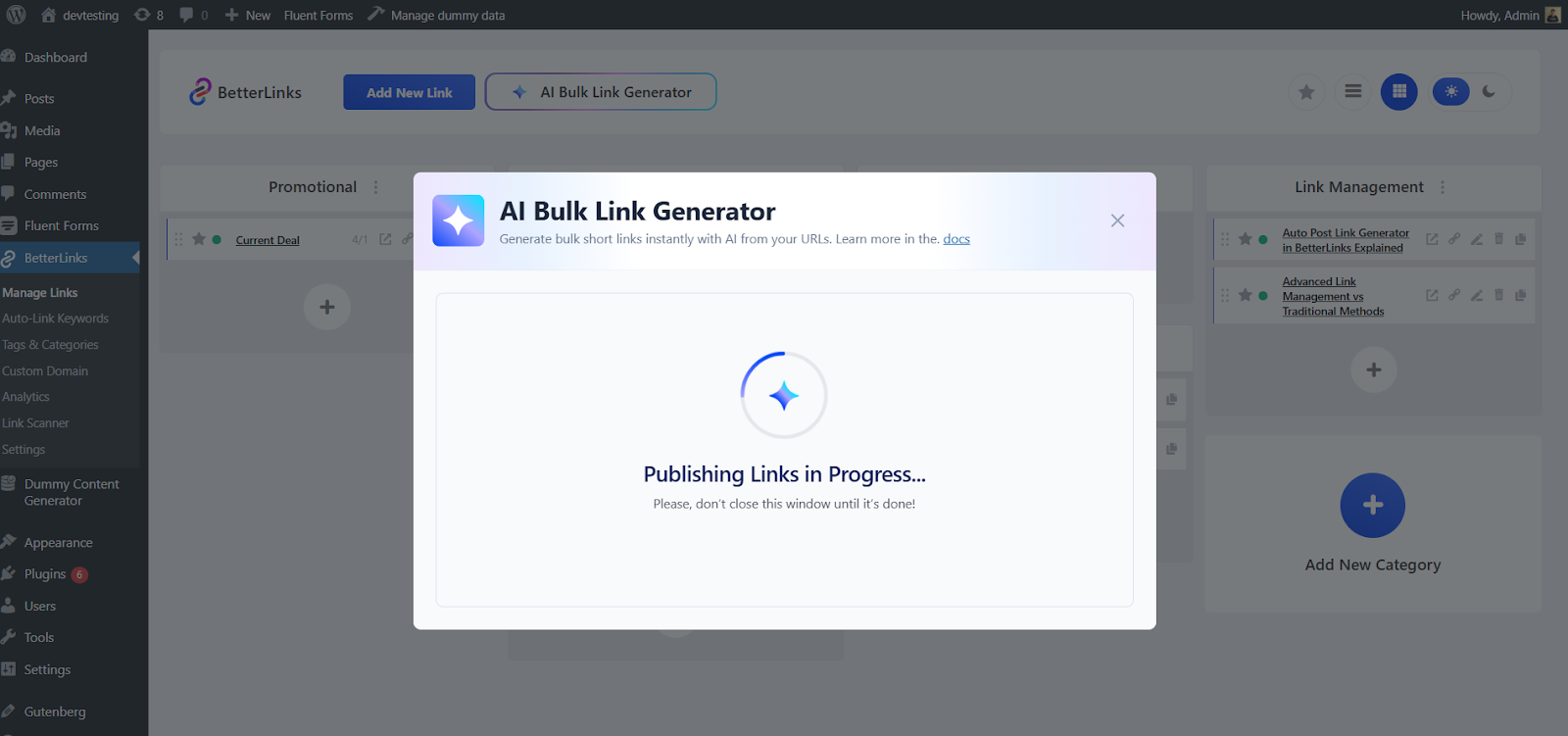
A popup will show Publishing Links in Progress. When finished, you will be taken to Manage Links, where the new links appear under the chosen category.
That’s how you can generate bulk links automatically with AI using BetterLinks in just a few minutes. For more details, check the documentation.
Best Practices for Using AI Bulk Link Generator
Maximize the benefits of AI Bulk Link Generator in BetterLinks by following a few best practices. These strategies help you manage links efficiently, stay organized and improve performance across all campaigns.
Organize URLs Before Uploading
Before using the AI Bulk Link Generator, gather all the URLs you want to shorten and manage. Preparing them in a spreadsheet ensures smooth processing and reduces errors during bulk link creation. Include relevant details like campaign names, categories, or notes about each URL. This preparation allows AI to generate links more accurately and saves time when reviewing suggestions.
Use Descriptive Slugs
While AI provides automatic slugs for your short links, customizing them can improve readability, branding, and SEO. Descriptive slugs make links easier to remember and share. For example, instead of a generic slug like prod123, use summer-sale-product to indicate the page content clearly. Consistent and meaningful slugs also make your link dashboard easier to navigate.
Categorize Strategically
AI Bulk Link Generator suggests categories for your links based on the destination content. Review these suggestions carefully and adjust them to match your website’s structure. Proper categorization helps you track links efficiently and locate them quickly when needed. You can group links by campaign, product type, content type or marketing channel to maintain a clean and organized dashboard.
Update Regularly
Link management is an ongoing process. Add new URLs consistently and allow AI Bulk Link Generator to suggest categories and metadata for them. Regular updates prevent your link dashboard from becoming cluttered and ensure all links remain organized, accurate and SEO-friendly.
How AI Bulk Link Generator Improves Marketing Campaigns
Marketing campaigns often require managing a large number of links across different platforms. AI Bulk Link Generator in BetterLinks makes this process faster, more organized and more effective. Here’s how it can transform your marketing efforts:
Campaign-Specific Links
Marketers can generate links tailored for individual campaigns in seconds. AI ensures that each link follows consistent naming conventions, making it easy to track performance and maintain brand consistency across all campaigns. This reduces confusion and ensures every link is clearly identifiable.
Affiliate Marketing
Affiliate marketers often deal with dozens or hundreds of product links. AI Bulk Link Generator allows you to create branded short links automatically, saving time and eliminating manual effort. With consistent branding and proper categorization, affiliate links look professional and are easier to manage.
Content Management
Bloggers and content creators can use AI Bulk Link Generator to link multiple pages, posts, or resources efficiently. AI-generated titles and categories help maintain a clean dashboard, making it easier to locate and update links whenever necessary. This also ensures that your content remains organized and SEO-friendly.
Email Campaigns
Newsletters and email marketing often require multiple links to products, articles, or landing pages. AI Bulk Link Generator allows you to create all the necessary links quickly and track user engagement. Knowing which links get clicks helps refine your email strategy and improve conversions.
Social Media Marketing
For social media campaigns, managing numerous links can be overwhelming. AI Bulk Link Generator allows bulk creation of short links, with automatic categorization for platforms or campaigns. This makes it easier to monitor performance and maintain a consistent posting strategy across channels like Twitter, Facebook, and LinkedIn.
Frequently Asked Questions
Discover common questions about using AI Bulk Link Generator in BetterLinks. It helps users understand setup steps, link creation limits, supported AI platforms and how AI suggestions work.
1. Can I use AI Bulk Link Generator for affiliate links?
Yes, BetterLinks AI Bulk Link Generator is perfect for affiliate marketers. You can create multiple branded short links quickly and track clicks efficiently.
2. Do I need technical knowledge to use it?
No. The feature is fully integrated into WordPress and designed for beginners. AI handles most of the work, including titles, descriptions, and categories.
3. How many links can I generate at once?
You can generate hundreds of links in bulk. The only limit is your WordPress hosting capacity.
4. Will AI suggestions improve SEO?
Yes. AI generates relevant titles, meta descriptions, and categories, helping search engines understand your content better.
5. Can I edit AI-generated links later?
Yes. You can update titles, descriptions, slugs and categories anytime from the BetterLinks dashboard.
Take Control of Bulk Link Creation with BetterLinks AI
Bulk Link Generator in BetterLinks is a powerful feature for WordPress users, marketers and affiliate managers. It saves time, ensures consistent link management and improves SEO performance. By combining bulk link creation with AI-powered suggestions, you can generate, organize and track links more efficiently.
Whether you manage a small blog or large marketing campaigns, AI Bulk Link Generator streamlines your workflow and boosts productivity. Start using BetterLinks today to simplify link creation and make link management smarter and faster.
Is this blog helpful? Join our Facebook community to stay updated with the latest blogs, product reviews and WordPress solutions. Subscribe to our blog for in-depth tutorials, tips and visit our social media platforms for the newest updates.