fix-keyword-cannibalization

How to Fix Keyword Cannibalization in 2026?
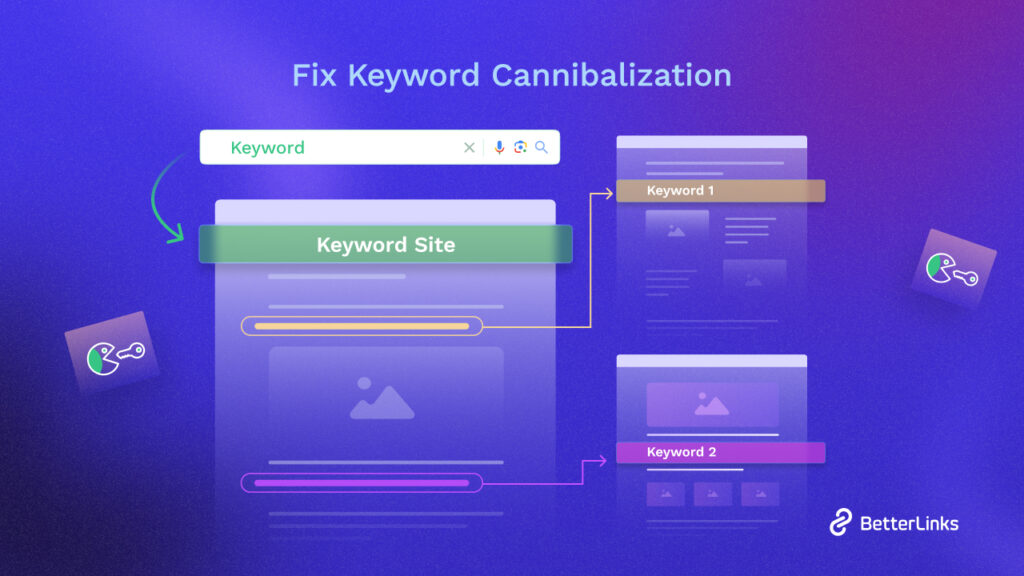
Is keyword cannibalization hindering your website’s search engine performance? Many website owners and SEO professionals face this common issue now and then, where multiple pages target the same keyword, leading to confusion for search engines and a drop in organic rankings. In this comprehensive guide, we dive into the ins and outs of keyword cannibalization to learn how to find and fix keyword cannibalization, ensuring your website achieves optimal results in search engine rankings.

Continue reading “How to Fix Keyword Cannibalization in 2026?”
common link building mistakes

8 Most Common Link Building Mistakes to Avoid in WordPress
Are you struggling to rank your WordPress site and enrich your link building strategy? This plays an important role in determining a website’s visibility and ranking after submitting your website to search engines to appear in results pages (SERPs). Common link building mistakes could be holding you back!  This blog reveals actionable tips to overcome these challenges and skyrocket your organic traffic.

Continue reading “8 Most Common Link Building Mistakes to Avoid in WordPress”
SEO and Accessibility

SEO And Accessibility: Bridging the Gap for Better Marketing Results

Integrating SEO with web accessibility not only broadens user reach but also boosts site usability and enhances user experience, which are significant factors in improving search engine rankings. This synergy between SEO and accessibility drives more organic traffic and reduces legal risks. And increases the overall effectiveness of digital marketing campaigns. By focusing on both, businesses can ensure their digital content is both visible and accessible, maximizing their online potential. In this blog post, we will discuss SEO and accessibility: bridging the gap for better marketing results in detail.

Continue reading “SEO And Accessibility: Bridging the Gap for Better Marketing Results”
Best High-Commission Affiliate Programs

7 Best High-Commission Affiliate Programs to Join in 2026

If you are looking for the best high-commission affiliate program to boost your income in 2026, you are in the right place. In this guide, we have listed the top 7 high-commission affiliate programs that will be compatible with your work whether you are a seasoned affiliate marketer or just a beginner as an affiliate. These affiliate programs promise rewarding partnerships and generous commissions. So, what are you waiting for? Take a deep dive into this blog and uncover which affiliate programs promise you high commission and success in 2026.

Continue reading “7 Best High-Commission Affiliate Programs to Join in 2026”
Link Profile Analysis

What Is Link Profile Analysis & How It Can Save Your WordPress Site?

Are you aware that conducting a link profile analysis is vital for keeping your website healthy over time? It plays a big role in both the strategic and technical sides of your domain.

Strategically, analyzing your links helps pinpoint weaknesses in your overall strategy and guides your next steps. This analysis is crucial for SEO success. In link profile analysis, it’s essential to consider both the number and the quality of backlinks, as they’re both significant factors.

Continue reading “What Is Link Profile Analysis & How It Can Save Your WordPress Site?”
Smart Ways To Place Affiliate Links

10 Smart Ways To Place Affiliate Links On Your Blog

Affiliate marketing has become a cornerstone for bloggers who are looking to monetize their content effectively. However, the key lies not only in incorporating affiliate links but in doing so strategically to enhance user experience and boost conversions. In this blog, we are going to discuss smart ways to place affiliate links on blogs to help you generate more sales with ease. Without further ado let’s get started. 

Continue reading “10 Smart Ways To Place Affiliate Links On Your Blog”
WordPress Affiliate Marketing

WordPress Affiliate Marketing: What You Need to Know to Get Started

Are you looking to kickstart your affiliate marketing journey? Look no further than WordPress. With its user-friendly interface, extensive customization options, and robust plugin ecosystem, WordPress has become the go-to platform for affiliate marketers worldwide. In this blog, we will explore how to get started with WordPress affiliate marketing.

Continue reading “WordPress Affiliate Marketing: What You Need to Know to Get Started”
Right SMTP Port

How to Choose the Right SMTP Port (Port 25, 587, 465, or 2525)
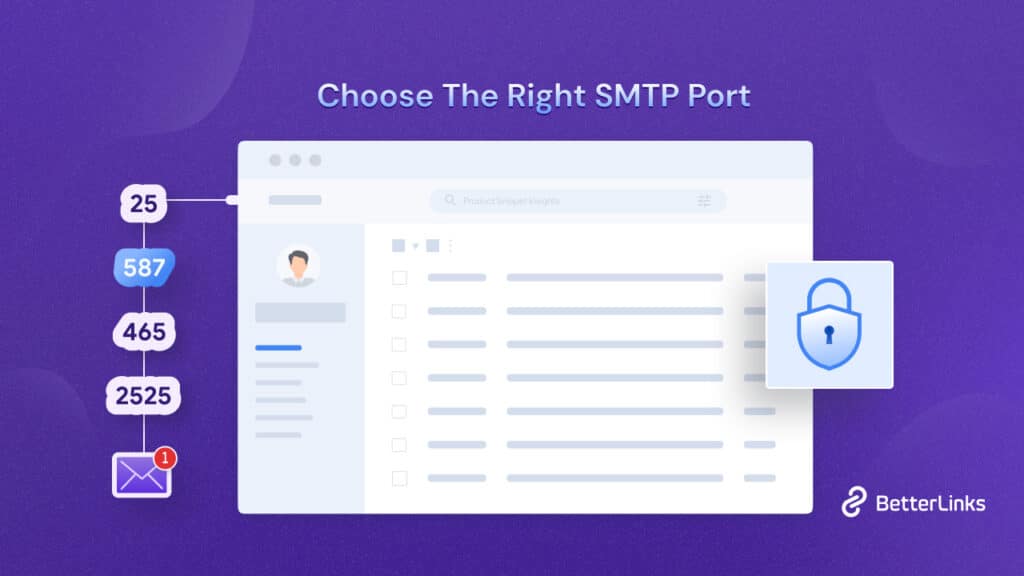
An SMTP (Simple Mail Transfer Protocol) port is a communication endpoint used to transfer emails over a network. If you want to understand and pick the right SMTP port, think of SMTP ports like doors. Where emails go through to get from one place to another on the internet, they are important for making sure your emails don’t end up in spam.

Right SMTP Port

Now, there are a few different SMTP ports that you can use. The main ones are ports 25, 465, and 587. In this blog, we will cover everything you need to know about choosing the right SMTP port and other considerations. So, without further ado, let’s get started.

How Does an SMTP Port Work?

When a user sends an email, their email client communicates with the SMTP server. The client, also known as a Mail User Agent (MUA), prepares the message and sends it to the Mail Transfer Agent (MTA). The MTA is responsible for transferring the mail across the network to the receiver’s MTA.

Sending Emails: The sending process involves a series of request and response messages between the client and the server. The email message consists of a header and a body, separated by a null line. The header contains information like the sender, recipient, subject, and other metadata, while the body contains the actual message intended for the recipient.

Receiving Emails: On the server side, the user agent checks the mailboxes at regular intervals. When new mail is detected, it informs the user. The user can then read the email through their email client.

How to Choose the Right SMTP Port

SMTP operates through various ports. Each one serves different purposes and offers different levels of security. Here are the most commonly used SMTP ports:

Port 25: The Standard Port

Port 25 was established as the default SMTP communication channel in 1982. It was designed for SMTP relaying, which is the transmission of email from one email server to another. So, port 25 was marked with spam and malware distribution over a certain period due to its support for open relay. Leading to many ISPs and hosting providers blocking or restricting its use for outgoing email from consumer mail servers. However, port 25 is still used for server-to-server email transmission.

Port 587: The Default Submission Port

In response to the limitations and security concerns with port 25, port 587 was introduced as the default mail submission port. This development came with RFC 2476 in 1998, which proposed separating the functions of email submission and relay to improve security and policy enforcement. Port 587 is designed for email submission from clients to servers and supports TLS encryption, making it the right SMTP port choice for sending email securely.

Port 465: The TLS/SSL Port

Port 465 was initially designated for SMTPS (SMTP over SSL), providing a secure channel for email transmission using SSL encryption. However, its official status could have been improved. The port was reassigned and later deprecated in favor of using StartTLS over port 587 for secure email submission. Despite this, port 465 is still used by some services, particularly for legacy support, and has seen a resurgence with RFC 8314, which encourages the use of TLS for email transmission.

Port 2525: The Alternative Port

Port 2525 is known as an alternative SMTP port. It is especially useful when the more standard ports are blocked by ISPs or hosting providers. It is not officially recognized by the IETF or IANA but serves the same function as port 587. It supports TLS encryption for secure email submission. Port 2525 is particularly favored in environments where other SMTP ports are not accessible.

Use Cases of SMTP Ports

As we know by now the right SMTP ports are crucial for the proper functioning and security of email communication; here’s a detailed look at the use cases of SMTP ports 25, 587, 465, and 2525 with examples:

PortUse CaseExample
25Primarily used for SMTP relaying, it is essential for email delivery across different domains.An email sent from a Gmail account to a Yahoo account might be relayed through multiple email servers using port 25.
587Recommended port for secure and authenticated email submission from email clients to servers using StartTLS.When sending an email through an email client, it connects to the outgoing mail server using port 587 for secure submission.
465The deprecated TLS port, previously used for secure email submission, is no longer recommended for new setups.An older email application configured to use SMTPS might use port 465 to establish a secure connection to the email server.
2525An unofficial alternative to port 587, used when standard SMTP ports are blocked or unavailable, can use TLS.In environments where port 587 is blocked, an email client might be configured to use port 2525 to connect to the outgoing mail server.

Factors Affecting Right SMTP Port Choice

When choosing the right SMTP port for email services, several factors come into play that can affect the decision. These factors include security considerations, compatibility with email service providers, ISP restrictions, and the specific needs of the email-sending operation. Here’s a detailed look at the factors affecting the right SMTP port choice:

Security Considerations for the Right SMTP Port

Different SMTP ports offer varying levels of security. It ensures that the total email communication gets safe and secured from both sender and receiver ends.

Port 25 is the traditional port for SMTP and is often blocked by ISPs to prevent spam. It does not have support encryption, making it less secure.

Port 465 was initially used for SMTPS (SMTP over SSL), providing a secure connection via SSL/TLS. However, it was deprecated in favor of StartTLS over SMTP and is now used less frequently.

Port 587 is the recommended port for secure email submission as it supports StartTLS, which allows upgrading to an encrypted connection after the initial connection.

Port 2525 is an alternative that can also support TLS encryption but is not officially recognized by IETF or IANA. It can be used when other ports are blocked or restricted.

ISP and Hosting Provider Restrictions

ISPs may block certain ports to combat spam. For example, port 25 is commonly blocked to prevent its misuse by spammers. Cloud hosting providers may also restrict certain ports. For instance, the Google Cloud Platform blocks port 25.

Compatibility with Email Service Providers

Some email service providers may recommend or require the use of specific ports for their services. While some ports like port 80 are universally compatible, they lack default encryption and are not recommended for email.

Specific Needs of Email Sending Operations

If sensitive information is being sent, such as credit card numbers or passwords, a secure port with TLS encryption should be used. The chosen port should offer good transmission speed and reliability. Port 587 is often preferred as the right SMTP port due to its higher speed than port 25. Email authentication protocols like SPF or DKIM can help improve deliverability and should be considered when choosing a port.

Testing and Configuration For The Right SMTP Port

Before finalizing your right SMTP port choice, it’s important to test the configuration to ensure that emails are correctly routed. Ensure that the mail server supports the chosen port and the necessary security protocols like SSL/TLS.

Final Considerations For The Right SMTP Port

Due to its association with spam and lack of encryption, port 25 should generally be avoided unless necessary for server-to-server communication. Ports that support encryption, like 587 (with StartTLS) or 465 (for implicit TLS), should be preferred for secure email submission. Be aware of any blocking policies that might affect the chosen port from the network or ISP side.

How to Configure Gmail SMTP Port 

Configuring the right SMTP port for Gmail provides several perks. From reliable delivery to consistent uptime, lower server management, professional email communication, etc, it has got you all covered. In just a few steps you can configure your gmail SMTP port easily.

Step 1:  Setup the Security

First of all, log in to your Google account with your login credentials and select ‘Security’ from the left navigation bar.

Right SMTP Port

Step 2: Enable Two-Step Verification 

Now, if your  ‘2-Step Verification’  is already active you can skip this step. Otherwise,  click the ‘2-Step Verification’ option from the given choices and proceed further.

Right SMTP Port

Step 3: Setup App Password

Once you enable the  ‘2-Step Verification’ you need to set up a password further. So,  From this page, Click on ‘App Password

Right SMTP Port

Step 4: Create the Password

For the password you would be generating you need to provide any name you want for your, ‘App password’ Write the name in the box, and click on ‘Create

Right SMTP port

Step 5: Complete the Process

You will get to see an overview of your password once the app password is generated, it is recommended to save it for later. When you are confirmed, click on ‘Done

Right SMTP Port

For the rest of the setup process, you need to go to your preferred hosting provider and select the targeted server. Generally, the steps would be most likely: 

  • Navigate to the ‘SMTP’ option and select ‘Your Own SMTP
  • Now, you will see a few more fields down after choosing that option.
  • Choose ‘Other’ where it shows you to choose your email gateway provider.
  • Enter smtp.gmail.com as your host.
  • Input 465 (SSL) or 587 (TLS) as SMTP port. Postfix (mail transfer agent) on the server prefers STARTTLS (port submission/587) over port 465; hence, it is recommended to use port 587.
  • Enter your Gmail account’s email (e.g., myemail@gmail.com) in the username field.
  • Enter your App password in the password field.
  • Lastly, save it.

This is how you can configure the Gmail SMTP port. Make sure to enable authentication and use your actual Gmail address and password as the credentials for the SMTP connection.

Check Right SMTP Port Availability

You can follow a series of steps involving the use of Telnet, checking firewall settings, and utilizing port checker tools. These steps are crucial for troubleshooting connectivity issues with your right SMTP server. 

It is essential for sending emails. Below are detailed steps on how to perform these checks for checking the right SMTP port. Here we are primarily focusing on Windows environments.

Step 1: Verify the Right SMTP Port Using Telnet

Telnet is a network protocol used to provide a command-line interface for communication with a remote device or server. It can be used to test SMTP connectivity.

Enable Telnet Client: On Windows, you might need to enable the Telnet client through the Control Panel or search ‘Telnet’

Right SMTP Port

After you enable the Telnet Client, run the command “telnet” and write ‘quit’ to terminate the Telnet session and disconnect from the remote server.

Right SMTP Port

Connect to SMTP Server: Use the command telnet <SMTP server address> <port>, replacing <SMTP server address> with your SMTP server’s domain (e.g., smtp.gmail.com) and <port> with the SMTP port you wish to test (commonly 25, 465, or 587)

Analyze the Response: A successful connection will display a greeting from the SMTP server. If the connection fails, you’ll receive a server error message indicating the connection could not be established.

Step 2: Check Firewall Settings

Firewalls can block ports, including those used by SMTP servers. So, for the right SMTP port, ensure that your firewall allows traffic on the SMTP port you’re testing.

Right SMTP Port

Windows Firewall: Go to Windows Firewall with Advanced Security and check both inbound and outbound rules for any that might block the right SMTP port. You may need to create a new rule to allow traffic on the SMTP port.

Router and ISP: Some ISPs block certain SMTP ports (notably port 25) to prevent spam. Check with your ISP if you’re unable to connect to your SMTP server on the default ports. Additionally, ensure your router’s firewall settings do not block the required port.

Step 3: Use a Port Checker Tool

If you’re unable to establish a connection using Telnet, or if you prefer a more user-friendly approach, you can use an online port checker tool like CanYouSeeMe.org. This tool allows you to check if a specific port or the right SMTP port is open from the internet to your IP address.

Right SMTP Port

Enter Your SMTP Port: Input the SMTP port you wish to test and start the check.

Review the Results: The tool will indicate whether the port is open and accessible from the internet.

Right SMTP Port Improves Secured Email Delivery 

Choosing the right SMTP port for your email takes time and effort. It is not only about the right port but also the security that comes along with it. So, picking the right SMTP port is like choosing the best security system for your emails. Port 587 is the go-to because it’s like having a top-notch alarm system. It uses TLS to keep your emails safe, encrypting your messages in a secret code that only the sender and receiver can understand.

Using port 587 helps your emails avoid being mistaken for spam and getting blocked by internet service providers. It’s like having a VIP pass to get into the club without being stopped by the bouncer. Plus, it keeps you off those dreaded blacklists that can stop your emails from being delivered.

Think of port 587 as the main road for secure email sending. It is recognized as the standard for safely getting your emails where they need to go, and it helps maintain a good reputation with internet providers. And if for some reason you can’t use port 587, there is an alternative port, 2525, that you can use as a backup. It’s like having a spare key in case the front door is locked

We hope you found this blog helpful and feel free to share your thoughts with us by commenting below. If you want to read more exciting blogs, subscribe to our blog page, and join our Facebook community to get along with all WordPress experts.

affiliate marketing jargon

20+ Affiliate Marketing Jargon: Glossary of Terms You Need To Know

If you are a seasoned affiliate marketer looking to refine your strategy or a newcomer eager to make your mark, understanding the affiliate marketing jargon is crucial. It helps you to communicate effectively within the industry. The industry is filled with specific terms and acronyms that can confuse the users. From “Affiliate Networks” to “EPC” and “Conversion Rates,” the language of affiliate marketing is both broad and subtle.

Continue reading “20+ Affiliate Marketing Jargon: Glossary of Terms You Need To Know”
  • 00Days
  • 00Hours
  • 00Mins
  • 00Secs

Wait!

Optimize every link with

AI-powered automation features